

Search articles for "8"
Recommended: Fix Windows errors and optimize system performance (ad)
Related programs
There are 294 software programs that match your search query. Search programs now.
Search articles for "8"
by Mihai Neacsu
on 9 October 2014
·
12111 views
If you need to screen capture a User Account Control (UAC) prompt and tried the regular methods, you have noticed that both these screen capturing methods fail. Here are four methods to bypass this inconvenience and capture a UAC prompt. ... Read more

by Gary Oldwood
on 11 September 2016
·
11690 views
We present you a list of the most popular applications for creating awesome 2D animations, whether you're a professional or an inexperienced aspriring animator. ... Read more

by Gary Oldwood
on 29 June 2017
·
10740 views
Downloading manually the updates for you Windows OS in bulk is a lot more convenient than letting the built-in Windows Updater do the job, so here is how you can do it easily and effortlessly. ... Read more

by Chris Thomas
on 27 October 2017
·
10516 views
A detailed guide on how to extract the contents of an .ISO image file in Windows 8 and 10. Covers the conventional right-click, Mount, and Paste method. ... Read more
by Mihai Neacsu
on 25 June 2014
·
9961 views
System protection is a Windows feature that creates and saves as restore points information about your PC's system files, software, drivers, and registry settings. It does this for all the drives that have system protection activated. ... Read more

by Mihai Neacsu
on 13 December 2014
·
9772 views
Booting Windows in Safe Mode is sometimes required in order to troubleshoot problems. In this tutorial we'll show you how to duplicate your existing OS boot entry in the boot config file, then configure the new entry to boot in safe mode. ... Read more
by Gary Oldwood
on 24 August 2015
·
9493 views
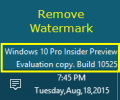
Read this if you want to get rid of the watermark in Windows 10 Insider Builds. ... Read more
by Mihai Neacsu
on 14 May 2014
·
9471 views
You'll notice that in Windows 8 and 8.1 the logon, logoff, shutdown options are missing from the CP > Sounds configuration list. Here's how to add them back, via a registry hack. ... Read more

by Mihai Neacsu
on 26 June 2014
·
9090 views
In Windows 8 and 8.1, the Shutdown options consist of Sign out, Sleep, Shut down, and Restart, but don't include a Hibernate option by default. In this tutorial we'll show you how to re-enable the Hibernate option again. ... Read more
by Mihai Neacsu
on 16 April 2014
·
8924 views
You might find yourself in a situation where you have a valid Windows 8/8.1 serial number but lost your original installation disk that came with it. ... Read more

by Mihai Neacsu
on 16 January 2015
·
8806 views
You can perform a custom Refresh by creating a custom Windows 8/10 refresh image, with the help of a little utility called recimg.exe, which is included in Windows 8/8.1 and 10. ... Read more

by Chris Thomas
on 26 March 2014
·
8781 views
There is a free shortcut that will let you set up your own make-shift version of Windows XP mode within Windows 8. Follow these simple steps and you'll be running old XP applications within Windows 8 in no time. ... Read more

by Mihai Neacsu
on 26 February 2016
·
8584 views
Here's how to bring back the old, classic, "Choose an operating system to start" DOS-style Windows boot menu. ... Read more
by Gary Oldwood
on 23 November 2014
·
8570 views
New leaked screenshots of the latest Windows 10 build (9888) have come to the surface, which show a significant update in the Windows OS Kernel; this hints that Microsoft takes the “One Windows†idea quite seriously. ... Read more
by Mihai Neacsu
on 7 April 2014
·
8338 views
This is a simple process during which you basically need to buy Windows 8.1, put it on a DVD or USB, create a new partition for it, and install. Here's the whole process in detail. ... Read more
Stay Connected
Follow us to get the latest tech tutorials, news, and giveaways as soon as we post them.
Have a Tech Question or News Tip?
Featured Articles
Popular This Week






#news #windows #android #games #ios #how tos #review #best apps #security #google #windows 10 #free #microsoft #apple #windows 8 #apps #chrome #pc #best games #mac #ps4 #smartphone #answers #iphone #samsung #facebook #update #firefox #xbox one #xbox