

Search articles for "7"
Recommended: Fix Windows errors and optimize system performance (ad)
Related programs
There are 440 software programs that match your search query. Search programs now.
Search articles for "7"
by Mihai Neacsu
on 14 October 2014
·
196310 views
By default, Show Desktop is located at the far bottom-right end of the taskbar. If you find that location inconvenient and you would rather have a Show Desktop icon located near the Start, like in Windows XP, we'll show you how to create one. ... Read more

by Mihai Neacsu
on 1 February 2015
·
137035 views
In this tutorial we'll show you how to download a legal copy of Windows (XP, Vista, 7, 8, 8.1, 10) and run it in a virtual machine under Windows, Linux, or Mac. ... Read more

by Mihai Neacsu
on 11 September 2015
·
83666 views
As you know, WhatsApp Web is now available natively for iPhones running iOS 8.1+. That's fine if your device OS is up-to-date, but older iOS devices, such as iPhone 4 who can't update past iOS 7, are left out. This is where this guide comes in handy. ... Read more
by Mihai Neacsu
on 17 March 2014
·
47018 views
If you're planning to upgrade your current PC running XP to a newer Windows installation, than you should have a look at the basic hardware requirements for Windows Vista, 7, 8, 8.1, and 10. ... Read more

by Gary Oldwood
on 31 August 2015
·
38764 views
Here is how to take ownership and gain full access to a file or folder in Windows 10. ... Read more
by Chris Thomas
on 23 May 2016
·
35644 views
How to find the CHKDSK log file location in Windows 7, 8 and 10 using three different methods - filtering logs in the Event Viewer, manually browsing to the hidden text logs in the System Volume Information folder, and using Windows Powershell. ... Read more
by Chris Thomas
on 24 June 2014
·
35480 views
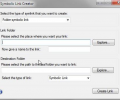
In Windows Vista, 7 and 8 there is a more advanced way to create and manage shortcuts using a command line tool known as MKLink. With MKLink you can type a single line of code into the Command Prompt and create various kinds of shortcuts. ... Read more
by Mihai Neacsu
on 11 August 2016
·
26032 views
Microsoft offers ISO installation files for Windows 7, 8.1, and 10, but they are not always that obvious to find online. These ISOs come in handy when you need a full reinstall of the Windows OS and the original installation media you had, is lost. ... Read more
by Mihai Neacsu
on 8 October 2014
·
22179 views
We've already discussed about the possibility of testing Windows 10 in a virtual machine, which is the safest way of previewing the new OS, and we'll now cover dual booting alongside Windows 7 or 8. ... Read more

by Mihai Neacsu
on 2 January 2018
·
18100 views
In Today's mobile world we tend to forget that our desktop PCs are powerful beasts, taking on more powerful tasks than their mobile counterparts can handle. With this in mind, below is our list of the best Windows software in 2017. ... Read more
by Mihai Neacsu
on 7 April 2014
·
14783 views
So you want to install Windows 8.1 and give it a spin? Upgrading from XP perhaps? Why not do a clean installation with the help of a USB stick rather than a DVD? Here's what you'll need. ... Read more

by Gary Oldwood
on 29 June 2017
·
10739 views
Downloading manually the updates for you Windows OS in bulk is a lot more convenient than letting the built-in Windows Updater do the job, so here is how you can do it easily and effortlessly. ... Read more

by Pete Daniel
on 28 January 2015
·
9158 views
Continuing our tips series on cloud storage services which has included 7 Dropbox Tricks To Help You Get More Out Of Their Cloud Service and 7 Tips To Get The Most Out Of Google Drive, here are our best ideas on getting the most out of the OneDrive. ... Read more
by Mihai Neacsu
on 7 April 2014
·
8337 views
This is a simple process during which you basically need to buy Windows 8.1, put it on a DVD or USB, create a new partition for it, and install. Here's the whole process in detail. ... Read more
by Chris Thomas
on 17 October 2017
·
8021 views
A thorough guide on how to enable, customize, position, and disable the Quick Launch toolbar on the taskbar in Windows 7, Windows 8, and Windows 10. ... Read more
Stay Connected
Follow us to get the latest tech tutorials, news, and giveaways as soon as we post them.
Have a Tech Question or News Tip?
Featured Articles
Popular This Week



#news #windows #android #games #ios #how tos #review #best apps #security #google #windows 10 #free #microsoft #apple #windows 8 #apps #chrome #pc #best games #mac #ps4 #smartphone #answers #iphone #samsung #facebook #update #firefox #xbox one #xbox