PNotes.NET 3.8.2.2
- Developer Link 1
- Developer Link 2 (non https PNotesNET3822Setup.exe)
- Developer Link 3 (non https PNotesNET3822Setup.exe)
- Developer Link 4 (non https PNotesNET3822Setup.exe)
All files are original. Download3K does not repack or modify downloads in any way. Check MD5 for confirmation.
Review & Alternatives
"Light-weight desktop notes manager"
Overview
Are you a sticky-note type of person? If so, you’re going to love this app. PNotes will let you create desktop sticky notes and customize them in several ways: you can add due dates for them, add tags, encrypt them with passwords, synchronize them in a network, pin them to windows, add images to them… and the list goes on. If you find it interesting, read on for further details.
Installation
If you don’t want to install the program but wish to carry it around in your USB stick, you can grab the portable version of PNotes instead. Those who want to perform the installation procedure on the other hand will have no problem with it since it has only a small number of steps and no difficult settings.
PNotes works under all versions of Windows from Windows XP and above.
Interface
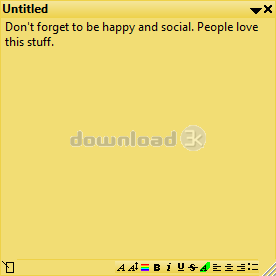
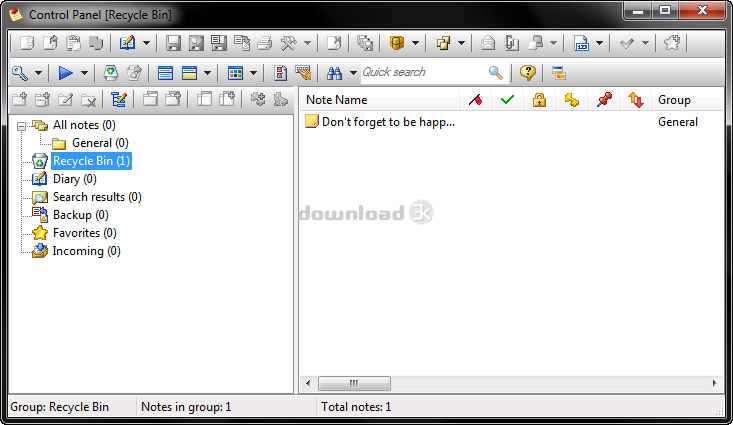
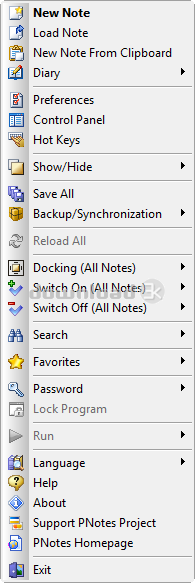
You could say that the program has two interfaces; one for each sticky note and one for the Control Panel. The sticky notes can have their skin changed and they can also be resized and have their features accessed either via the right-click menu or via the toolbar at the bottom. The Control Panel, as its name suggests, is where you control sticky notes and their properties. It is basically a window with a sidebar on the left with some items (All notes, Recycle Bin, Diary, Search results, Backup, Favorites and Incoming) and their contents displayed in the window next to it. The Control Panel also has quite a lot toolbar buttons, making it a bit confusing at first.
Pros
This program is more than just a software for creating sticky-notes. You can schedule them to notify you of the event so that you don’t forget about it even if the note is hidden. In the notes themselves you can add images as well and not just text; just drag an image and drop it in the note to paste it. You can then resize it as you see fit.
You can add tags in your notes to sort them and find them easier from the control panel.
Add a password to the program or the notes when you want to prevent unauthorized access to them.
Pinning notes to a window is possible too. The note will popup every time you switch to that window.
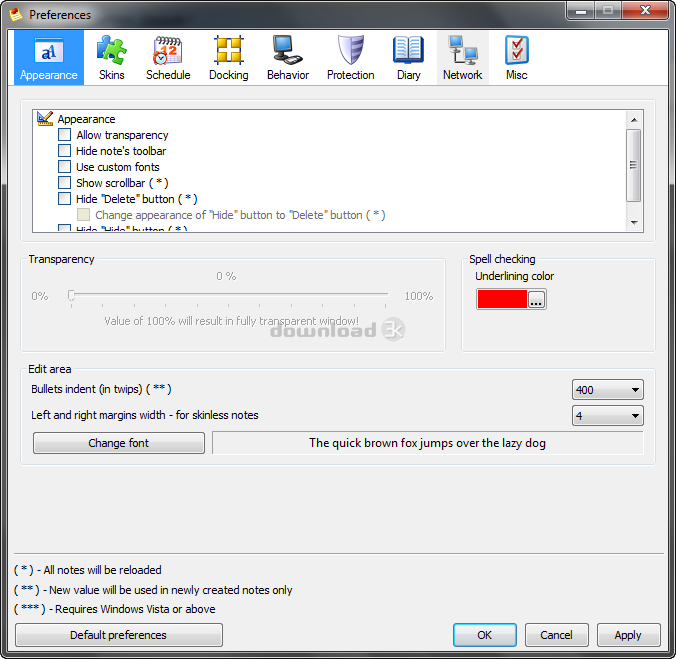
You can adjust transparency in the notes or text formatting (font color/size, alignment, etc.).
Email the notes as attachments if you wish to share them with others.
Cons
No cons here, other than the fact that it’s for more experienced users due to its huge amount of features.
Alternatives
X Sticky Notes (Lite and Full versions available) is one of the best program when it comes to sticky notes, and even though it doesn’t have as many features as PNotes, it’s a nice software to use for your notes. Another decent software is Stickies (free).
Conclusion
This program has an extended list of features that you won’t find anywhere else. If you have enough experience with software and don’t have to spend much time to get familiar with it, it’s ideal for you.

Requirements: No special requirements
What's new in this version: Fixed bugs. New features.
Antivirus information
Popular downloads in Desktop Enhancements
-
 Vista Transformation Pack 9.0.1
Transform Windows XP to Vista alike for free! -
 Universal Vista Inspirat Brico Pack Ultimate 2 1.0
An update for Vista Inspirat Brico Pack. -
 Vista Visual Styles Pack 6.0
Change your old Windows XP theme. -
 VistaMizer 4.3.1.0
Give your Windows XP the Vista look! -
 Licking Dog Screen Cleaner Screen Saver 2.0
Licking Dog Screen Cleaner Screen Saver -
 Acez Jump Start Screensaver 1.2
Activate your screen saver from your desktop! -
 UberIcon 1.0.4
Adds effects to your Desktop and Explorer. -
 Classic Shell 4.3.1
Enhance the usability of Windows! -
 RocketDock 1.3.5
Application launcher simliar to the OSX Dock. -
 free Image 2 Icon Converter 3.2
Convert from all images to transparent icons

-
OS
WinXP,WinVista,WinVista x64,Win7 x32,Win7 x64,Windows2003,WinServer,Windows Vista Ultimate,Windows V -
License
Freeware -
Price
$0.00 -
Updated
3/29/2025 -
Downloads
1996 (1 last week) -
Size
4.44 MB -
Developer
Andrey Gruber