IconPackager 3.2
Developed by Stardock Systems
-
Windows
-
setup file iconpackager_public.exe (40.81 MB)
-
Shareware
Buy or select mirror:
- Buy $14.95
- Developer Link 1 (non https iconpackager_public.exe)
- Download3k US (ver 3.2, iconpackager_public.exe)
- Download3k EU (ver 3.2, iconpackager_public.exe)
MD5: b6eb16ee787097cdb0e68925445dbca3
All files are original. Download3K does not repack or modify downloads in any way. Check MD5 for confirmation.
Developer Description
"Change all the icons used by Windows at once."
The world's best, easiest way to change the icons on Microsoft Windows! IconPackager is a program that allows users to change nearly all of their Windows icons at once by applying "packages" of icons. A package of icons contains icons to replace most of the common icons on your Windows PC. What makes IconPackager special is that unlike Microsoft's themes which only change a few icons, IconPackager changes hundreds of icons. Everything from "My Computer", "Recycle Bin", Folders, all the way to specific file format icons such as .doc and .xls files and any other file type a user wishes to use.Users visit websites such as WinCustomize.com and can download entire packages of icons created by either Stardock or IconPackager theme authors. Once loaded, the user can than apply these icons to their system to customize the look of Windows to their tastes. You don't have to rely on icon packages made by others either, creating your own icon packages is very easy. Once done, you can save your package for later use.
IconPackager also includes Icon Explorer. It is designed to make it easy to navigate through libraries of icons and view them easily in different sizes and formats so that you can get an idea of how an icon looks and decide if it's one you would want to use.
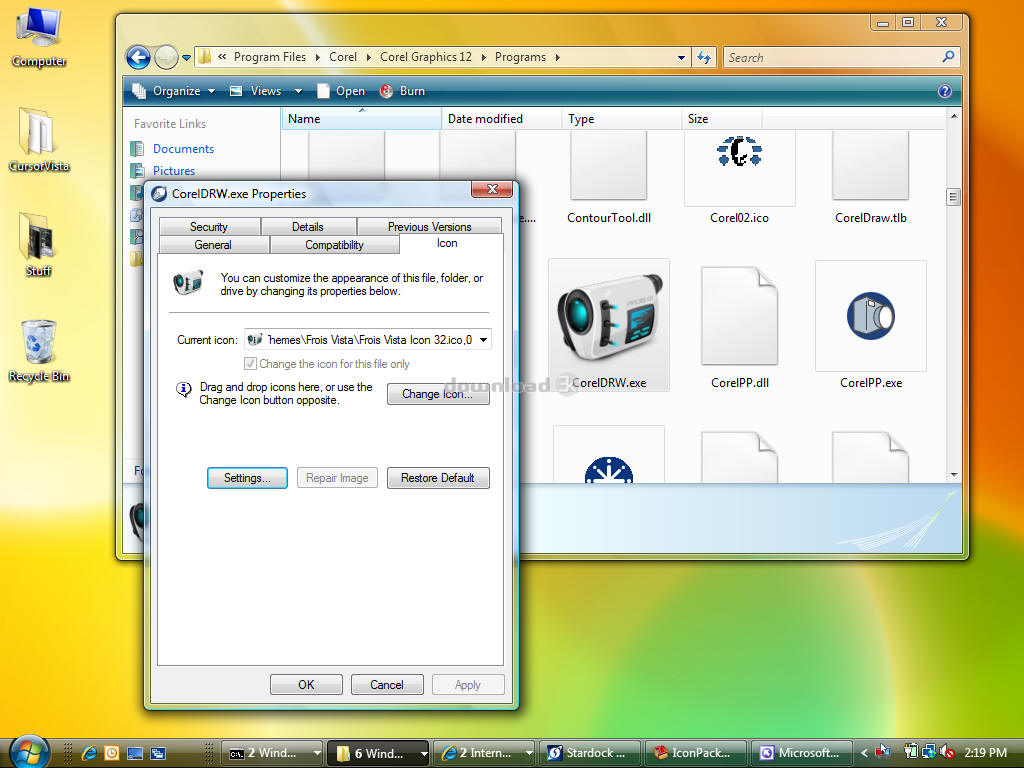
IconPackager 3.2 adds support for Windows Vista including the new "live folders" feature of Windows Vista making it the first (and only) program to support changing the new icons on Windows Vista.
IconPackager 3.2 also supports changing individual icons from a new "change icon" context menu for documents and most other files (EXE's can even have their icon changed from their properties dialog -- see this article for more details).
The shareware version of IconPackager can do all this and more. It runs on Windows 2000/XP/2003/Vista. The enhanced registered version is only $14.95 (or can be purchased as part of Object Desktop, a suite of Stardock's desktop enhancements).
Requirements: Windows 2000, XP, 2003, or Vista
Antivirus information
Download3K has downloaded and tested IconPackager on 4 Jan 2014 with some of Today's best antivirus engines and you can find below, for your convenience, the scan results:
-
Avast:
Clean -
Avira:
Clean -
Kaspersky:
Clean -
NOD32:
Clean

Popular downloads in Desktop Enhancements
-
 Vista Transformation Pack 9.0.1
Transform Windows XP to Vista alike for free! -
 Universal Vista Inspirat Brico Pack Ultimate 2 1.0
An update for Vista Inspirat Brico Pack. -
 Vista Visual Styles Pack 6.0
Change your old Windows XP theme. -
 VistaMizer 4.3.1.0
Give your Windows XP the Vista look! -
 Licking Dog Screen Cleaner Screen Saver 2.0
Licking Dog Screen Cleaner Screen Saver -
 Acez Jump Start Screensaver 1.2
Activate your screen saver from your desktop! -
 UberIcon 1.0.4
Adds effects to your Desktop and Explorer. -
 Classic Shell 4.3.1
Enhance the usability of Windows! -
 RocketDock 1.3.5
Application launcher simliar to the OSX Dock. -
 free Image 2 Icon Converter 3.2
Convert from all images to transparent icons
User rating
3/5 (7 votes)
Good
Your rating

-
OS
WinXP,Windows2000,Windows2003,Windows Vista Home Basic,Windows Vista Home Premium,Windows Vista Busi -
License
Shareware -
Price
$14.95 Buy -
Updated
4/30/2026 -
Downloads
3313 (1 last week) -
Size
40.81 MB -
MD5
b6eb16ee787097cdb0e68925445dbca3 -
SHA1
e77f2ce5ef3f9d95683f42c5878aa7a6132244d1 -
Developer
Stardock Systems