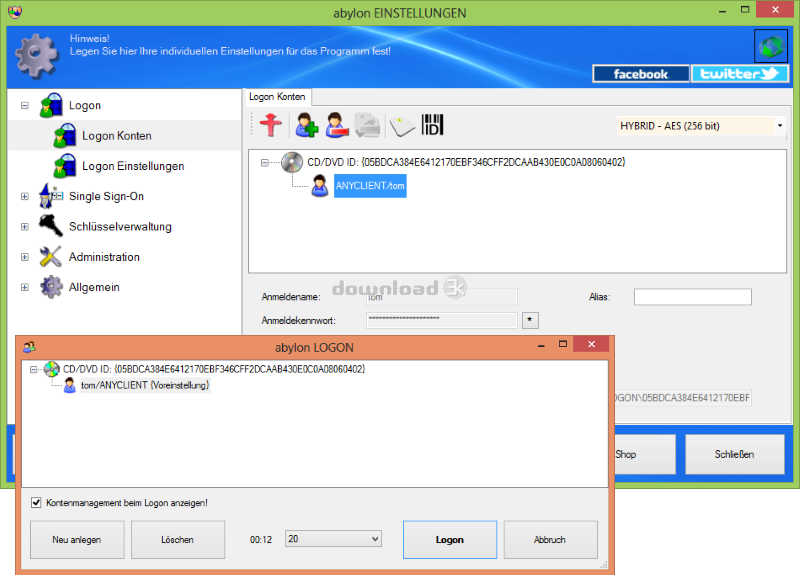


abylon LOGON 23.60.1 Avast log
-
Avast:
Clean -
Avira:
Clean -
Kaspersky:
Clean -
McAfee:
Clean -
NOD32:
Clean

Detailed logs
logon.exe|>{embedded}\Code.bin OK
logon.exe|>{embedded}\setup.exe|>[Embedded_R#HELPER_EXE_AMD64] OK
logon.exe|>{embedded}\setup.exe OK
logon.exe|>{app}\vc_redist\vc_redist.exe|>0 OK
logon.exe|>{app}\vc_redist\vc_redist.exe|>u0 OK
logon.exe|>{app}\vc_redist\vc_redist.exe|>u1 OK
logon.exe|>{app}\vc_redist\vc_redist.exe|>u2 OK
logon.exe|>{app}\vc_redist\vc_redist.exe|>u3 OK
logon.exe|>{app}\vc_redist\vc_redist.exe|>u4 OK
logon.exe|>{app}\vc_redist\vc_redist.exe|>u5 OK
logon.exe|>{app}\vc_redist\vc_redist.exe|>u6 OK
logon.exe|>{app}\vc_redist\vc_redist.exe|>u7 OK
logon.exe|>{app}\vc_redist\vc_redist.exe|>u8 OK
logon.exe|>{app}\vc_redist\vc_redist.exe|>u9 OK
logon.exe|>{app}\vc_redist\vc_redist.exe|>u10 OK
logon.exe|>{app}\vc_redist\vc_redist.exe|>u11 OK
logon.exe|>{app}\vc_redist\vc_redist.exe|>u12 OK
logon.exe|>{app}\vc_redist\vc_redist.exe|>u13 OK
logon.exe|>{app}\vc_redist\vc_redist.exe|>u14 OK
logon.exe|>{app}\vc_redist\vc_redist.exe|>u15 OK
logon.exe|>{app}\vc_redist\vc_redist.exe|>u16 OK
logon.exe|>{app}\vc_redist\vc_redist.exe|>u17 OK
logon.exe|>{app}\vc_redist\vc_redist.exe|>u18 OK
logon.exe|>{app}\vc_redist\vc_redist.exe|>u19 OK
logon.exe|>{app}\vc_redist\vc_redist.exe|>u20 OK
logon.exe|>{app}\vc_redist\vc_redist.exe|>u21 OK
logon.exe|>{app}\vc_redist\vc_redist.exe|>u22 OK
logon.exe|>{app}\vc_redist\vc_redist.exe|>u23 OK
logon.exe|>{app}\vc_redist\vc_redist.exe|>u24 OK
logon.exe|>{app}\vc_redist\vc_redist.exe|>u25 OK
logon.exe|>{app}\vc_redist\vc_redist.exe|>u26 OK
logon.exe|>{app}\vc_redist\vc_redist.exe|>u27 OK
logon.exe|>{app}\vc_redist\vc_redist.exe|>u28 OK
logon.exe|>{app}\vc_redist\vc_redist.exe|>u29 OK
logon.exe|>{app}\vc_redist\vc_redist.exe|>u30 OK
logon.exe|>{app}\vc_redist\vc_redist.exe|>u31 OK
logon.exe|>{app}\vc_redist\vc_redist.exe OK
logon.exe|>{app}\vc_redist\vc_redist.exe|>0 OK
logon.exe|>{app}\vc_redist\vc_redist.exe|>u0 OK
logon.exe|>{app}\vc_redist\vc_redist.exe|>u1 OK
logon.exe|>{app}\vc_redist\vc_redist.exe|>u2 OK
logon.exe|>{app}\vc_redist\vc_redist.exe|>u3 OK
logon.exe|>{app}\vc_redist\vc_redist.exe|>u4 OK
logon.exe|>{app}\vc_redist\vc_redist.exe|>u5 OK
logon.exe|>{app}\vc_redist\vc_redist.exe|>u6 OK
logon.exe|>{app}\vc_redist\vc_redist.exe|>u7 OK
logon.exe|>{app}\vc_redist\vc_redist.exe|>u8 OK
logon.exe|>{app}\vc_redist\vc_redist.exe|>u9 OK
logon.exe|>{app}\vc_redist\vc_redist.exe|>u10 OK
logon.exe|>{app}\vc_redist\vc_redist.exe|>u11 OK
logon.exe|>{app}\vc_redist\vc_redist.exe|>u12 OK
logon.exe|>{app}\vc_redist\vc_redist.exe|>u13 OK
logon.exe|>{app}\vc_redist\vc_redist.exe|>u14 OK
logon.exe|>{app}\vc_redist\vc_redist.exe|>u15 OK
logon.exe|>{app}\vc_redist\vc_redist.exe|>u16 OK
logon.exe|>{app}\vc_redist\vc_redist.exe|>u17 OK
logon.exe|>{app}\vc_redist\vc_redist.exe|>u18 OK
logon.exe|>{app}\vc_redist\vc_redist.exe|>u19 OK
logon.exe|>{app}\vc_redist\vc_redist.exe|>u20 OK
logon.exe|>{app}\vc_redist\vc_redist.exe|>u21 OK
logon.exe|>{app}\vc_redist\vc_redist.exe|>u22 OK
logon.exe|>{app}\vc_redist\vc_redist.exe|>u23 OK
logon.exe|>{app}\vc_redist\vc_redist.exe|>u24 OK
logon.exe|>{app}\vc_redist\vc_redist.exe|>u25 OK
logon.exe|>{app}\vc_redist\vc_redist.exe|>u26 OK
logon.exe|>{app}\vc_redist\vc_redist.exe|>u27 OK
logon.exe|>{app}\vc_redist\vc_redist.exe|>u28 OK
logon.exe|>{app}\vc_redist\vc_redist.exe|>u29 OK
logon.exe|>{app}\vc_redist\vc_redist.exe|>u30 OK
logon.exe|>{app}\vc_redist\vc_redist.exe|>u31 OK
logon.exe|>{app}\vc_redist\vc_redist.exe OK
logon.exe|>{app}\api-ms-win-core-console-l1-1-0.dll OK
logon.exe|>{app}\api-ms-win-core-datetime-l1-1-0.dll OK
logon.exe|>{app}\api-ms-win-core-debug-l1-1-0.dll OK
logon.exe|>{app}\api-ms-win-core-errorhandling-l1-1-0.dll OK
logon.exe|>{app}\api-ms-win-core-file-l1-1-0.dll OK
logon.exe|>{app}\api-ms-win-core-file-l1-2-0.dll OK
logon.exe|>{app}\api-ms-win-core-file-l2-1-0.dll OK
logon.exe|>{app}\api-ms-win-core-handle-l1-1-0.dll OK
logon.exe|>{app}\api-ms-win-core-heap-l1-1-0.dll OK
logon.exe|>{app}\api-ms-win-core-interlocked-l1-1-0.dll OK
logon.exe|>{app}\api-ms-win-core-libraryloader-l1-1-0.dll OK
logon.exe|>{app}\api-ms-win-core-localization-l1-2-0.dll OK
logon.exe|>{app}\api-ms-win-core-memory-l1-1-0.dll OK
logon.exe|>{app}\api-ms-win-core-namedpipe-l1-1-0.dll OK
logon.exe|>{app}\api-ms-win-core-processenvironment-l1-1-0.dll OK
logon.exe|>{app}\api-ms-win-core-processthreads-l1-1-0.dll OK
logon.exe|>{app}\api-ms-win-core-processthreads-l1-1-1.dll OK
logon.exe|>{app}\api-ms-win-core-profile-l1-1-0.dll OK
logon.exe|>{app}\api-ms-win-core-rtlsupport-l1-1-0.dll OK
logon.exe|>{app}\api-ms-win-core-string-l1-1-0.dll OK
logon.exe|>{app}\api-ms-win-core-synch-l1-1-0.dll OK
logon.exe|>{app}\api-ms-win-core-synch-l1-2-0.dll OK
logon.exe|>{app}\api-ms-win-core-sysinfo-l1-1-0.dll OK
logon.exe|>{app}\api-ms-win-core-timezone-l1-1-0.dll OK
logon.exe|>{app}\api-ms-win-core-util-l1-1-0.dll OK
logon.exe|>{app}\api-ms-win-crt-conio-l1-1-0.dll OK
logon.exe|>{app}\api-ms-win-crt-convert-l1-1-0.dll OK
logon.exe|>{app}\api-ms-win-crt-environment-l1-1-0.dll OK
logon.exe|>{app}\api-ms-win-crt-filesystem-l1-1-0.dll OK
logon.exe|>{app}\api-ms-win-crt-heap-l1-1-0.dll OK
logon.exe|>{app}\api-ms-win-crt-locale-l1-1-0.dll OK
logon.exe|>{app}\api-ms-win-crt-math-l1-1-0.dll OK
logon.exe|>{app}\api-ms-win-crt-multibyte-l1-1-0.dll OK
logon.exe|>{app}\api-ms-win-crt-private-l1-1-0.dll OK
logon.exe|>{app}\api-ms-win-crt-process-l1-1-0.dll OK
logon.exe|>{app}\api-ms-win-crt-runtime-l1-1-0.dll OK
logon.exe|>{app}\api-ms-win-crt-stdio-l1-1-0.dll OK
logon.exe|>{app}\api-ms-win-crt-string-l1-1-0.dll OK
logon.exe|>{app}\api-ms-win-crt-time-l1-1-0.dll OK
logon.exe|>{app}\api-ms-win-crt-utility-l1-1-0.dll OK
logon.exe|>{app}\mfc140.dll OK
logon.exe|>{app}\msvcp140.dll OK
logon.exe|>{app}\ucrtbase.dll OK
logon.exe|>{app}\vcruntime140.dll OK
logon.exe|>{app}\api-ms-win-core-console-l1-1-0.dll OK
logon.exe|>{app}\api-ms-win-core-datetime-l1-1-0.dll OK
logon.exe|>{app}\api-ms-win-core-debug-l1-1-0.dll OK
logon.exe|>{app}\api-ms-win-core-errorhandling-l1-1-0.dll OK
logon.exe|>{app}\api-ms-win-core-file-l1-1-0.dll OK
logon.exe|>{app}\api-ms-win-core-file-l1-2-0.dll OK
logon.exe|>{app}\api-ms-win-core-file-l2-1-0.dll OK
logon.exe|>{app}\api-ms-win-core-handle-l1-1-0.dll OK
logon.exe|>{app}\api-ms-win-core-heap-l1-1-0.dll OK
logon.exe|>{app}\api-ms-win-core-interlocked-l1-1-0.dll OK
logon.exe|>{app}\api-ms-win-core-libraryloader-l1-1-0.dll OK
logon.exe|>{app}\api-ms-win-core-localization-l1-2-0.dll OK
logon.exe|>{app}\api-ms-win-core-memory-l1-1-0.dll OK
logon.exe|>{app}\api-ms-win-core-namedpipe-l1-1-0.dll OK
logon.exe|>{app}\api-ms-win-core-processenvironment-l1-1-0.dll OK
logon.exe|>{app}\api-ms-win-core-processthreads-l1-1-0.dll OK
logon.exe|>{app}\api-ms-win-core-processthreads-l1-1-1.dll OK
logon.exe|>{app}\api-ms-win-core-profile-l1-1-0.dll OK
logon.exe|>{app}\api-ms-win-core-rtlsupport-l1-1-0.dll OK
logon.exe|>{app}\api-ms-win-core-string-l1-1-0.dll OK
logon.exe|>{app}\api-ms-win-core-synch-l1-1-0.dll OK
logon.exe|>{app}\api-ms-win-core-synch-l1-2-0.dll OK
logon.exe|>{app}\api-ms-win-core-sysinfo-l1-1-0.dll OK
logon.exe|>{app}\api-ms-win-core-timezone-l1-1-0.dll OK
logon.exe|>{app}\api-ms-win-core-util-l1-1-0.dll OK
logon.exe|>{app}\api-ms-win-crt-conio-l1-1-0.dll OK
logon.exe|>{app}\api-ms-win-crt-convert-l1-1-0.dll OK
logon.exe|>{app}\api-ms-win-crt-environment-l1-1-0.dll OK
logon.exe|>{app}\api-ms-win-crt-filesystem-l1-1-0.dll OK
logon.exe|>{app}\api-ms-win-crt-heap-l1-1-0.dll OK
logon.exe|>{app}\api-ms-win-crt-locale-l1-1-0.dll OK
logon.exe|>{app}\api-ms-win-crt-math-l1-1-0.dll OK
logon.exe|>{app}\api-ms-win-crt-multibyte-l1-1-0.dll OK
logon.exe|>{app}\api-ms-win-crt-private-l1-1-0.dll OK
logon.exe|>{app}\api-ms-win-crt-process-l1-1-0.dll OK
logon.exe|>{app}\api-ms-win-crt-runtime-l1-1-0.dll OK
logon.exe|>{app}\api-ms-win-crt-stdio-l1-1-0.dll OK
logon.exe|>{app}\api-ms-win-crt-string-l1-1-0.dll OK
logon.exe|>{app}\api-ms-win-crt-time-l1-1-0.dll OK
logon.exe|>{app}\api-ms-win-crt-utility-l1-1-0.dll OK
logon.exe|>{app}\mfc140.dll OK
logon.exe|>{app}\msvcp140.dll OK
logon.exe|>{app}\ucrtbase.dll OK
logon.exe|>{app}\vcruntime140.dll OK
logon.exe|>{app}\AdminCall.EXE OK
logon.exe|>{app}\SALCtrlSer.EXE OK
logon.exe|>{app}\SALogon.EXE OK
logon.exe|>{app}\SALService.EXE OK
logon.exe|>{app}\SALSetup.EXE OK
logon.exe|>{app}\APMSecX86.DLL OK
logon.exe|>{app}\MSIMG32.DLL OK
logon.exe|>{app}\SALCmn32X86.DLL OK
logon.exe|>{app}\SALCPR32X86.DLL OK
logon.exe|>{app}\SALCrypt.DLL OK
logon.exe|>{app}\SALDLG.DLL OK
logon.exe|>{app}\SALGUI.DLL OK
logon.exe|>{app}\SALMS32.DLL OK
logon.exe|>{app}\SALTFGina.DLL OK
logon.exe|>{app}\SALTFLogon.DLL OK
logon.exe|>{app}\SALToolsX86.DLL OK
logon.exe|>{app}\AdminCallX64.EXE OK
logon.exe|>{app}\SALCtrlSerX64.EXE OK
logon.exe|>{app}\SALogonX64.EXE OK
logon.exe|>{app}\SALServiceX64.EXE OK
logon.exe|>{app}\SALSetupX64.EXE OK
logon.exe|>{app}\APMSecX64.DLL OK
logon.exe|>{app}\SALCmn32X64.DLL OK
logon.exe|>{app}\SALCPR32X64.DLL OK
logon.exe|>{app}\SALCryptX64.DLL OK
logon.exe|>{app}\SALDLGX64.DLL OK
logon.exe|>{app}\SALGUIX64.DLL OK
logon.exe|>{app}\SALMS32X64.DLL OK
logon.exe|>{app}\SALTFGinaX64.DLL OK
logon.exe|>{app}\SALTFLogonX64.DLL OK
logon.exe|>{app}\SALToolsX64.DLL OK
logon.exe|>{app}\Action.AVI OK
logon.exe|>{app}\Anywork.AVI OK
logon.exe|>{app}\FindFile.AVI OK
logon.exe|>{app}\InsertUSB.AVI OK
logon.exe|>{app}\Kreis.AVI OK
logon.exe|>{app}\linien1.AVI OK
logon.exe|>{app}\Logon.AVI OK
logon.exe|>{app}\ProgABY.AVI OK
logon.exe|>{app}\SecureDec.AVI OK
logon.exe|>{app}\SecureEnc.AVI OK
logon.exe|>{app}\WaitABY.AVI OK
logon.exe|>{app}\WipeABY.AVI OK
logon.exe|>{app}\CODESIG.CRT OK
logon.exe|>{app}\codesigning_2013.CRT OK
logon.exe|>{app}\DRVESIG.CRT OK
logon.exe|>{app}\Licenceagreement.pdf OK
logon.exe|>{app}\Lizenzvereinbarung.pdf OK
logon.exe|>{app}\SALLangD.XML OK
logon.exe|>{app}\SALLangE.XML OK
logon.exe|>{app}\SALLangSP.XML OK
logon.exe|>{app}\SALLangXX.XML OK
logon.exe|>{app}\CG.Animation.dll OK
logon.exe|>{app}\SALLangDX64.DLL OK
logon.exe|>{app}\SALLangEX64.DLL OK
logon.exe|>{app}\SALLangSPX64.DLL OK
logon.exe|>{app}\SALLangXXX64.DLL OK
logon.exe|>{app}\SALLangX86.DLL OK
logon.exe|>{app}\SALLangEX86.DLL OK
logon.exe|>{app}\SALLangX86.DLL OK
logon.exe|>{app}\SALLangX86.DLL OK
logon.exe|>{app}\SALHelpD.chm|>#IDXHDR OK
logon.exe|>{app}\SALHelpD.chm|>#STRINGS OK
logon.exe|>{app}\SALHelpD.chm|>#SYSTEM OK
logon.exe|>{app}\SALHelpD.chm|>#TOPICS OK
logon.exe|>{app}\SALHelpD.chm|>#URLSTR OK
logon.exe|>{app}\SALHelpD.chm|>#URLTBL OK
logon.exe|>{app}\SALHelpD.chm|>#WINDOWS OK
logon.exe|>{app}\SALHelpD.chm|>$FIftiMain OK
logon.exe|>{app}\SALHelpD.chm|>$OBJINST OK
logon.exe|>{app}\SALHelpD.chm|>$WWKeywordLinks\BTree OK
logon.exe|>{app}\SALHelpD.chm|>$WWKeywordLinks\Data OK
logon.exe|>{app}\SALHelpD.chm|>$WWKeywordLinks\Map OK
logon.exe|>{app}\SALHelpD.chm|>$WWKeywordLinks\Property OK
logon.exe|>{app}\SALHelpD.chm|>apm - Index.hhk OK
logon.exe|>{app}\SALHelpD.chm|>apm - Table of Contents.hhc OK
logon.exe|>{app}\SALHelpD.chm|>Html\aboutabylon.htm OK
logon.exe|>{app}\SALHelpD.chm|>Html\abylon.js OK
logon.exe|>{app}\SALHelpD.chm|>Html\dialoge.htm OK
logon.exe|>{app}\SALHelpD.chm|>Html\einstellungen\allgemein_beenden4.png OK
logon.exe|>{app}\SALHelpD.chm|>Html\einstellungen\allgemein_job_entfernen.png OK
logon.exe|>{app}\SALHelpD.chm|>Html\einstellungen\allgemein_job_hinzufuegen.png OK
logon.exe|>{app}\SALHelpD.chm|>Html\einstellungen\allgemein_karte_entfernen.png OK
logon.exe|>{app}\SALHelpD.chm|>Html\einstellungen\allgemein_konto_entfernen.png OK
logon.exe|>{app}\SALHelpD.chm|>Html\einstellungen\allgemein_konto_hinzufuegen.png OK
logon.exe|>{app}\SALHelpD.chm|>Html\einstellungen\allgemein_start1.png OK
logon.exe|>{app}\SALHelpD.chm|>Html\einstellungen\allgemein_testen1.png OK
logon.exe|>{app}\SALHelpD.chm|>Html\einstellungen\Einstellungen_Chipkarte_beschreiben.png OK
logon.exe|>{app}\SALHelpD.chm|>Html\einstellungen\Einstellungen_CT32.png OK
logon.exe|>{app}\SALHelpD.chm|>Html\einstellungen\icon_administration.png OK
logon.exe|>{app}\SALHelpD.chm|>Html\einstellungen\icon_chipkarte_beschreiben.png OK
logon.exe|>{app}\SALHelpD.chm|>Html\einstellungen\icon_ct32_suchen.png OK
logon.exe|>{app}\SALHelpD.chm|>Html\einstellungen\icon_einstellungen_exportieren.png OK
logon.exe|>{app}\SALHelpD.chm|>Html\einstellungen\icon_einstellungen_importieren.png OK
logon.exe|>{app}\SALHelpD.chm|>Html\einstellungen\icon_erweiterte_einstellungen.png OK
logon.exe|>{app}\SALHelpD.chm|>Html\einstellungen\icon_schluesseldateien_sichern.png OK
logon.exe|>{app}\SALHelpD.chm|>Html\einstellungen\icon_shredder_level.png OK
logon.exe|>{app}\SALHelpD.chm|>Html\einstellungen\icon_update.png OK
logon.exe|>{app}\SALHelpD.chm|>Html\einstellungen\icon_usb-installation.png OK
logon.exe|>{app}\SALHelpD.chm|>Html\einstellungen\icon_verschluesselungssystem_festlegen.png OK
logon.exe|>{app}\SALHelpD.chm|>Html\erste_schritte.htm OK
logon.exe|>{app}\SALHelpD.chm|>Html\hilfe_bestellung.htm OK
logon.exe|>{app}\SALHelpD.chm|>Html\hilfe_certmgr.htm OK
logon.exe|>{app}\SALHelpD.chm|>Html\hilfe_installation.htm OK
logon.exe|>{app}\SALHelpD.chm|>Html\hilfe_keygen.htm OK
logon.exe|>{app}\SALHelpD.chm|>Html\hilfe_logon.htm OK
logon.exe|>{app}\SALHelpD.chm|>Html\hilfe_sso.htm OK
logon.exe|>{app}\SALHelpD.chm|>Html\hlp_settings.htm OK
logon.exe|>{app}\SALHelpD.chm|>Html\hlp_settings_admin.htm OK
logon.exe|>{app}\SALHelpD.chm|>Html\hlp_settings_allgemein.htm OK
logon.exe|>{app}\SALHelpD.chm|>Html\hlp_settings_ct32dll.htm OK
logon.exe|>{app}\SALHelpD.chm|>Html\hlp_settings_hybrid.htm OK
logon.exe|>{app}\SALHelpD.chm|>Html\hlp_settings_keymgnt.htm OK
logon.exe|>{app}\SALHelpD.chm|>Html\hlp_settings_logon1.htm OK
logon.exe|>{app}\SALHelpD.chm|>Html\hlp_settings_logon2.htm OK
logon.exe|>{app}\SALHelpD.chm|>Html\hlp_settings_logon3.htm OK
logon.exe|>{app}\SALHelpD.chm|>Html\hlp_settings_logon4.htm OK
logon.exe|>{app}\SALHelpD.chm|>Html\hlp_settings_protocol.htm OK
logon.exe|>{app}\SALHelpD.chm|>Html\hlp_settings_sso1.htm OK
logon.exe|>{app}\SALHelpD.chm|>Html\hlp_settings_sso2.htm OK
logon.exe|>{app}\SALHelpD.chm|>Html\hlp_settings_sso3.htm OK
logon.exe|>{app}\SALHelpD.chm|>Html\hlp_settings_sso4.htm OK
logon.exe|>{app}\SALHelpD.chm|>Html\hlp_settings_sso5.htm OK
logon.exe|>{app}\SALHelpD.chm|>Html\hlp_settings_usbinst.htm OK
logon.exe|>{app}\SALHelpD.chm|>Html\images\aby_admin.gif OK
logon.exe|>{app}\SALHelpD.chm|>Html\images\aby_certmgr.gif OK
logon.exe|>{app}\SALHelpD.chm|>Html\images\aby_einstellungen.gif OK
logon.exe|>{app}\SALHelpD.chm|>Html\images\aby_logon.gif OK
logon.exe|>{app}\SALHelpD.chm|>Html\images\card_all.png OK
logon.exe|>{app}\SALHelpD.chm|>Html\images\card_cd.png OK
logon.exe|>{app}\SALHelpD.chm|>Html\images\card_cert.png OK
logon.exe|>{app}\SALHelpD.chm|>Html\images\card_ec.png OK
logon.exe|>{app}\SALHelpD.chm|>Html\images\card_memory.png OK
logon.exe|>{app}\SALHelpD.chm|>Html\images\card_rfid.png OK
logon.exe|>{app}\SALHelpD.chm|>Html\images\card_stick.png OK
logon.exe|>{app}\SALHelpD.chm|>Html\images\cert_backup.png OK
logon.exe|>{app}\SALHelpD.chm|>Html\images\cert_cryptdrive.png OK
logon.exe|>{app}\SALHelpD.chm|>Html\images\cert_erstellen.png OK
logon.exe|>{app}\SALHelpD.chm|>Html\images\cert_import.png OK
logon.exe|>{app}\SALHelpD.chm|>Html\images\cert_info.png OK
logon.exe|>{app}\SALHelpD.chm|>Html\images\cert_ldap.png OK
logon.exe|>{app}\SALHelpD.chm|>Html\images\cert_loeschen.png OK
logon.exe|>{app}\SALHelpD.chm|>Html\images\cert_oeffentlich.png OK
logon.exe|>{app}\SALHelpD.chm|>Html\images\cert_privat.png OK
logon.exe|>{app}\SALHelpD.chm|>Html\images\cert_senden.png OK
logon.exe|>{app}\SALHelpD.chm|>Html\images\cert_shareddrive.png OK
logon.exe|>{app}\SALHelpD.chm|>Html\images\cert_smallpki.png OK
logon.exe|>{app}\SALHelpD.chm|>Html\images\cert_tresor.png OK
logon.exe|>{app}\SALHelpD.chm|>Html\images\cert_ueber.png OK
logon.exe|>{app}\SALHelpD.chm|>Html\images\error.gif OK
logon.exe|>{app}\SALHelpD.chm|>Html\images\haken.gif OK
logon.exe|>{app}\SALHelpD.chm|>Html\images\hinweis.gif OK
logon.exe|>{app}\SALHelpD.chm|>Html\images\info.gif OK
logon.exe|>{app}\SALHelpD.chm|>Html\images\info2.gif OK
logon.exe|>{app}\SALHelpD.chm|>Html\images\settings_admin.png OK
logon.exe|>{app}\SALHelpD.chm|>Html\images\settings_common.png OK
logon.exe|>{app}\SALHelpD.chm|>Html\images\settings_cryptdrive.png OK
logon.exe|>{app}\SALHelpD.chm|>Html\images\settings_keymgt.png OK
logon.exe|>{app}\SALHelpD.chm|>Html\images\settings_logon.png OK
logon.exe|>{app}\SALHelpD.chm|>Html\images\settings_sso.png OK
logon.exe|>{app}\SALHelpD.chm|>Html\images\signieren.png OK
logon.exe|>{app}\SALHelpD.chm|>Html\images\verschluesseln.png OK
logon.exe|>{app}\SALHelpD.chm|>Html\lexikon.htm OK
logon.exe|>{app}\SALHelpD.chm|>Html\logon\einstellungen_einstellungen.png OK
logon.exe|>{app}\SALHelpD.chm|>Html\logon\einstellungen_erweitert.png OK
logon.exe|>{app}\SALHelpD.chm|>Html\logon\einstellungen_konten.png OK
logon.exe|>{app}\SALHelpD.chm|>Html\logon\Entschluesselter Datensatz.png OK
logon.exe|>{app}\SALHelpD.chm|>Html\logon\hilfe_3.gif OK
logon.exe|>{app}\SALHelpD.chm|>Html\logon\hilfe_6.gif OK
logon.exe|>{app}\SALHelpD.chm|>Html\logon\hilfe_7.gif OK
logon.exe|>{app}\SALHelpD.chm|>Html\logon\icon_karten.png OK
logon.exe|>{app}\SALHelpD.chm|>Html\logon\icon_konten.png OK
logon.exe|>{app}\SALHelpD.chm|>Html\logon\icon_schutzmann.png OK
logon.exe|>{app}\SALHelpD.chm|>Html\logon\Masterpasswort.png OK
logon.exe|>{app}\SALHelpD.chm|>Html\logon\Parameter.png OK
logon.exe|>{app}\SALHelpD.chm|>Html\logon\Programm auswaehlen.png OK
logon.exe|>{app}\SALHelpD.chm|>Html\logon\wpe10.png OK
logon.exe|>{app}\SALHelpD.chm|>Html\logon\wpeC.png OK
logon.exe|>{app}\SALHelpD.chm|>Html\printscreens\asymmetrische_verschluesselung.gif OK
logon.exe|>{app}\SALHelpD.chm|>Html\printscreens\hilfe_bestellung1.png OK
logon.exe|>{app}\SALHelpD.chm|>Html\printscreens\hilfe_bestellung1a.png OK
logon.exe|>{app}\SALHelpD.chm|>Html\printscreens\hilfe_bestellung2.png OK
logon.exe|>{app}\SALHelpD.chm|>Html\printscreens\hilfe_bestellung3.png OK
logon.exe|>{app}\SALHelpD.chm|>Html\printscreens\hilfe_certmgr1.png OK
logon.exe|>{app}\SALHelpD.chm|>Html\printscreens\hilfe_einstellungen17.gif OK
logon.exe|>{app}\SALHelpD.chm|>Html\printscreens\hilfe_installation0.png OK
logon.exe|>{app}\SALHelpD.chm|>Html\printscreens\hilfe_installation1.png OK
logon.exe|>{app}\SALHelpD.chm|>Html\printscreens\hilfe_installation2.png OK
logon.exe|>{app}\SALHelpD.chm|>Html\printscreens\hilfe_installation3.png OK
logon.exe|>{app}\SALHelpD.chm|>Html\printscreens\hilfe_installation4.png OK
logon.exe|>{app}\SALHelpD.chm|>Html\printscreens\hilfe_installation5.png OK
logon.exe|>{app}\SALHelpD.chm|>Html\printscreens\hilfe_keygen1.png OK
logon.exe|>{app}\SALHelpD.chm|>Html\printscreens\hilfe_logon1.png OK
logon.exe|>{app}\SALHelpD.chm|>Html\printscreens\hilfe_logon2.png OK
logon.exe|>{app}\SALHelpD.chm|>Html\printscreens\hilfe_logon3.png OK
logon.exe|>{app}\SALHelpD.chm|>Html\printscreens\hilfe_logon4.png OK
logon.exe|>{app}\SALHelpD.chm|>Html\printscreens\hlp_settings_admin.png OK
logon.exe|>{app}\SALHelpD.chm|>Html\printscreens\hlp_settings_allgemein.png OK
logon.exe|>{app}\SALHelpD.chm|>Html\printscreens\hlp_settings_hybrid.png OK
logon.exe|>{app}\SALHelpD.chm|>Html\printscreens\hlp_settings_log.png OK
logon.exe|>{app}\SALHelpD.chm|>Html\printscreens\hlp_settings_usb-stick.png OK
logon.exe|>{app}\SALHelpD.chm|>Html\printscreens\passwort_eingeben.png OK
logon.exe|>{app}\SALHelpD.chm|>Html\printscreens\registrierung1.jpg OK
logon.exe|>{app}\SALHelpD.chm|>Html\printscreens\symmetrische_verschluesselung.gif OK
logon.exe|>{app}\SALHelpD.chm|>Html\registration.htm OK
logon.exe|>{app}\SALHelpD.chm|>Html\sso\Aktivieren.png OK
logon.exe|>{app}\SALHelpD.chm|>Html\sso\Auswahl_Applikationen.png OK
logon.exe|>{app}\SALHelpD.chm|>Html\sso\Benutzername_und_Passwort.png OK
logon.exe|>{app}\SALHelpD.chm|>Html\sso\Einstellungen_SSO_Applikationen.png OK
logon.exe|>{app}\SALHelpD.chm|>Html\sso\Einstellungen_SSO_Einstellungen.png OK
logon.exe|>{app}\SALHelpD.chm|>Html\sso\Einstellungen_SSO_Karten.png OK
logon.exe|>{app}\SALHelpD.chm|>Html\sso\Einstellungen_SSO_Konten.png OK
logon.exe|>{app}\SALHelpD.chm|>Html\sso\Frage_anlernen.png OK
logon.exe|>{app}\SALHelpD.chm|>Html\sso\Frage_Masterpasswort.png OK
logon.exe|>{app}\SALHelpD.chm|>Html\sso\icon_dialog.png OK
logon.exe|>{app}\SALHelpD.chm|>Html\sso\icon_konten.png OK
logon.exe|>{app}\SALHelpD.chm|>Html\sso\icon_zauberer.png OK
logon.exe|>{app}\SALHelpD.chm|>Html\sso\icon_zuruecksetzen.png OK
logon.exe|>{app}\SALHelpD.chm|>Html\sso\masterpasswort.png OK
logon.exe|>{app}\SALHelpD.chm|>Html\sso\menu_konto.gif OK
logon.exe|>{app}\SALHelpD.chm|>Html\sso\Passwort.png OK
logon.exe|>{app}\SALHelpD.chm|>Html\sso\Passwortdialoge_anlernen.png OK
logon.exe|>{app}\SALHelpD.chm|>Html\standard.css OK
logon.exe|>{app}\SALHelpD.chm|>Html\willkommen.htm OK
logon.exe|>{app}\SALHelpD.chm OK
logon.exe|>{app}\SALHelpXX.chm|>#IDXHDR OK
logon.exe|>{app}\SALHelpXX.chm|>#STRINGS OK
logon.exe|>{app}\SALHelpXX.chm|>#SYSTEM OK
logon.exe|>{app}\SALHelpXX.chm|>#TOPICS OK
logon.exe|>{app}\SALHelpXX.chm|>#URLSTR OK
logon.exe|>{app}\SALHelpXX.chm|>#URLTBL OK
logon.exe|>{app}\SALHelpXX.chm|>#WINDOWS OK
logon.exe|>{app}\SALHelpXX.chm|>$FIftiMain OK
logon.exe|>{app}\SALHelpXX.chm|>$OBJINST OK
logon.exe|>{app}\SALHelpXX.chm|>$WWKeywordLinks\BTree OK
logon.exe|>{app}\SALHelpXX.chm|>$WWKeywordLinks\Data OK
logon.exe|>{app}\SALHelpXX.chm|>$WWKeywordLinks\Map OK
logon.exe|>{app}\SALHelpXX.chm|>$WWKeywordLinks\Property OK
logon.exe|>{app}\SALHelpXX.chm|>aboutabylon.htm OK
logon.exe|>{app}\SALHelpXX.chm|>abylon.js OK
logon.exe|>{app}\SALHelpXX.chm|>apm - Index.hhk OK
logon.exe|>{app}\SALHelpXX.chm|>apm - Table of Contents.hhc OK
logon.exe|>{app}\SALHelpXX.chm|>html\aboutabylon.htm OK
logon.exe|>{app}\SALHelpXX.chm|>html\abylon.js OK
logon.exe|>{app}\SALHelpXX.chm|>html\dialoge.htm OK
logon.exe|>{app}\SALHelpXX.chm|>html\einstellungen\allgemein_beenden4.png OK
logon.exe|>{app}\SALHelpXX.chm|>html\einstellungen\allgemein_job_entfernen.png OK
logon.exe|>{app}\SALHelpXX.chm|>html\einstellungen\allgemein_job_hinzufuegen.png OK
logon.exe|>{app}\SALHelpXX.chm|>html\einstellungen\allgemein_karte_entfernen.png OK
logon.exe|>{app}\SALHelpXX.chm|>html\einstellungen\allgemein_konto_entfernen.png OK
logon.exe|>{app}\SALHelpXX.chm|>html\einstellungen\allgemein_konto_hinzufuegen.png OK
logon.exe|>{app}\SALHelpXX.chm|>html\einstellungen\allgemein_start1.png OK
logon.exe|>{app}\SALHelpXX.chm|>html\einstellungen\allgemein_testen1.png OK
logon.exe|>{app}\SALHelpXX.chm|>html\einstellungen\Einstellungen_Chipkarte_beschreiben.png OK
logon.exe|>{app}\SALHelpXX.chm|>html\einstellungen\Einstellungen_CT32.png OK
logon.exe|>{app}\SALHelpXX.chm|>html\einstellungen\icon_administration.png OK
logon.exe|>{app}\SALHelpXX.chm|>html\einstellungen\icon_chipkarte_beschreiben.png OK
logon.exe|>{app}\SALHelpXX.chm|>html\einstellungen\icon_ct32_suchen.png OK
logon.exe|>{app}\SALHelpXX.chm|>html\einstellungen\icon_einstellungen_exportieren.png OK
logon.exe|>{app}\SALHelpXX.chm|>html\einstellungen\icon_einstellungen_importieren.png OK
logon.exe|>{app}\SALHelpXX.chm|>html\einstellungen\icon_erweiterte_einstellungen.png OK
logon.exe|>{app}\SALHelpXX.chm|>html\einstellungen\icon_schluesseldateien_sichern.png OK
logon.exe|>{app}\SALHelpXX.chm|>html\einstellungen\icon_shredder_level.png OK
logon.exe|>{app}\SALHelpXX.chm|>html\einstellungen\icon_update.png OK
logon.exe|>{app}\SALHelpXX.chm|>html\einstellungen\icon_usb-installation.png OK
logon.exe|>{app}\SALHelpXX.chm|>html\einstellungen\icon_verschluesselungssystem_festlegen.png OK
logon.exe|>{app}\SALHelpXX.chm|>html\erste_schritte.htm OK
logon.exe|>{app}\SALHelpXX.chm|>html\hilfe_bestellung.htm OK
logon.exe|>{app}\SALHelpXX.chm|>html\hilfe_certmgr.htm OK
logon.exe|>{app}\SALHelpXX.chm|>html\hilfe_installation.htm OK
logon.exe|>{app}\SALHelpXX.chm|>html\hilfe_keygen.htm OK
logon.exe|>{app}\SALHelpXX.chm|>html\hilfe_logon.htm OK
logon.exe|>{app}\SALHelpXX.chm|>html\hlp_settings.htm OK
logon.exe|>{app}\SALHelpXX.chm|>html\hlp_settings_admin.htm OK
logon.exe|>{app}\SALHelpXX.chm|>html\hlp_settings_allgemein.htm OK
logon.exe|>{app}\SALHelpXX.chm|>html\hlp_settings_ct32dll.htm OK
logon.exe|>{app}\SALHelpXX.chm|>html\hlp_settings_hybrid.htm OK
logon.exe|>{app}\SALHelpXX.chm|>html\hlp_settings_keymgnt.htm OK
logon.exe|>{app}\SALHelpXX.chm|>html\hlp_settings_logon.htm OK
logon.exe|>{app}\SALHelpXX.chm|>html\hlp_settings_logon1.htm OK
logon.exe|>{app}\SALHelpXX.chm|>html\hlp_settings_logon2.htm OK
logon.exe|>{app}\SALHelpXX.chm|>html\hlp_settings_protocol.htm OK
logon.exe|>{app}\SALHelpXX.chm|>html\hlp_settings_usbinst.htm OK
logon.exe|>{app}\SALHelpXX.chm|>html\images\aby_admin.gif OK
logon.exe|>{app}\SALHelpXX.chm|>html\images\aby_certmgr.gif OK
logon.exe|>{app}\SALHelpXX.chm|>html\images\aby_einstellungen.gif OK
logon.exe|>{app}\SALHelpXX.chm|>html\images\aby_logon.gif OK
logon.exe|>{app}\SALHelpXX.chm|>html\images\aby_manager.gif OK
logon.exe|>{app}\SALHelpXX.chm|>html\images\card_cd.png OK
logon.exe|>{app}\SALHelpXX.chm|>html\images\card_cert.png OK
logon.exe|>{app}\SALHelpXX.chm|>html\images\card_ec.png OK
logon.exe|>{app}\SALHelpXX.chm|>html\images\card_memory.png OK
logon.exe|>{app}\SALHelpXX.chm|>html\images\card_rfid.png OK
logon.exe|>{app}\SALHelpXX.chm|>html\images\card_stick.png OK
logon.exe|>{app}\SALHelpXX.chm|>html\images\cert_backup.png OK
logon.exe|>{app}\SALHelpXX.chm|>html\images\cert_cryptdrive.png OK
logon.exe|>{app}\SALHelpXX.chm|>html\images\cert_erstellen.png OK
logon.exe|>{app}\SALHelpXX.chm|>html\images\cert_import.png OK
logon.exe|>{app}\SALHelpXX.chm|>html\images\cert_info.png OK
logon.exe|>{app}\SALHelpXX.chm|>html\images\cert_ldap.png OK
logon.exe|>{app}\SALHelpXX.chm|>html\images\cert_loeschen.png OK
logon.exe|>{app}\SALHelpXX.chm|>html\images\cert_oeffentlich.png OK
logon.exe|>{app}\SALHelpXX.chm|>html\images\cert_privat.png OK
logon.exe|>{app}\SALHelpXX.chm|>html\images\cert_senden.png OK
logon.exe|>{app}\SALHelpXX.chm|>html\images\cert_shareddrive.png OK
logon.exe|>{app}\SALHelpXX.chm|>html\images\cert_smallpki.png OK
logon.exe|>{app}\SALHelpXX.chm|>html\images\cert_tresor.png OK
logon.exe|>{app}\SALHelpXX.chm|>html\images\cert_ueber.png OK
logon.exe|>{app}\SALHelpXX.chm|>html\images\error.gif OK
logon.exe|>{app}\SALHelpXX.chm|>html\images\haken.gif OK
logon.exe|>{app}\SALHelpXX.chm|>html\images\hinweis.gif OK
logon.exe|>{app}\SALHelpXX.chm|>html\images\info.gif OK
logon.exe|>{app}\SALHelpXX.chm|>html\images\info2.gif OK
logon.exe|>{app}\SALHelpXX.chm|>html\images\settings_admin.png OK
logon.exe|>{app}\SALHelpXX.chm|>html\images\settings_common.png OK
logon.exe|>{app}\SALHelpXX.chm|>html\images\settings_cryptdrive.png OK
logon.exe|>{app}\SALHelpXX.chm|>html\images\settings_keymgt.png OK
logon.exe|>{app}\SALHelpXX.chm|>html\images\settings_logon.png OK
logon.exe|>{app}\SALHelpXX.chm|>html\images\signieren.png OK
logon.exe|>{app}\SALHelpXX.chm|>html\images\verschluesseln.png OK
logon.exe|>{app}\SALHelpXX.chm|>html\logon\einstellungen_konten.png OK
logon.exe|>{app}\SALHelpXX.chm|>html\logon\Entschluesselter Datensatz.png OK
logon.exe|>{app}\SALHelpXX.chm|>html\logon\hilfe_3.gif OK
logon.exe|>{app}\SALHelpXX.chm|>html\logon\hilfe_6.gif OK
logon.exe|>{app}\SALHelpXX.chm|>html\logon\hilfe_7.gif OK
logon.exe|>{app}\SALHelpXX.chm|>html\logon\icon_karten.png OK
logon.exe|>{app}\SALHelpXX.chm|>html\logon\icon_konten.png OK
logon.exe|>{app}\SALHelpXX.chm|>html\logon\icon_schutzmann.png OK
logon.exe|>{app}\SALHelpXX.chm|>html\logon\Masterpasswort.png OK
logon.exe|>{app}\SALHelpXX.chm|>html\logon\Parameter.png OK
logon.exe|>{app}\SALHelpXX.chm|>html\logon\Programm auswaehlen.png OK
logon.exe|>{app}\SALHelpXX.chm|>html\logon\wpe10.png OK
logon.exe|>{app}\SALHelpXX.chm|>html\logon\wpeC.png OK
logon.exe|>{app}\SALHelpXX.chm|>html\printscreens\hilfe_bestellung1.png OK
logon.exe|>{app}\SALHelpXX.chm|>html\printscreens\hilfe_bestellung1a.png OK
logon.exe|>{app}\SALHelpXX.chm|>html\printscreens\hilfe_bestellung2.png OK
logon.exe|>{app}\SALHelpXX.chm|>html\printscreens\hilfe_bestellung3.png OK
logon.exe|>{app}\SALHelpXX.chm|>html\printscreens\hilfe_certmgr1.png OK
logon.exe|>{app}\SALHelpXX.chm|>html\printscreens\hilfe_einstellungen17.gif OK
logon.exe|>{app}\SALHelpXX.chm|>html\printscreens\hilfe_installation0.png OK
logon.exe|>{app}\SALHelpXX.chm|>html\printscreens\hilfe_installation1.png OK
logon.exe|>{app}\SALHelpXX.chm|>html\printscreens\hilfe_installation2.png OK
logon.exe|>{app}\SALHelpXX.chm|>html\printscreens\hilfe_installation3.png OK
logon.exe|>{app}\SALHelpXX.chm|>html\printscreens\hilfe_installation4.png OK
logon.exe|>{app}\SALHelpXX.chm|>html\printscreens\hilfe_installation5.png OK
logon.exe|>{app}\SALHelpXX.chm|>html\printscreens\hilfe_keygen1.png OK
logon.exe|>{app}\SALHelpXX.chm|>html\printscreens\hilfe_logon1.png OK
logon.exe|>{app}\SALHelpXX.chm|>html\printscreens\hilfe_logon2.png OK
logon.exe|>{app}\SALHelpXX.chm|>html\printscreens\hilfe_logon3.png OK
logon.exe|>{app}\SALHelpXX.chm|>html\printscreens\hilfe_logon4.png OK
logon.exe|>{app}\SALHelpXX.chm|>html\printscreens\hlp_settings_admin.png OK
logon.exe|>{app}\SALHelpXX.chm|>html\printscreens\hlp_settings_allgemein.png OK
logon.exe|>{app}\SALHelpXX.chm|>html\printscreens\hlp_settings_hybrid.png OK
logon.exe|>{app}\SALHelpXX.chm|>html\printscreens\hlp_settings_log.png OK
logon.exe|>{app}\SALHelpXX.chm|>html\printscreens\hlp_settings_logon.png OK
logon.exe|>{app}\SALHelpXX.chm|>html\printscreens\hlp_settings_usb-stick.png OK
logon.exe|>{app}\SALHelpXX.chm|>html\printscreens\registrierung1.jpg OK
logon.exe|>{app}\SALHelpXX.chm|>html\registration.htm OK
logon.exe|>{app}\SALHelpXX.chm|>html\standard.css OK
logon.exe|>{app}\SALHelpXX.chm|>html\willkommen.htm OK
logon.exe|>{app}\SALHelpXX.chm|>standard.css OK
logon.exe|>{app}\SALHelpXX.chm OK
logon.exe|>{app}\PASSICON\assistent.ico OK
logon.exe|>{app}\PASSICON\certmanager.ico OK
logon.exe|>{app}\PASSICON\cryptdrive.ico OK
logon.exe|>{app}\PASSICON\cryptmail.ico OK
logon.exe|>{app}\PASSICON\destroyalldirves.ico OK
logon.exe|>{app}\PASSICON\download.ico OK
logon.exe|>{app}\PASSICON\einstellungen.ico OK
logon.exe|>{app}\PASSICON\Erdbere.ico OK
logon.exe|>{app}\PASSICON\Flocke.ico OK
logon.exe|>{app}\PASSICON\help.ico OK
logon.exe|>{app}\PASSICON\hilfe.ico OK
logon.exe|>{app}\PASSICON\internet.ico OK
logon.exe|>{app}\PASSICON\keyexchange.ico OK
logon.exe|>{app}\PASSICON\keysafe.ico OK
logon.exe|>{app}\PASSICON\lock.ico OK
logon.exe|>{app}\PASSICON\manager.ico OK
logon.exe|>{app}\PASSICON\Mann.ico OK
logon.exe|>{app}\PASSICON\PASS1.ICO OK
logon.exe|>{app}\PASSICON\PASS2.ICO OK
logon.exe|>{app}\PASSICON\PASS3.ICO OK
logon.exe|>{app}\PASSICON\PASS4.ICO OK
logon.exe|>{app}\PASSICON\PASS5.ICO OK
logon.exe|>{app}\PASSICON\PASS6.ICO OK
logon.exe|>{app}\PASSICON\PASS7.ICO OK
logon.exe|>{app}\PASSICON\PASS8.ICO OK
logon.exe|>{app}\PASSICON\reg.ico OK
logon.exe|>{app}\PASSICON\Schmetterling.ico OK
logon.exe|>{app}\PASSICON\selfcert.ico OK
logon.exe|>{app}\PASSICON\shredder.ico OK
logon.exe|>{app}\PASSICON\support.ico OK
logon.exe|>{app}\PASSICON\update.ico OK
logon.exe|>{app}\PASSICON\zip.ico OK
logon.exe|>{app}\CONFIG\UserConfig.XML OK
logon.exe OK
#
# Number of scanned files: 556
# Number of scanned folders: 0
# Number of infected files: 0
# Total size of scanned files: 245665281
# Virus database: 230512-2, 5/12/23
# Total scan time: 0:0:20
General Security Recommendations
1. Install an antivirus
In order to keep your computer free of malware, we recommend that you always have an antivirus program installed, especially when downloading and installing new programs from the web. At least once a day, run its database update program. This will allow your antivirus to stay up to date with the latest badware threats and better protect your computer data.
If you don't have a powerful antivirus solution already protecting your computer, you should install one from our recommendations: Avast Free, AVG Free, Avira Free, Bitdefender Free, NOD32.
2. Choose a safe web browser
An important aspect to keep in mind is what web browser you use. Most browser exploits and viruses target Internet Explorer so it's best you consider an alternative. The safest web browsers available Today are considered to be Mozilla Firefox and Google Chrome. Besides being free, they are both fast, have pop-up blocking, tabbed browsing, with privacy and security features. Give them a try: Download Mozilla Firefox or Download Google Chrome.
3. Learn more about securing your PC
These articles should help you further:
- - Our Chart of Top Dumb Ways to Mess Up Your PC
- - PC improvement tips for National Clean Out Your Computer Day (or any other day)
- - The Crucial Actions to take when using a new Windows PC for the first time
- - Introduction to Sandboxed Browsing
- - Will Clearing Your Browser's Cache Actually Improve Your Browsing Experience?
- - Browser Hijacking Signs and How To Clean-up
- - Comprehensive Guide to Secure Passwords
- - Two-Factor Authentication Explained - Protecting Your Accounts With More Than Just a Password
Get the HTML Code for this report
Graphic Link



Text Link
- Example:abylon LOGON Antivirus report done by Download3k.com.
- HTML:
- Forum code: