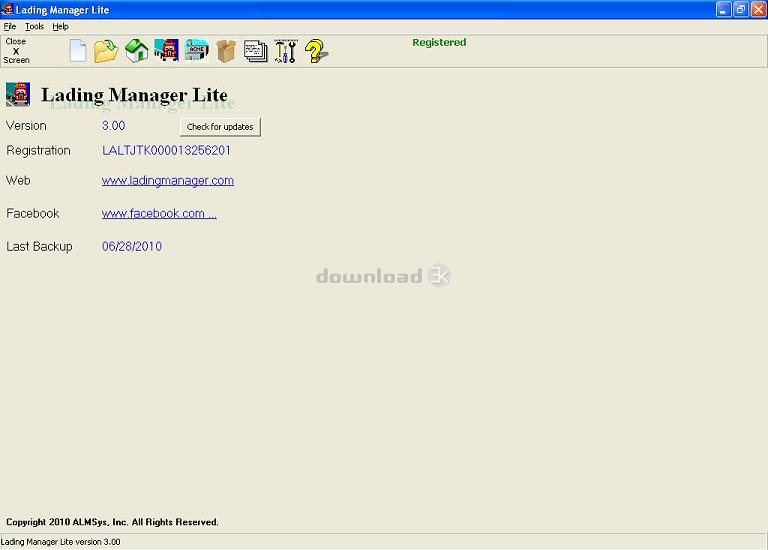
Lading Manager Lite 5.3000 Antivirus Report
-
Avast:
Clean -
AVG:
Clean -
Avira:
Clean -
Kaspersky:
Clean -
NOD32:
Clean

Detailed logs
 Avast
scan report:
Clean
Avast
scan report:
Clean #
# Number of scanned files: 1
# Number of scanned folders: 0
# Number of infected files: 0
# Total size of scanned files: 11350136
# Virus database: 160907-0, 09/07/16
# Total scan time: 0:0:1
 AVG
scan report:
Clean
AVG
scan report:
Clean Copyright (c) 1992 - 2016 AVG Technologies
Program version 2016.0.7752, engine 2016.0.4649
Virus Database: Version 4649/12961 2016-09-07
ladiboth.exe is OK.
------------------------------------------------------------
Test started: 7.9.2016 15:52:23
Duration of test:
------------------------------------------------------------
Objects scanned : 1
Found infections : 0
Rootkits found : 0
Found high severity : 0
Found med severity : 0
Found info severity : 0
Rootkits fixed : 0
Fixed high severity : 0
Fixed med severity : 0
Fixed info severity : 0
------------------------------------------------------------
 Avira
scan report:
Clean
Avira
scan report:
Clean Copyright (c) 2010 by Avira GmbH
All rights reserved.
engine set: 8.3.40.160
VDF Version: 7.12.116.178
Scan start time: 9/7/2016 6:52:54 PM
Command line: g:\scancl.exe --nombr --showall --verboselog /a /z /s --log=output.tmp ladiboth.exe
configuration file: g:\scancl.conf
ladiboth.exe
Date: 07.09.2016 Time: 18:52:17 Size: 11350136
Statistics :
Directories............... : 0
Files..................... : 1
Infected.............. : 0
Warnings.............. : 0
Suspicious............ : 0
Infections................ : 0
Time...................... : 00:00:01
 Kaspersky
scan report:
Clean
Kaspersky
scan report:
Clean ; Action on detect: Disinfect automatically
; Scan objects: All objects
; Use iChecker: No
; Use iSwift: No
; Try disinfect: No
; Try delete: No
; Try delete container: No
; Exclude by mask: No
; Include by mask: No
; Objects to scan:
; "ladiboth.exe" Enable = Yes Recursive = No
; ------------------
2016-09-07 18:52:21 Scan_Objects$7675 starting 1%
2016-09-07 18:52:21 Scan_Objects$7675 running 1%
2016-09-07 18:52:49 ladiboth.exe ok
2016-09-07 18:52:49 Scan_Objects$7675 completed
; --- Statistics ---
; Time Start: 2016-09-07 18:52:21
; Time Finish: 2016-09-07 18:52:49
; Processed objects: 1
; Total OK: 1
; Total detected: 0
; Suspicions: 0
; Total skipped: 0
; Password protected: 0
; Corrupted: 0
; Errors: 0
; ------------------
 NOD32
scan report:
Clean
NOD32
scan report:
Clean ECLS Command-line scanner, version 9.0.395.0, (C) 1992-2016 ESET, spol. s r.o.
Module loader, version 1067 (20160630), build 1108
Module perseus, version 1499 (20160823), build 1783
Module scanner, version 14085 (20160907), build 30678
Module archiver, version 1252 (20160713), build 1281
Module advheur, version 1172 (20160718), build 1138
Module cleaner, version 1125 (20160701), build 1156
Command line: --base-dir=c:\Program Files\ESET\ESET NOD32 Antivirus /log-rewrite /log-all /files /no-boots /no-heur /no-adv-heur /mail /sfx /rtp /adware /unsafe /unwanted /pattern /action=none /no-quarantine /log-file=output.tmp ladiboth.exe
Scan started at: 09/07/16 18:52:22
name="ladiboth.exe", threat="is OK", action="", info=""
Scan completed at: 09/07/16 18:52:22
Scan time: 0 sec (0:00:00)
Total: files - 1, objects 1
Infected: files - 0, objects 0
Cleaned: files - 0, objects 0
General Security Recommendations
1. Install an antivirus
In order to keep your computer free of malware, we recommend that you always have an antivirus program installed, especially when downloading and installing new programs from the web. At least once a day, run its database update program. This will allow your antivirus to stay up to date with the latest badware threats and better protect your computer data.
If you don't have a powerful antivirus solution already protecting your computer, you should install one from our recommendations: Avast Free, AVG Free, Avira Free, Bitdefender Free, NOD32.
2. Choose a safe web browser
An important aspect to keep in mind is what web browser you use. Most browser exploits and viruses target Internet Explorer so it's best you consider an alternative. The safest web browsers available Today are considered to be Mozilla Firefox and Google Chrome. Besides being free, they are both fast, have pop-up blocking, tabbed browsing, with privacy and security features. Give them a try: Download Mozilla Firefox or Download Google Chrome.
3. Learn more about securing your PC
These articles should help you further:
- - Our Chart of Top Dumb Ways to Mess Up Your PC
- - PC improvement tips for National Clean Out Your Computer Day (or any other day)
- - The Crucial Actions to take when using a new Windows PC for the first time
- - Introduction to Sandboxed Browsing
- - Will Clearing Your Browser's Cache Actually Improve Your Browsing Experience?
- - Browser Hijacking Signs and How To Clean-up
- - Comprehensive Guide to Secure Passwords
- - Two-Factor Authentication Explained - Protecting Your Accounts With More Than Just a Password
Get the HTML Code for this report
Graphic Link



Text Link
- Example:Lading Manager Lite Antivirus report done by Download3k.com.
- HTML:
- Forum code: