


Thank you for considering Download3k.com for your ad campaigns.
At Download3k.com we use Google AdWords to manage and display advertisement offers to our users. Using Google AdWords you can display your own advertisement on download3k.com.
Through the AdWords program we believe you can get the best traffic for your money. You will be able to target your ads to your selected (geographically or content base) audience while setting up your own price for each click or pageview.
You can create your ad using text and/or images (.gif, .jpg, .png, .swf). We use the following sizes to display your ads: 336x280, 300x250, 160x600 and 234x60, above the fold mostly.
If you are a new client, sign up for AdWords. Then, follow the tutorial below.
If you already have a Google AdWords account, follow the tutorial below.
Step 1.
Sign in to your Google AdWords account at https://adwords.google.com/
Step 2.
Go to the Campaigns tab and click on the new campaign button. Click the image bellow for an example.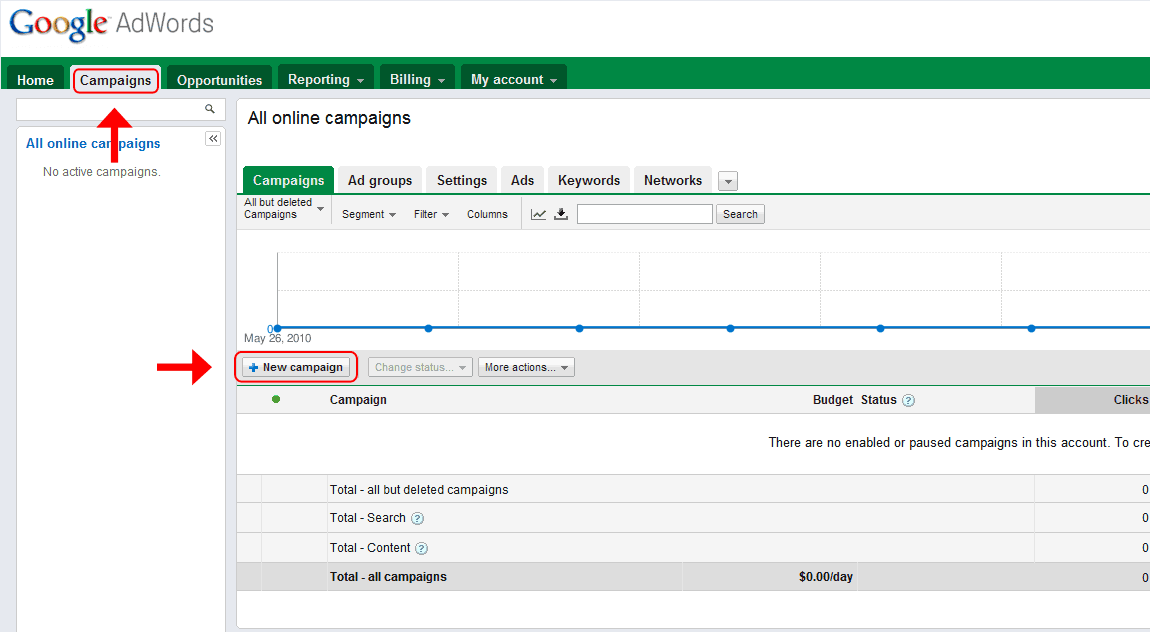
Step 3.
On the next screen choose the campaign type as Content Network only. Click the image below for an example.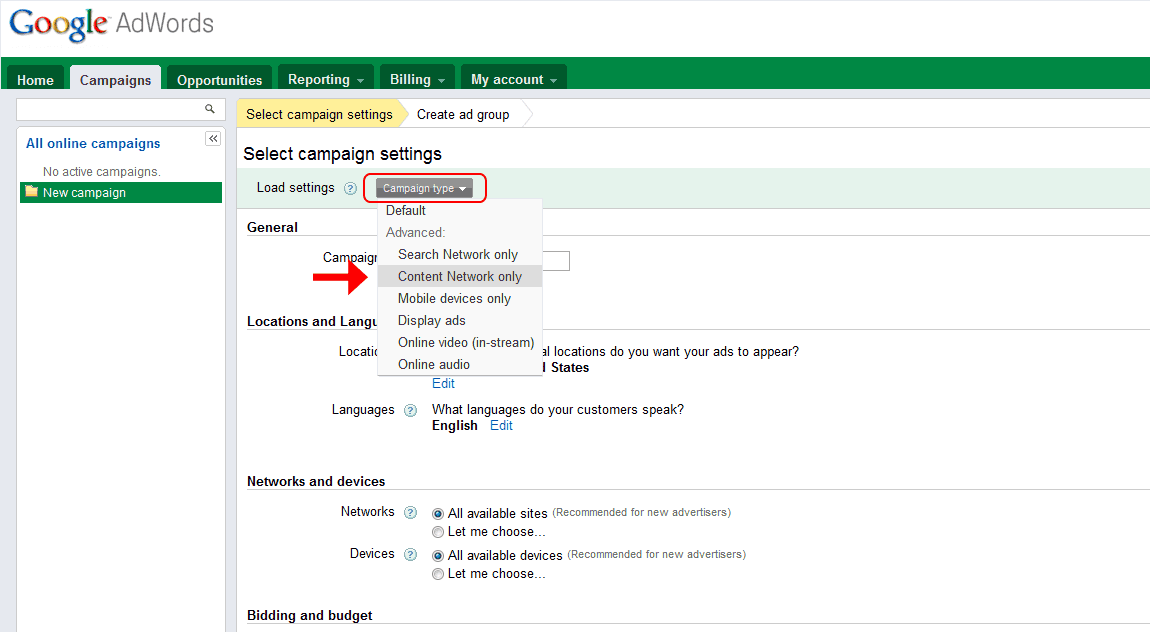
Step 4.
On the same screen, go under Networks and devices > Content and check the box Relevant pages only on the placements and audiences I manage. Click the image below for an example. Finish the rest of the settings here and click Save and continue.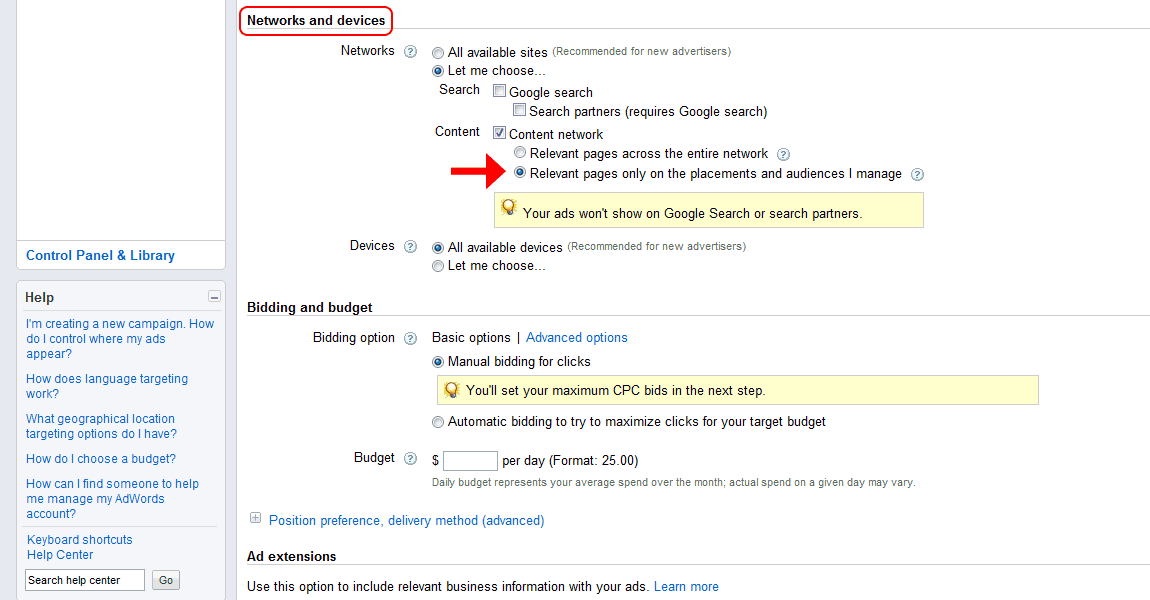
Step 5.
On the next screen, create your ad. Then, under Placements, search for download3k in the right box. This will show all download3k.com's available placements in the left box. Select your desired placements. Click the image below for an example.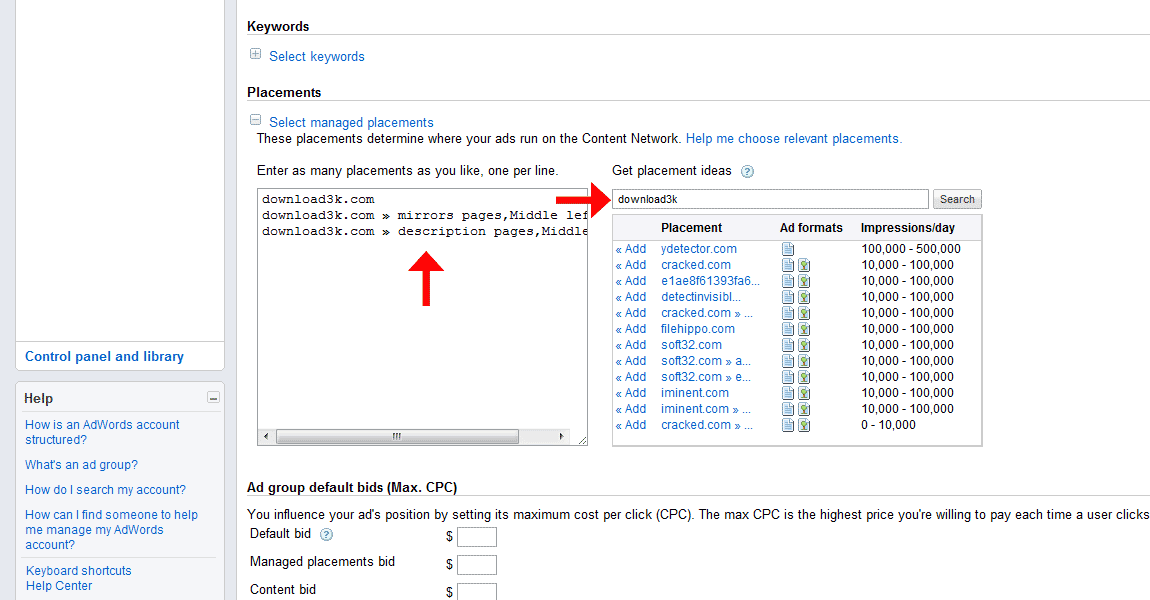
Step 6.
Finish the campaign setup.
More info
For more help on targeted campaigns through Google AdWords follow these links:
Download3k.com - site statistics
According to Google Analytics, Download3k.com has an average of 2 million visits and 4 million pageviews per month. Statistics, based on sample data, can be found at Alexa.Thank you once again for considering us for your ad campaigns. Don't hesitate to contact us if needed.