ImageConverter Plus 8.0.94
- Buy $49.00
- Developer Link 1 (non https converter.exe)
- Download3k US (converter.exe)
- Download3k EU (converter.exe)
MD5: f9b3c7f39aa87faaacc8b72e7b20cdfd
All files are original. Download3K does not repack or modify downloads in any way. Check MD5 for confirmation.
Review & Alternatives
"Photo and image converter and resizer"
Overview
Many applications and online file convert services require images you want to import/upload to be in specific file formats, therefore you have to convert them beforehand in order to proceed. ImageConverter Plus has the main purpose of converting images between tons of file formats, including JPG, BMP, PNG, TIFF, PSD, PCX and even PDF documents. It can also be used as a tool to resize your photos, edit several parameters like brightness, contrast, color depth, transparency and many, many others.
Installation
Simply run the installer and after clicking the “Next” button a few times let it install the core files to the computer. It is a very easy procedure that won’t take long and has no difficult settings. It doesn’t include any sort of malware or 3rd party software so it’s safe to use.
Supported operating systems are Windows 2000, XP, Vista and 7.
Interface
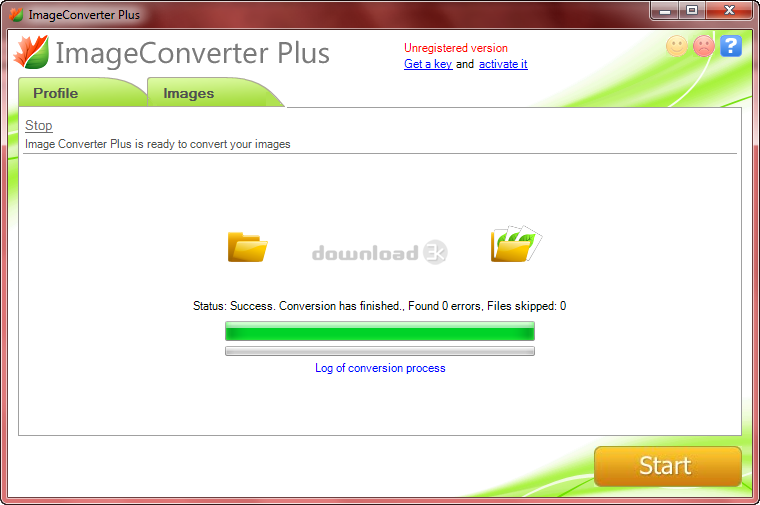
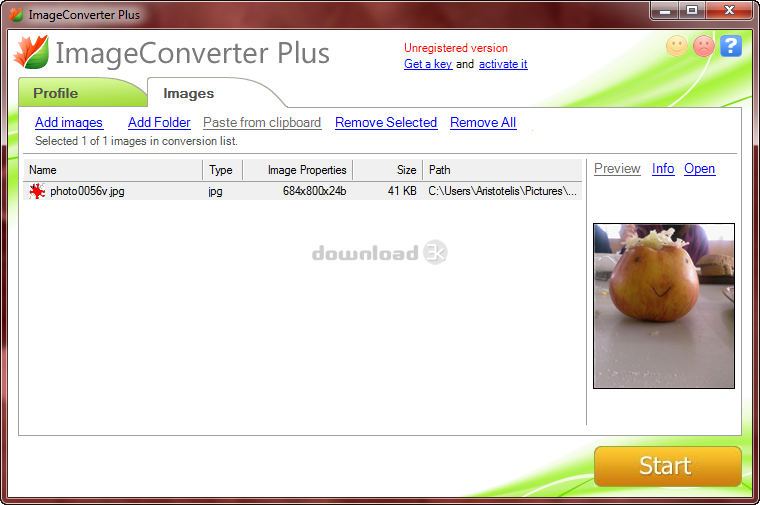
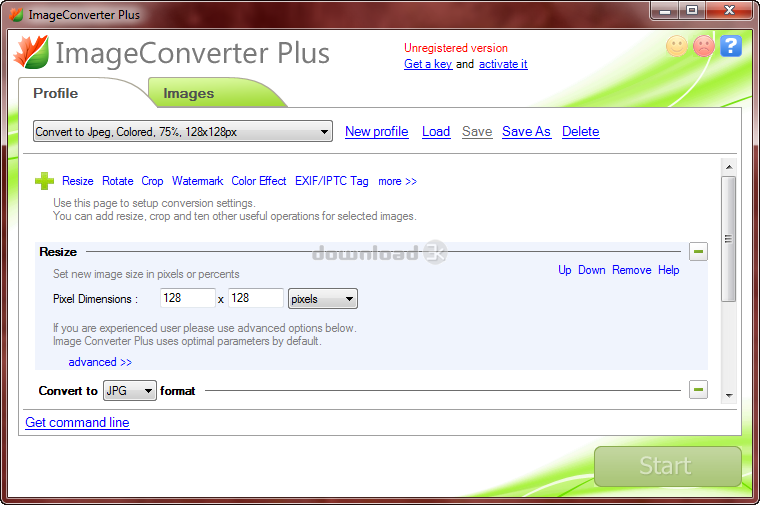
The neat and colorful user interface isn’t confusing at all, so it won’t take a long time to become familiar to. It has two tabs: Profile and Images. In the first tab you can choose one of the preset profiles with pre-defined settings or create and save your own profiles with any conversion options of your choice. There is a list of the available operations you can perform on the images and by clicking on one it gets added on the list of changes that are going to be applied before the conversion. The second tab is where you add the images you want to convert. You can select and add one or more images using the drag & drop feature, add a whole folder or paste an image from the clipboard. Next to the list of the images that are going to be converted is an area where the currently selected image is previewed. When you’re done with the options and the images, click Start and the conversion process will begin.
Pros
Your images can be converted to the following file formats:
acr, ani, apm, arw, bga, bmp, btf, cal, cals, ch, clp, cr2, crw, ct, cur, cut, dcm, dcr, dcx, dds, dib, dic, dicom, dng, dpx, emf, eps, epi, exr, fpx, fxd, fxm, fxr, fxs, g3, g4, gg, gem gif, gsm, hdr, icb, icn, ica, ico, iff, img, img (Vicar), j2c, j2k, jb2, jbg, jbig, jfif, jng, jp2, jpc, jpe, jpeg, jpg, jpx, k25, kdc, koa, lbm, mac, mda, mef, mix, mng, mos, mrw, msp, mtv, nef, orf, otb, pam, pbm, pcc, pcd, pct, pcx, pdb, pdd, pdf, pef (Pentax RAW), pef, (Samsung RAW), pfm, pgm, pic, pic (Biorad), pic (Psion), pic (Softimage), pict, pix, png, pnm, ppm, psg, psd, psp, pvr, pxn, pxr,raf, ras, raw, raw (Panasonic), rgb, rgbe, rla, rle, rle (Compuserve), sct, sff, sfw, sgi, snp, srf, sr2, sun, sys, tf8, tga, thm, tif, tif (Canon RAW), tif (Phase One RAW), tif (Samsung RAW), tiff, tpic, vda, vga, vic, vicar, vst, wb1, wbc, wbd, wbm, wbmp, wbz, wmf, wpg, x11, xbm, xpm, xwd and xyze. But before converting the images you can edit them in various ways; For instance, you can resize, rotate or crop the images, apply watermark, add a color effect (blur, sharpen, emboss, water color, grayscale, sepia, etc.), change EXIF, EXIF (GPS) and IPTC tags, change brightness/contrast values and manipulate the images in many other ways.
After installing ICP, when you right-click on an image you can see its thumbnail on the context menu and the new “Convert To” entry. When you hover your mouse over it a sub-menu will open with the preset profiles, saving you time from opening the program and choosing the conversion options.
ImageConverter Plus also supports command line arguments.
Cons
Not a con but be aware that the limitation on the free trial of this program is that it adds a watermark to every converted image.
Alternatives
Here are a few trustworthy alternatives that you can use instead of ImageConverter Plus: Total Image Converter (paid), Image Tuner (free), FastStone Photo Resizer (paid), XnConvert (paid) and Fotosizer (free). The best out of those is XnConvert.
Conclusion
Great program with a lot of features that can handle a lot of image file formats without any issues. You don’t have to ever use another image converter, this one can stay permanently in your computer.

Requirements: Pentium IV, 20MB free space, 512Mb RAM
What's new in this version: New file formats, new features, new ways to save (ftp, email and etc.)
Antivirus information
-
Avast:
Clean -
Avira:
Clean -
Kaspersky:
Clean -
McAfee:
Clean -
NOD32:
Clean

Popular downloads in Photo & Graphic
-
 Bandicam Screen Recorder 7.1.1.2158
Best Game, Video, Screen Recording Software -
 PhotoScape 3.7
A fun and easy photo editing software. -
 Magic Photo Editor 7.5
Easilly blend photo onto another picture. -
 SketchUp Make 16.1.1450 32-bit / 17.2.2555 64-bit
An easy-to-learn 3D modeling program. -
 jAlbum 34.3
Highly customizable web galleries for any site. -
 Shipping Container House Plans 1.1
Shipping Container House Plans Software -
 VEGAS Pro 21.0.0 Build 108
Provide the ultimate all-in-one environment -
 Corel PaintShop Pro 2023 25.2.0.58 Update 2
All you need to create fantastic photos! -
 Just Color Picker 5.9
Free colour picker and colour-editing tool. - JR Split File 1.2
Split a large file into smaller files


-
OS
WinXP,WinVista,WinVista x64,Win7 x32,Win7 x64 -
License
Demo -
Price
$49.00 Buy -
Updated
12/7/2017 -
Downloads
1312 (1 last week) -
Size
18.23 MB -
MD5
f9b3c7f39aa87faaacc8b72e7b20cdfd -
SHA1
258f68de2b145612de7ed17e9035bb835a516ef5 -
Developer
fCoder Group, Inc.