MessageExport for Outlook 3.6.3
Developed by Encryptomatic LLC
-
Windows
-
setup file messageexport.zip (52.62 MB)
-
Shareware
Buy or select mirror:
- Buy $89.99
- Developer Link 1
- Download3k US (ver 3.6.3, messageexport.zip)
- Download3k EU (ver 3.6.3, messageexport.zip)
MD5: badd6416d30a2f42b70ff44b8ad352ba
All files are original. Download3K does not repack or modify downloads in any way. Check MD5 for confirmation.
Developer Description
"Export Outlook email to PDF, other formats."
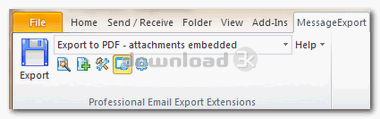
Make Microsoft Outlook better! MessageExport by Encryptomatic LLC is an add-on designed for anyone who needs to export email messages from Microsoft Outlook to .pdf, .html, .msg, .mht, .odt, .eml, .csv, .txt, .jpg, .gif, .tif and other file formats. It extends Microsoft Outlook's ability to export email messages to different formats, in different ways. It can apply a custom naming scheme to the exported files, copy files to specific locations, and more!MessageExport can copy messages to a file folder, network location, or even Sharepoint library. It's also compatible with Symantec Enterprise Vault v8 or 9.
You can setup customized export profiles that can accomplish a number of specific tasks that they may be performing manually right now. Quickly configure export profiles that contain the project folder location and formatting preferences. When the project is finished, simply delete the profile if you wish.
MessageExport also allows you to mass export and convert email messages and extract file attachments.With MessageExport, you can convert multiple Outlook emails to into a single PDF file. You can also convert many file attachment types as part of the PDF image.
MessageExport includes a timer function that will run a select export profile on a specific folder. When combined with Outlook's rules, the possibilities are endless. You can use it to automatically backup important emails, or to automatically convert messages to PDF and copy them to a folder.
MessageExport Works with Outlook 2003, 2007, 2010 and 2013. (both 64-bit and 32-bit versions). Download a free trial MessageExport today, and use it for 15 days risk free! Your purchase is backed by Encryptomatic LLC's 30 day unconditional money back guarantee.
Requirements: Microsoft Outlook 2003/2007/2010/2013
What's new in this version: Major Update
Antivirus information
Download3K has downloaded and tested MessageExport for Outlook on 21 Sep 2018 with some of Today's best antivirus engines and you can find below, for your convenience, the scan results:
-
Avast:
Clean -
Avira:
Clean -
Kaspersky:
Clean -
McAfee:
Clean -
NOD32:
Clean

Popular downloads in Internet
-
 Google Talk 1.0.0.105
Google chat messenger with voice. -
 Motorola Phone Tools 5.0
Motorola Phone Tools kit. -
 Download Accelerator Plus 10.0.6.0
DAP 10: For the fastest downloads. -
 Opera Mini for Java 8.0.35626
A fast and tiny Web browser. -
 Firefox 138.0.3 / 139.0b7 Beta 7
The award winning Web browser. -
 YMulti Messenger 2.0.0.100
Multiple Yahoo Messenger instances - same pc. - Skype 8.150.0.125 / 7.41.0.101 Classic / 8.138.0.214 MS
Talk with your friends for free. -
 InternetDownload Manager 6.43.1
Accelerate, resume and schedule web downloads -
 Google Chrome 136.0.7103.114 / 137.0.7151.15 Beta / 138.0.7166.3
Minimal design with sophisticated technology. -
 UC Browser for Java 9.5.0.449
A Web and WAP browser.
User rating
0/5 (0 votes)
Your rating

-
OS
WinXP,Windows 8,Windows 7,Windows Vista -
License
Shareware -
Price
$89.99 Buy -
Updated
4/18/2022 -
Downloads
459 (2 last week) -
Size
52.62 MB -
MD5
badd6416d30a2f42b70ff44b8ad352ba -
SHA1
1f16f9c07a05110cefd0368de3a929e9500aed04 -
Developer
Encryptomatic LLC