Free Download Manager 6.31
- Developer Link 1 (fdm_x86_setup.exe)
- Developer Link 2 (fdm_x64_setup.exe)
- Download3k US (fdm_x86_setup.exe)
- Download3k EU (fdm_x86_setup.exe)
MD5: d5fca232a482a6819c055e218d2667b0
All files are original. Download3K does not repack or modify downloads in any way. Check MD5 for confirmation.
Review & Alternatives
"Modern download accelerator and organizer."
Overview
Free Download Manager's 3.0 is an open source, user-friendly, feature-rich download manager and accelerator. The software is able to accelerate download speeds by compartmentalizing files into small pieces, and then downloading all the fragments simultaneously. By providing a centralized interface through which downloads can be organized, managed, and queued, Free Download Manager 3.0 effectively expedites and simplifies the process of downloading data from the Internet, and makes web browsing significantly more enjoyable.
Installation
The installation process is simple and straightforward, however you may want to uncheck the checkbox that asks whether you want to install Software Informer if you don't need this additional soft. With a file size of 6.53 MB, Free Download Manager is surprisingly compact, and is compatible with all versions of Windows.
Interface
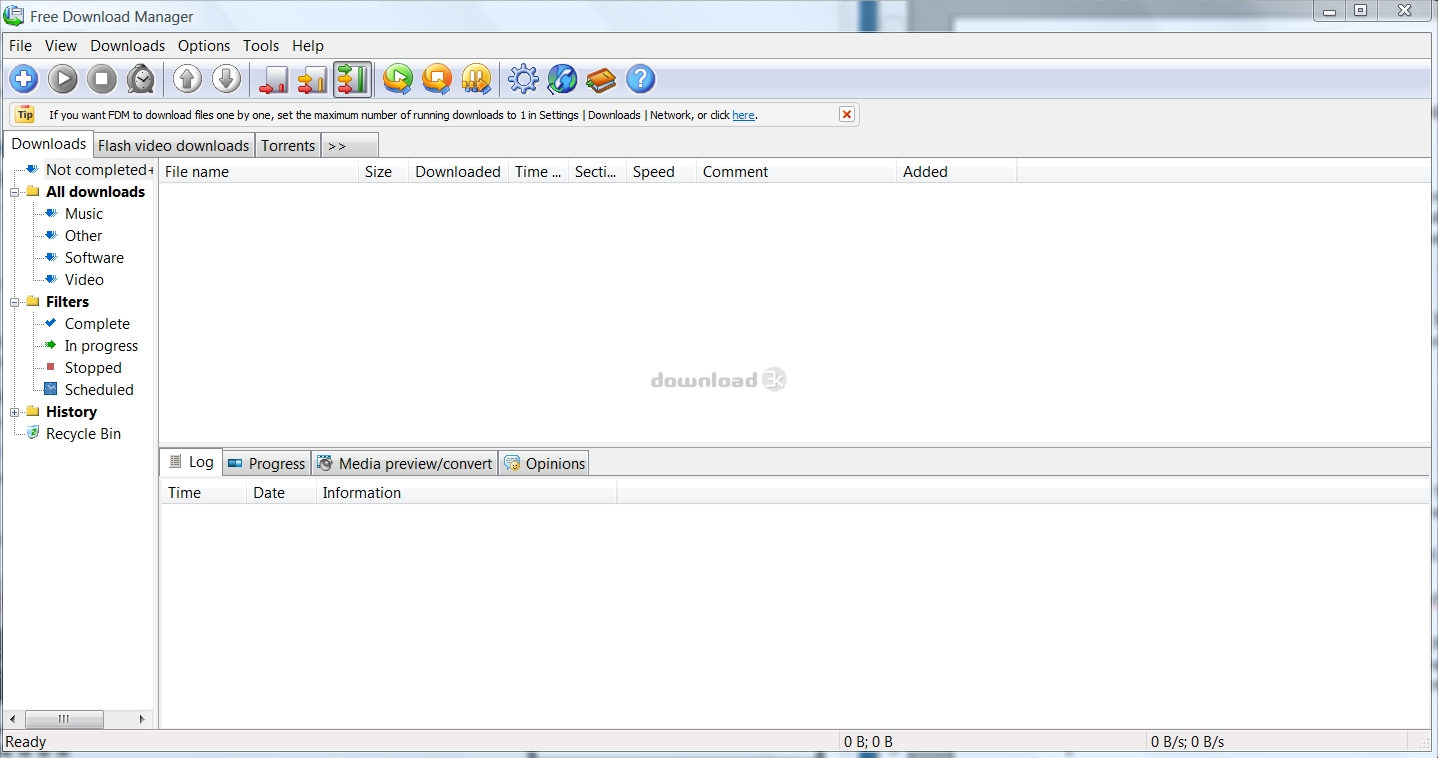
The user interface is somewhat self explanatory, with well illustrated buttons lining the top that allow you to easily add, start, stop, pause, and resume downloads with a click of the mouse. The main screen is categorized into eight tabs – downloads, flash video downloads, torrents, upload scheduler, site explorer, site manager, and HTML spider. The downloads tab is the central control panel, providing an overview of all active downloads, and letting you track progress and view previews of media as the files are being downloaded.
Pros
-
Increases download speeds by up to 600%
-
Lets you instantly resume broken downloads so you don't have to re-download the entire file
-
Download streaming video from the Internet from sites directly to your computer in .FLV format
-
Integrated upload manager facilitates file sharing and is compatible with most browsers and Outlook express.
-
Provides support for FTP, HTTP, and BitTorrent protocols, letting you download data from web servers faster than ever
-
HTML spider feature lets you download every page on a website with the click of a button
-
You can view feedback from other Free Download Manager's users regarding files you're downloading, which helps you keep your computer safe from viruses and fake files
-
Lets you organize and schedule downloads
-
Supports remote usage
-
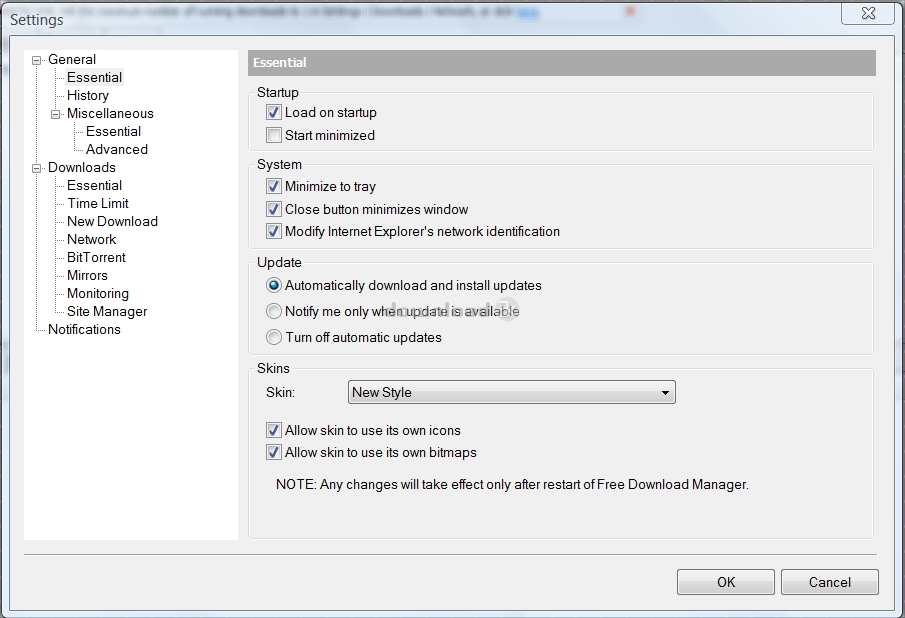
Offers three modes of operation that lets you control bandwidth and resource allocation – light mode, medium mode, and heavy mode.
Cons
-
May be somewhat demanding on system resources when several downloads are running and/or the program is being operated in heavy mode.
-
Due to the extensive number of options, a slight learning curve may be in order.
Alternatives
Free Download Manager's 3.0 is definitely not completely unique in its functionality, and there are a number of other popular alternatives available, including Internet Download Manager, Orbit Downloader or DAP. However, many user reviews place Free Download Manager 3.0 ahead of all of the aforementioned competitors because of the advanced control it gives the user.
Conclusion
If you'd like to increase the speed of your downloads, easily download content from any website, or prevent downloads from crashing due to Internet connectivity issues, Free Download Manager's 3.0 would be extremely helpful. Although there are a variety of free download managers available online, none of them can match the features and functionality of this software.

Requirements: 150 MB available free disk space, 1 GHz or faster, 1 GB RAM
What's new in this version: Cross-platform support for Windows 7+, Mac OS X 10.11+, Linux, Android 5.0+, BitTorrent support, Free and safe, Modern user-friendly interface, Downloading videos, Download acceleration, Resuming broken downloads, Adjusting traffic usage, Smart file management and powerful scheduler, Multi-language support
Antivirus information
-
Avast:
Clean -
Avira:
Clean -
Kaspersky:
Clean -
McAfee:
Clean -
NOD32:
Clean

Popular downloads in Internet
-
 Google Talk 1.0.0.105
Google chat messenger with voice. -
 Motorola Phone Tools 5.0
Motorola Phone Tools kit. -
 Download Accelerator Plus 10.0.6.0
DAP 10: For the fastest downloads. -
 Opera Mini for Java 8.0.35626
A fast and tiny Web browser. -
 Firefox 138.0.3 / 139.0b7 Beta 7
The award winning Web browser. -
 YMulti Messenger 2.0.0.100
Multiple Yahoo Messenger instances - same pc. - Skype 8.150.0.125 / 7.41.0.101 Classic / 8.138.0.214 MS
Talk with your friends for free. -
 InternetDownload Manager 6.42.58
Accelerate, resume and schedule web downloads -
 Google Chrome 136.0.7103.114 / 137.0.7151.15 Beta / 138.0.7166.3
Minimal design with sophisticated technology. -
 UC Browser for Java 9.5.0.449
A Web and WAP browser.



-
OS
Win2000,WinXP,Win7 x32,Win7 x64,Windows 8,Windows 10,WinServer,WinOther,WinVista,WinVista x64 -
License
Freeware -
Price
$0 -
Updated
12/2/2025 -
Downloads
58121 (11 last week) -
Size
29.94 MB -
MD5
d5fca232a482a6819c055e218d2667b0 -
SHA1
ce000ccf8f2253543f9159aec3e5c588c1a02821 -
Developer
FreeDownloadManager.ORG