VIWeb 2.0
Developed by Valeri Vlassov
-
Windows
-
setup file Setup_VIWeb.zip (4.56 MB)
-
Adware
Buy or select mirror:
- Buy $14
- Developer Link 1 (non https Setup_VIWeb.zip)
- Download3k US (Setup_VIWeb.zip)
- Download3k EU (Setup_VIWeb.zip)
MD5: a9f2cef2111e22e07a11831026be0bf9
All files are original. Download3K does not repack or modify downloads in any way. Check MD5 for confirmation.
Developer Description
"Internet Browser with Database"
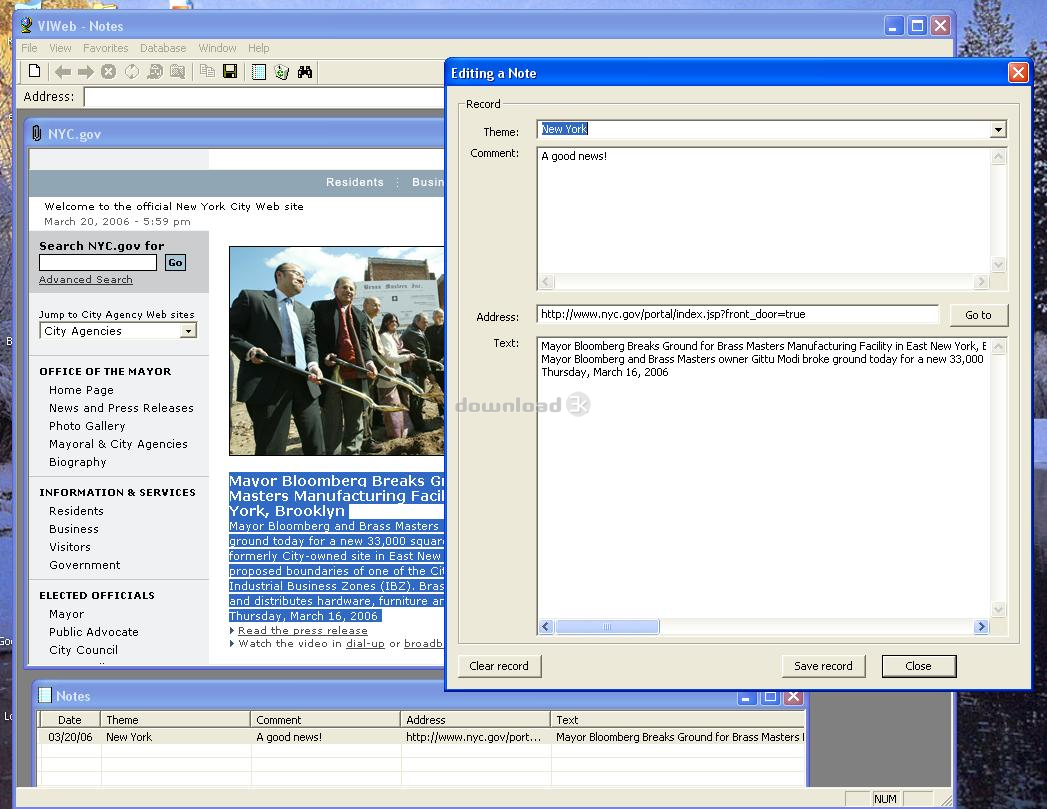
- you can open and hold a lot of Internet Sites together;- you can select a texts from any Internet Pages and save it to a realy MS Access Database as your Notes;
- every Note has a Date, Theme, Internet-address, Comment and Text fields;
- you can find all Notes in the Database by a part of phrase.
- you can add a "Theme" for every Note and than group the Notes by that Theme;
- you can see your Notes as a Table and sort them by Date, Theme, Internet-address, Comment or Text;
- no limits for a size of selected texts and a size of your Comments;
- no limits for amount of your Notes (million and more)
- simply and friendly user interface;
How to use it:
- Use a Favorite Menu or Address Line for open an Internet Site in a current Window.
- Press a "New" button (or Menu File/New) to open a new Window.
- Use Menu Window/Tile to place all opened Windows tiled.
Notes and Database:
- Select a text on a Webpage and copy it to Clippboard (Menu Edit/Copy).
- Press "Save copied Text to a Database" button.
- In an "Adding a new Note" Dialog enter a new Theme or choose the earlier entered theme for that Text.
- Enter a Comment for that Text if you need.
- Press "Save Record" button.
- The new Record with a Fields "Date", "Theme", "Comment" and "Text" will be added to a Database.
What's new in this version: No changes
Antivirus information
Download3K has downloaded and tested VIWeb on 30 Aug 2023 with some of Today's best antivirus engines and you can find below, for your convenience, the scan results:
-
Avast:
Clean -
Avira:
Clean -
Kaspersky:
Clean -
McAfee:
Clean -
NOD32:
Clean

Popular downloads in Internet
-
 Google Talk 1.0.0.105
Google chat messenger with voice. -
 Motorola Phone Tools 5.0
Motorola Phone Tools kit. -
 Download Accelerator Plus 10.0.6.0
DAP 10: For the fastest downloads. -
 Opera Mini for Java 8.0.35626
A fast and tiny Web browser. -
 Firefox 138.0.3 / 139.0b7 Beta 7
The award winning Web browser. -
 YMulti Messenger 2.0.0.100
Multiple Yahoo Messenger instances - same pc. - Skype 8.150.0.125 / 7.41.0.101 Classic / 8.138.0.214 MS
Talk with your friends for free. -
 InternetDownload Manager 6.42.64
Accelerate, resume and schedule web downloads -
 Google Chrome 136.0.7103.114 / 137.0.7151.15 Beta / 138.0.7166.3
Minimal design with sophisticated technology. -
 UC Browser for Java 9.5.0.449
A Web and WAP browser.
User rating
2/5 (1 votes)
Medium
Your rating

-
OS
Win98,WinME,Windows2000,WinXP,Windows2003,Windows Vista Business -
License
Adware -
Price
$14 Buy -
Updated
8/30/2023 -
Downloads
494 (2 last week) -
Size
4.56 MB -
MD5
a9f2cef2111e22e07a11831026be0bf9 -
SHA1
207849ee742e84225f1d5bb6255cb1329935ea8a -
Developer
Valeri Vlassov