Universal Shortcutter 1.2
Developed by Associazione Culturale Oltre L'immagine
-
Windows
-
setup file Universal_Shortcutter_evaluation_setup.zip (5.01 MB)
-
Shareware
Buy or select mirror:
- Buy $20
- Developer Link 1 (non https Universal_Shortcutter_evaluation_setup.zip)
- Download3k US (Universal_Shortcutter_evaluation_setup.zip)
- Download3k EU (Universal_Shortcutter_evaluation_setup.zip)
MD5: 228a7b428973aab482c76ff3421f8a3e
All files are original. Download3K does not repack or modify downloads in any way. Check MD5 for confirmation.
Developer Description
"Create and manage independent shortcuts."
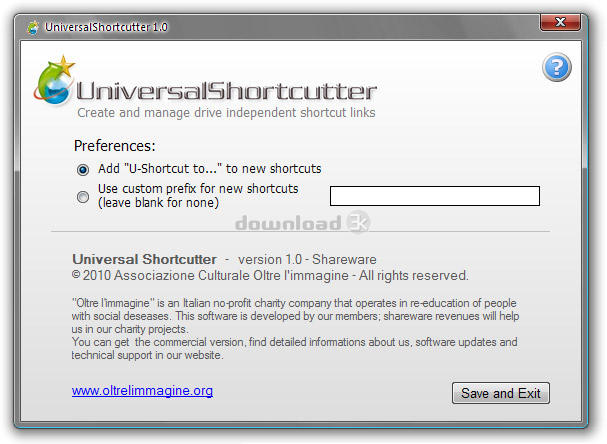
Universal Shortcutter is an absolutely unique and revolutionary program that allows you to create and manage shortcuts to files, folders, programs and drives, that are independent from drive letters. This means that files, folders and programs located on removable drives will be always found, even if the drive letter has changed since you created the shortcut.For example, if you create a shortcut that points to the file "G:\myfile.doc" and G: is a removable drive (like a pendrive or an external harddisk), very often happens that, expecially if you use more than one external drive, the next time you start Windows and connect that drive to your computer, the drive will have a different drive letter (say F: or H:); the result is that the shortcut you created before will no longer be valid, generating an error every time you try to use it.
Or you could decide to assign a different drive letter to your drives, having to modify all shortcuts you previously created.
Differently, if you create a shortcut using Universal Shortcutter, the shortcut will be always valid and working, because Universal Shortcutter creates links based on the real "identity" of the drive, not on the assigned letter of the drive that is "volatile".
The use is very simple and immediate as creating normal Windows shortcuts, and you will have no more annoiances caused by broken links between shortcuts and your files.
What's new in this version: 1.2 - Better integration of the uninstall process.
Antivirus information
Download3K has downloaded and tested Universal Shortcutter on 10 Jul 2021 with some of Today's best antivirus engines and you can find below, for your convenience, the scan results:
-
Avast:
Clean -
Avira:
Clean -
Kaspersky:
Clean -
McAfee:
Clean -
NOD32:
Clean

Popular downloads in System Utilities
-
 Realtek AC'97 Drivers A4.06
Realtek AC 97 sound driver. -
 Windows 7 Service Pack 1 (SP1) 32-bit & 64-bit (KB976932)
The first service pack for Windows 7. -
 Realtek High Definition Audio Driver for Vista, Win7, Win8, Win8.1, Win10 32-bit R2.82
High definition audio driver from Realtek. -
 .NET Framework 2.0
The programming model of the .NET -
 Driver Cleaner Professional 1.5
Improved version of Driver Cleaner -
 RockXP 4.0
Allows you to change your XP product key -
 Realtek AC'97 Drivers for Vista/Win7 6305
Multi-channel audio CODEC designed for PC. -
 DAEMON Tools Lite 12.3.0.2297
The FREE Virtual CD/DVD-ROM-EMULATOR. -
 AutoCorect 4.1.5
Diacritice la comanda, punctuatie automata. -
 SIW 16.08.0603
SIW - System Information for Windows
User rating
0/5 (0 votes)
Your rating

-
OS
Win2000,Win7 x32,WinServer,WinVista,WinXP -
License
Shareware -
Price
$20 Buy -
Updated
7/10/2021 -
Downloads
46 (18 last week) -
Size
5.01 MB -
MD5
228a7b428973aab482c76ff3421f8a3e -
SHA1
d8f74ba49f3cdc6d2a9f1efbafaceb717732d98d -
Developer
Associazione Culturale Oltre L'immagine