AOMEI Partition Assistant Standard Edition 7.0
- Developer Link 1 (PAssist_Std.exe)
- Download3k US (ver 7.0, PAssist_Std.exe)
- Download3k EU (ver 7.0, PAssist_Std.exe)
MD5: edce457e0bed1df9f76d1a04d70d15a7
All files are original. Download3K does not repack or modify downloads in any way. Check MD5 for confirmation.
Review & Alternatives
"Free Disk Partitioning and Management Tool"
Overview
Aomei Partition Assistant is a great utility tool which has been designed to manage the disk space on your system. Managing the partitions is important to ensure that the unallocated space in your hard disk is utilized efficiently. Multiple functions such as resizing/moving partition, merging/splitting partition, copying partition and a lot more can be performed with the software. Let's see how this lightweight, free partition software can aid your hard disks.
Installation
The installation process is nothing but a cake walk which gets completed with the blink of an eye. Newbies won’t face any issues as you don't need installing any additional software to make it functional and besides, there is no ad-ware bundled with it. All you need to do is to download the 8 MB executable file and the rest of the task is simple. The application is compatible with Windows 2000, XP, Vista, 7, 8, 10 operating systems.
Interface
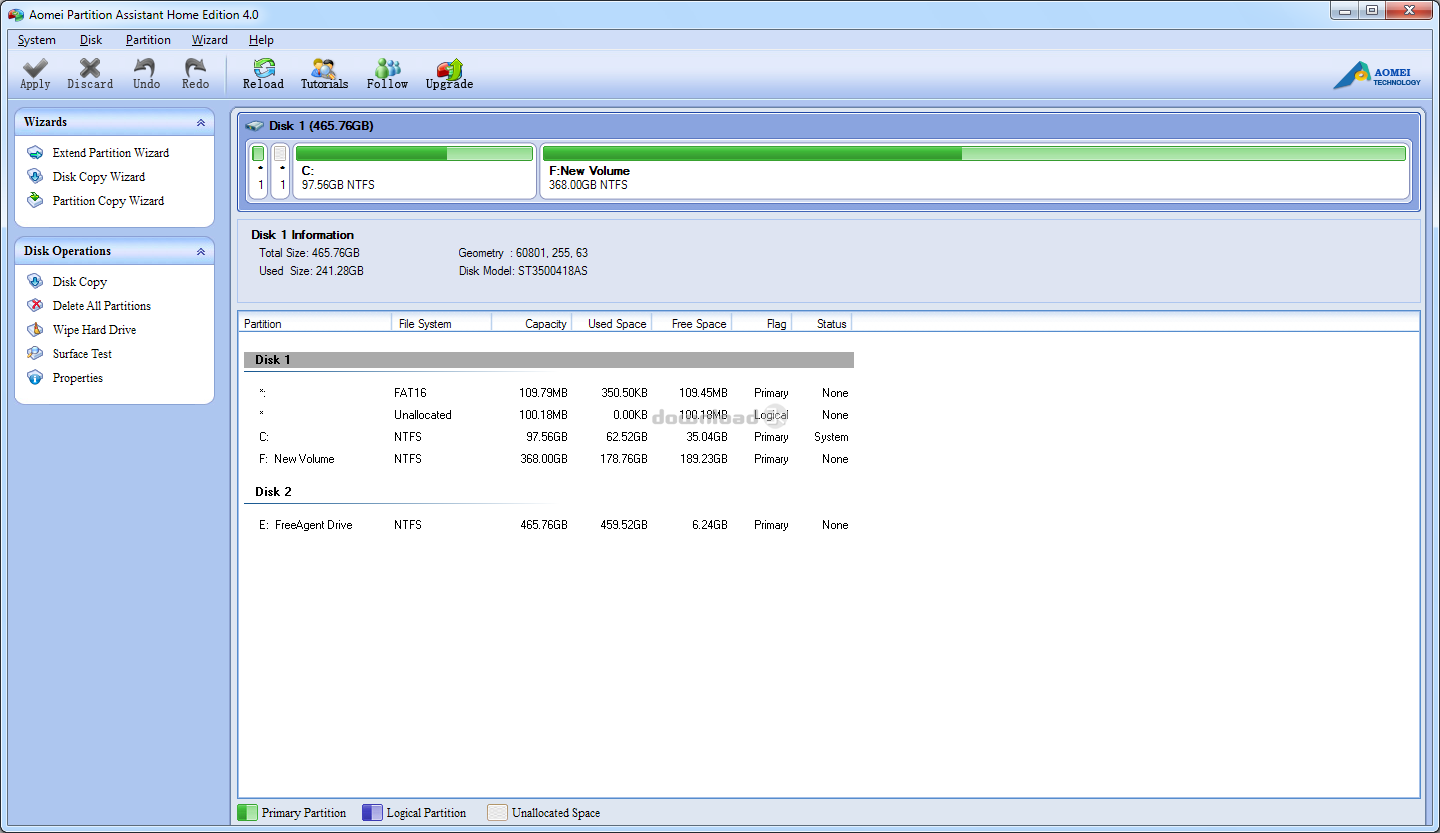
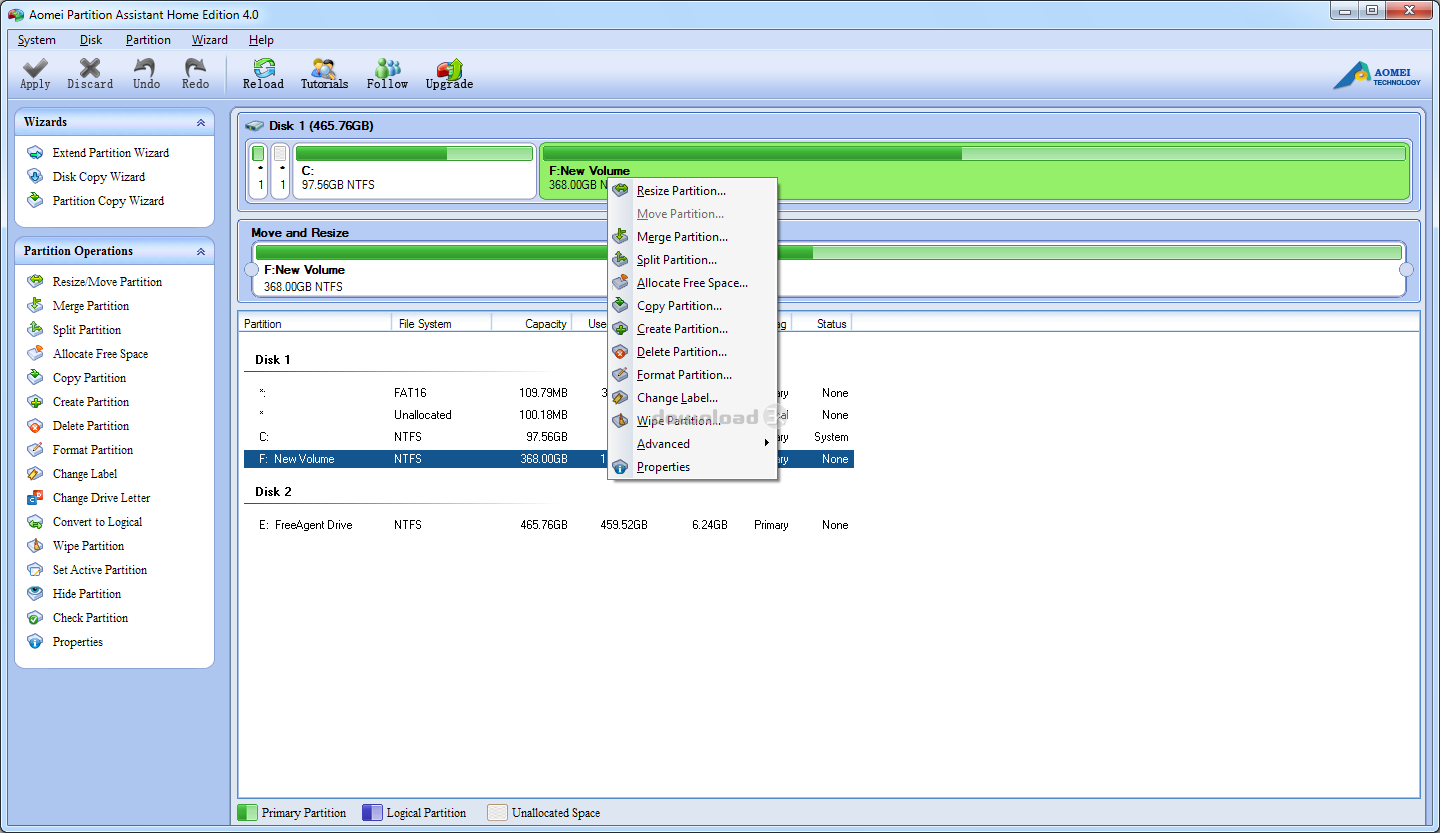
The interface doesn’t have a very baronial appearance, yet is apt for beginners and advanced users alike. It is neat and displays the disk information in well defined categories displaying configurations and other relevant information. The left of the screen displays drop down menus to perform disk operations and 3 wizards namely extend partition wizard, disk copy wizard and partition copy wizard. Once you click any of these options, the respective window is displayed along with a short description of the task performed when you click on further options. The popup menus on the top of the window provide the rest of the functionalities. With minimalistic features, the interface is intuitive and simple without any complicated features.
Pros
What makes Aomei Partition Assistant the preferred choice is the fact that you can perform all the functions without having to look at the irritating upgradation messages which pop up when you click on a certain feature in some free software. If you go for the paid versions, you can definitely enjoy a wider range of functionalities besides resizing, moving, merging, splitting, formatting,deleting and wiping partitions, which are common features in all versions. The Pro edition adds workstation support and preferential technical support, while the Server edition goes even further and adds Server support.
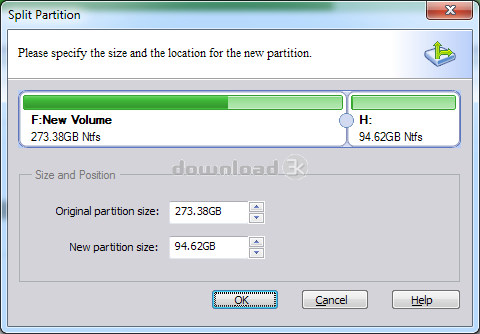
Partition splitting is a new feature that has been introduced in version 4 where you can divide a particular drive into manageable partitions. The best part about this feature is that it doesn’t create any unallocated space. Besides, if you are a beginner and skeptical about the software then the option ‘Copy Partition’ can serve your purpose right as it effectively helps you in creating a backup of the partition before you start working over it. Partitions can also be extended using the Extend Partition Wizard which can add more space to a particular partition through another one with the minimum capacity added being 64MB.
Version 5 changes the name from Home to Standard and, besides fixing some bugs, adds some very powerful features such as:
- Fully supports UEFI boot
- Aligns partition to optimize your HDD or SSD performance
- Converts NTFS and FAT32 partitions without any loss of data
- Converts GPT and MBR disks without any loss of data
- Supports creating bootable discs based Windows PE 4 kernel
- Command line partitioning: resize/move partitions (without data loss), create, delete, format partitions, plus more operations.
- Quick Partition: this is a very convenient feature for users who need to create the same partition layout for large quantities of computers or partition a hard drive regularly
- Windows To Go allows you to install Win 8 or 10 on a USB flash drive or removable disk. The Windows To Go functionality is offered by Microsoft to Enterprise editions of Windows only using certified USB flash drives, but with AOMEI Partition Assistant you can use it with the Home and Pro editions of Windows and regular flash drives as well.
Major updates in version 6 include:
- Enhanced GPT to MBR disk conversions: you can now convert a GPT disk with more than 4 partitions to a MBR disk.
- (Pro) You can fully clone system disks between MBR and GPT partition styles and ensure system is able to boot from destination disk (e.g. clone system disk from GPT to MBR, MBR to GPT, GPT to GPT, MBR to MBR).
- It automatically integrates existing hardware drivers of current system into Windows PE when creating it. This enhances Windows PE bootable disc recognition of devices.
- You can manually add hardware drivers into Windows PE bootable discs when creating them.
Cons
One of the major issues you would encounter is that on performing certain operations such as resizing a partition or wiping drives, the results would not be as perfect as the actions would lead to some unallocated space.
Alternatives
Partition Assistant faces tough competition from Paragon Partition Manager (Free, Personal 32bit, Personal 64bit, Server) which offers a comprehensive range of features for even the most sophisticated users. However, if you are looking for a lightweight software which fulfills the basic partition requirements without many complex features, then Partition Assistant is the right choice. Other alternatives to be considered are O&O PartitionManager Pro and Partition Logic.
Conclusion
Barring a few minor limitations in terms of performance, Partition Assistant makes a great software nonetheless. Its simple interface which helps you perform the most complex functions make it a must-have application for solid disk managing tasks.

Requirements: Windows 10, Windows 8/8.1, Windows 7, Vista, and XP (all editions, 32/64-bit)
What's new in this version: 1. Support to automatically restart computer into Windows PE mode to perform operations. 2. Support Linux EXT4 file system, including create, delete, format, move, and copy EXT4 partition. 3. Fixed issue: OS won't boot after migrating to another HDD or SSD under PreOS mode. 4. More...
Antivirus information
-
Avast:
Clean -
Avira:
Clean -
Kaspersky:
Clean -
McAfee:
Clean -
NOD32:
Clean

Popular downloads in System Utilities
-
 Realtek AC'97 Drivers A4.06
Realtek AC 97 sound driver. -
 Windows 7 Service Pack 1 (SP1) 32-bit & 64-bit (KB976932)
The first service pack for Windows 7. -
 Realtek High Definition Audio Driver for Vista, Win7, Win8, Win8.1, Win10 32-bit R2.82
High definition audio driver from Realtek. -
 .NET Framework 2.0
The programming model of the .NET -
 Driver Cleaner Professional 1.5
Improved version of Driver Cleaner -
 RockXP 4.0
Allows you to change your XP product key -
 Realtek AC'97 Drivers for Vista/Win7 6305
Multi-channel audio CODEC designed for PC. -
 DAEMON Tools Lite 12.3.0.2297
The FREE Virtual CD/DVD-ROM-EMULATOR. -
 AutoCorect 4.1.5
Diacritice la comanda, punctuatie automata. -
 SIW 15.11.1119
SIW - System Information for Windows


-
OS
WinXP,WinVista,WinVista x64,Win7 x32,Win7 x64,Win2000,WinOther,Windows2000,Windows Vista Ultimate,Wi -
License
Freeware -
Price
$0.00 -
Updated
12/21/2024 -
Downloads
14733 (4 last week) -
Size
23.44 MB -
MD5
edce457e0bed1df9f76d1a04d70d15a7 -
SHA1
40a1deeff46dcb5e58a0edc033e07d91c91001a7 -
Developer
AOMEI Technology Co., Ltd.