DirDate 6.5
- Buy $22.95
- Developer Link 1 (non https dirdate2.exe)
- Developer Link 2 (non https dirdate2.zip)
- Download3k US (ver 6.5, dirdate2.exe)
- Download3k EU (ver 6.5, dirdate2.exe)
MD5: e94f6e513da14c4e9c22de1a444ee3d0
All files are original. Download3K does not repack or modify downloads in any way. Check MD5 for confirmation.
Quick Review
"Modify file & folder dates from command line"
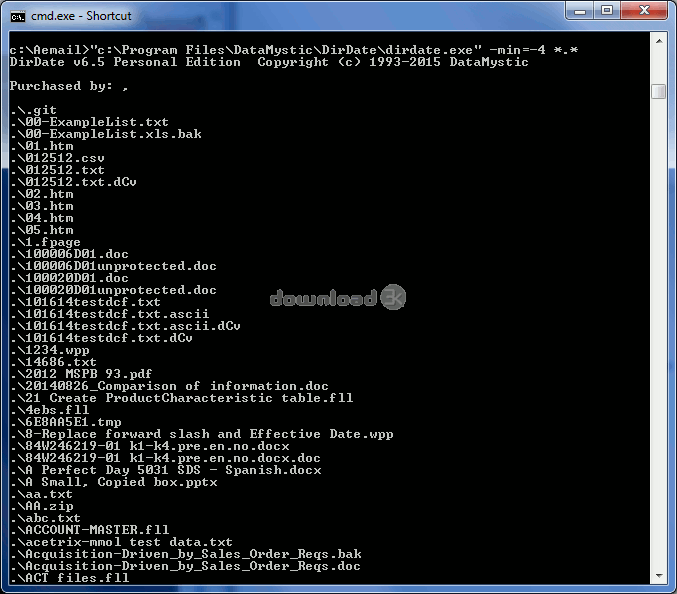
DirDate is a command line tool which allows for automation to change file dates at regular intervals, modify folders and more. If there is a need to adjust a date to keep it more connected to the current year then this can be achieved to avoid its becoming archived and inaccessible later. EXIF meta data is also supported. This is the data created when photos are produced by smart phones and digital cameras. Creation dates and modified dates can be altered from within EXIF data inside JPEG, TIF or PSD photograph files to change them to a more suitable date. Works with sub folders. Can deal with read only files as well.
DirDate Key Features:
- Command line date management tool
- Change the creation and/or modified date to something more recent or way back in the past
- Edit EXIF data for creation and modified dating
- Access JPEG, TIF and PDF image files
- Go into folders and sub folders too
- Read only files no problem
- Requires Windows
DirDate is a date adjustment tool at the command line level for files and images.
Requirements: 2MB RAM, 1Mb disk
What's new in this version: * Fixed integer overflow with adding and subtracting to existing dates. * Added .WAV and .M4A to supported Exif extensions.
Antivirus information
-
Avast:
Clean -
Avira:
Clean -
Kaspersky:
Clean -
McAfee:
Clean -
NOD32:
Clean

Popular downloads in System Utilities
-
 Realtek AC'97 Drivers A4.06
Realtek AC 97 sound driver. -
 Windows 7 Service Pack 1 (SP1) 32-bit & 64-bit (KB976932)
The first service pack for Windows 7. -
 Realtek High Definition Audio Driver for Vista, Win7, Win8, Win8.1, Win10 32-bit R2.82
High definition audio driver from Realtek. -
 .NET Framework 2.0
The programming model of the .NET -
 Driver Cleaner Professional 1.5
Improved version of Driver Cleaner -
 RockXP 4.0
Allows you to change your XP product key -
 Realtek AC'97 Drivers for Vista/Win7 6305
Multi-channel audio CODEC designed for PC. -
 DAEMON Tools Lite 12.3.0.2297
The FREE Virtual CD/DVD-ROM-EMULATOR. -
 AutoCorect 4.1.5
Diacritice la comanda, punctuatie automata. -
 SIW 16.08.0603
SIW - System Information for Windows

-
OS
WinXP,WinVista,WinVista x64,Win7 x32,Win7 x64,Win2000,Windows2000,Windows2003,Windows Vista Ultimate -
License
Shareware -
Price
$22.95 Buy -
Updated
1/24/2022 -
Downloads
954 (1 last week) -
Size
4.48 MB -
MD5
e94f6e513da14c4e9c22de1a444ee3d0 -
SHA1
b0ea8cab98c4533db135ba270441070976c92984 -
Developer
DataMystic