MessageLock Email Encryption for Outlook 2.2.0.2200.1
Developed by Encryptomatic LLC
-
Windows
-
setup file messagelock.zip (23.97 MB)
-
Shareware
Buy or select mirror:
- Buy $69.99
- Developer Link 1
- Download3k US (ver 2.2.0.2200.1, messagelock.zip)
- Download3k EU (ver 2.2.0.2200.1, messagelock.zip)
MD5: 03266519b5b8ad873859247d14874725
All files are original. Download3K does not repack or modify downloads in any way. Check MD5 for confirmation.
Developer Description
"Email Encryption Add-In For MS Outlook."
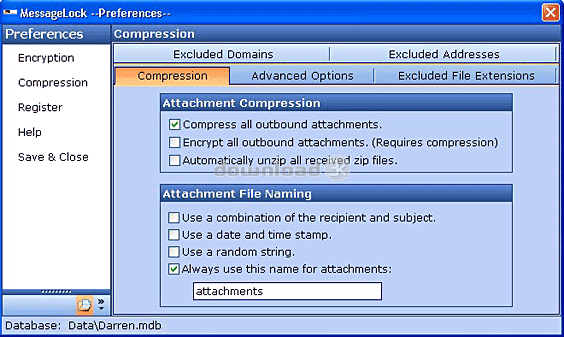
MessageLock(TM) by Encryptomatic(R) LLC is quite possibly the easiest way to send encrypted messages from Microsoft Outlook. MessageLock provides 1-click encryption of email messages and attachments within Microsoft Outlook, combining strong U.S. Gov't approved AES-256 bit encryption with the nearly universal compatibility of the Zip file utility. MessageLock delivers encryption and compression for your message and/or file attachments, protecting your data while it is traveling across your intranet and the internet.MessageLock gives you a choice of encryption methods, from super-strong AES-256 bit, to AES-128 bit. It also integrates with the Lockbin.com web service, allow you to send files and messages to anyone in a HIPAA complaint manner.
To use MessageLock, just click the "Encrypt Email" button before sending your message. The first time you send a message to someone, MessageLock will ask you for a password and then remember it for the next email you send.
If MessageLock is installed at recipient's end, the message can be decrypted immediately upon receipt and displayed as a regular message with no interaction required by the recipient. MessageLock includes a single line of text at the bottom of the message that alerts the recipient that this message was transmitted securely, otherwise they would probably never know.
If the receiver does not have MessageLock, they can still decrypt the zip file if they have the password, and any zip utility that supports the encryption method used. WinZip 10.0 or the free zip utilities like Izarc can both decrypt AES-256. Free decryptor software for MessageLock is also available.
Download a fully functional 15 day trial and see how easy MessageLock is to use.
Requirements: Microsoft Outlook 2013/2010/2007/2003 (32 and 64 bit)
What's new in this version: Added integration to Lockbin.com secure message locker service. Support for Outlook 2013 and Windows 8.
Antivirus information
Download3K has downloaded and tested MessageLock Email Encryption for Outlook on 18 Apr 2022 with some of Today's best antivirus engines and you can find below, for your convenience, the scan results:
-
Avast:
Clean -
Avira:
Clean -
Kaspersky:
Clean -
McAfee:
Clean -
NOD32:
Clean

Popular downloads in Security
-
 Freegate Professional 7.90
Anti-censorship software. -
 MessenPass 1.42
Recovers instant messenger passwords -
 Hotspot Shield 12.9.7
Secure your wi-fi connection from hackers -
 Asterisk Key 10.0 Build 3538
Uncover passwords hidden behind asterisks. -
 CmosPwd 5.0
A cmos/bios password recovery application -
 Windows Installer CleanUp Utility 2.5.0.1
Remove Windows Installer settings. -
 Protected Storage PassView 1.63
recovers the Protected Storage passwords. -
 Cain & Abel 4.9.56
Password recovery tool. - Hide Window Plus 4
Hide programs from taskbar and tray -
 Asterisk Logger 1.04
Reveals the passwords behind asterisks.
User rating
0/5 (1 votes)
Bad
Your rating

-
OS
WinXP,WinVista,WinVista x64,Win7 x32,Win7 x64,Windows Vista Ultimate,Windows Vista Ultimate x64,Wind -
License
Shareware -
Price
$69.99 Buy -
Updated
4/18/2022 -
Downloads
695 (1 last week) -
Size
23.97 MB -
MD5
03266519b5b8ad873859247d14874725 -
SHA1
0a691ed328a9d133a83b451421ff27a7262f638b -
Developer
Encryptomatic LLC