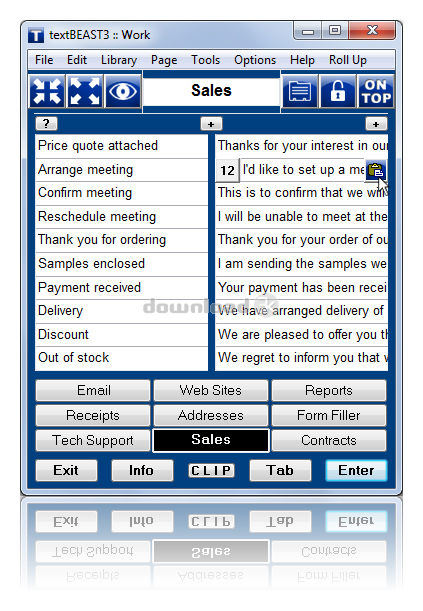
textBEAST clipboard manager 3.6.2
Developed by ASBware, LLC
-
Windows
-
setup file textbeast3_TRIAL_setup.exe (5.27 MB)
-
Demo
Buy or select mirror:
- Buy $24.99
- Developer Link 1 (non https textbeast3_TRIAL_setup.exe)
- Download3k US (textbeast3_TRIAL_setup.exe)
- Download3k EU (textbeast3_TRIAL_setup.exe)
MD5: 447ef5b17702b203228428c317297d70
All files are original. Download3K does not repack or modify downloads in any way. Check MD5 for confirmation.
Developer Description
"Organize, copy, and paste information!"
Stop wasting time typing the same things over and over again! Save text clips in textBEAST clipboard manager for reference and just click to paste them when needed, accurately and free of typos. textBEAST has unlimited capacity, unlike the Windows clipboard, which can hold only one clip at a time. It's easy to organize and find what you're looking for, thanks to customizable button names and fast-access user-defined libraries. Password-protected for security.Copy items into textBEAST using mouse clicks, drag-and-drop or keyboard shortcuts, and textBEAST will keep them ready for you, whenever you need them. To paste copied items, just click! Also, textBEAST's Auto Clipboard automatically keeps the last 20 items that you copied in other applications.
It's not just for text clips. You can also save and launch web site addresses--a much better way to store and organize all of your favorite sites--and files/folders on your computer, to keep frequently used material at your fingertips. For added utility, screen capture is available for snapshots of what you see on screen, great for saving documentation of online transactions and communications.
Because finding and pasting what you need is so quick and easy, textBEAST can be used for document automation. Save all of your carefully worded professional clips in textBEAST and click to paste them to assemble reports, much more effectively than with your word processor's autotext and autocorrect functions. Preparation of legal documents and medical reports can be simplified with textBEAST, which can also nicely supplement an electronic medical record application.
Even if your secretary does your typing for you, textBEAST will increase your overall productivity and accuracy by reducing the turnaround time for reports and minimizing the need to edit the final documents. textBEAST is an essential tool for anyone who wants to increase productivity by saving time and effort while increasing accuracy.
Requirements: 16 MB RAM
What's new in this version: textBEAST clipboard manager version 3.6.2 increases the default window size for improved utility, updates the QuickStart Guide, removes outdated features, and updates the Help file.
Antivirus information
Download3K has downloaded and tested textBEAST clipboard manager on 29 May 2025 with some of Today's best antivirus engines and you can find below, for your convenience, the scan results:
-
Avast:
Clean -
Avira:
Clean -
Kaspersky:
Clean -
McAfee:
Clean -
NOD32:
Clean

Popular downloads in System Utilities
-
 Realtek AC'97 Drivers A4.06
Realtek AC 97 sound driver. -
 Windows 7 Service Pack 1 (SP1) 32-bit & 64-bit (KB976932)
The first service pack for Windows 7. -
 Realtek High Definition Audio Driver for Vista, Win7, Win8, Win8.1, Win10 32-bit R2.82
High definition audio driver from Realtek. -
 .NET Framework 2.0
The programming model of the .NET -
 Driver Cleaner Professional 1.5
Improved version of Driver Cleaner -
 RockXP 4.0
Allows you to change your XP product key -
 Realtek AC'97 Drivers for Vista/Win7 6305
Multi-channel audio CODEC designed for PC. -
 DAEMON Tools Lite 12.3.0.2297
The FREE Virtual CD/DVD-ROM-EMULATOR. -
 AutoCorect 4.1.5
Diacritice la comanda, punctuatie automata. -
 SIW 16.09.0628
SIW - System Information for Windows
User rating
0/5 (1 votes)
Bad
Your rating

-
OS
WinXP,WinVista,WinVista x64,Win7 x32,Win7 x64,Win2000,Win98 -
License
Demo -
Price
$24.99 Buy -
Updated
5/28/2025 -
Downloads
226 (1 last week) -
Size
5.27 MB -
MD5
447ef5b17702b203228428c317297d70 -
SHA1
2819a3b3616464c2bfc3aa882b7851e2d6dcf941 -
Developer
ASBware, LLC