Typinator 9.1
Developed by Ergonis Software
-
Mac OS
-
setup file typinator-install.dmg (8.80 MB)
-
Shareware
Buy or select mirror:
- Buy $29.99
- Developer Link 1 (typinator-install.dmg)
- Download3k US (typinator-install.dmg)
- Download3k EU (typinator-install.dmg)
MD5: bda62a469f37138b8d8ab37f493a5523
All files are original. Download3K does not repack or modify downloads in any way. Check MD5 for confirmation.
Developer Description
"Automates typing of frequently used text"
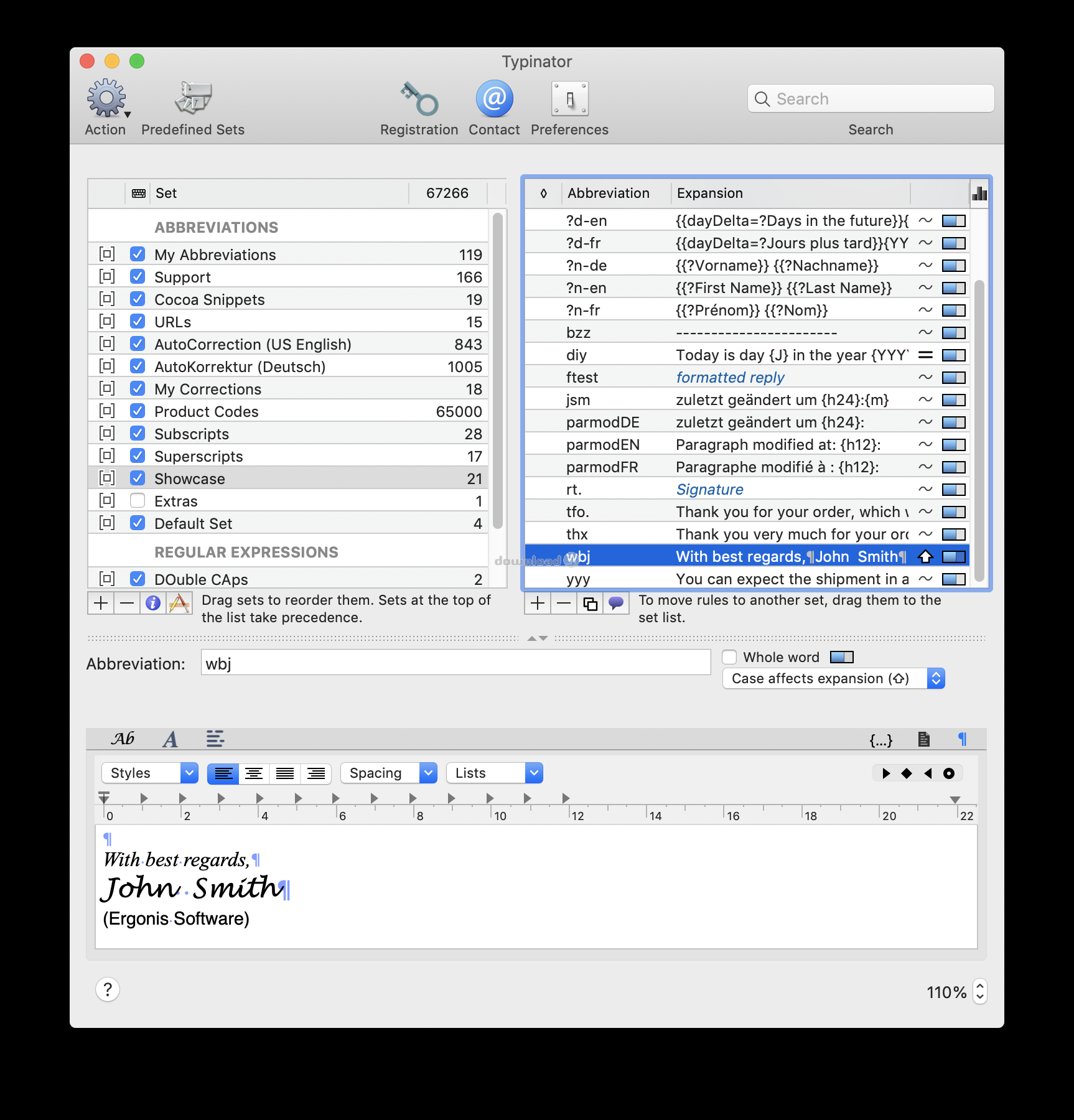
Have you ever experienced the tedium and frustration of having to repeatedly type your name, e-mail address, home page url, and other words or phrases again, again and again? Or do you frequently need to quickly insert images like your signature, location plan, or company logo into documents? Do you often misspell words when typing?Typinator boosts your productivity and eliminates errors by automating the process of inserting frequently used text and graphics and and auto-correcting typos and misspelled words.
Configuration is easy - You just define abbreviations and their replacement text or picture.
Usage is even easier - Whenever you type one of these abbreviations in an arbitrary application, Typinator inserts the corresponding replacement.
Drag-and-drop import from Textpander, TextExpander, TypeIt4Me, and Spell Catcher makes migration to Typinator a no-brainer.
Save your time and annoyance and let Typinator type repeating texts and pictures for you.
You can use Typinator to...
quickly type greeting phrases,
set up a list of standard text fragments to be used in e-mail replies,
insert the current date and/or time in arbitrary formats with a few keystrokes,
auto-correct your most frequent typos in all applications system-wide,
predefined sets for auto-correction, HTML, Filemaker functions,
import snippets from other typing utilities, including Textpander, TextExpander, and TypeIt4Me,
insert pictures, such as smilies or bullets,
insert Unicode symbols by typing a few special regular characters (e.g., type -> to insert an arrow symbol),
define shorthands for frequently used Unix commands,
quickly create templates for code fragments, if you are a programmer,
and more
Requirements: Mac OS X 10.15 or later
What's new in this version: User interface improvements, compatibility improvements, bug fixes
Antivirus information
Download3K has downloaded and tested Typinator on 5 Dec 2023 with some of Today's best antivirus engines and you can find below, for your convenience, the scan results:
-
Avast:
Clean -
Avira:
Clean -
Kaspersky:
Clean -
McAfee:
Clean -
NOD32:
Clean

Popular downloads in System Utilities
-
 Realtek AC'97 Drivers A4.06
Realtek AC 97 sound driver. -
 Windows 7 Service Pack 1 (SP1) 32-bit & 64-bit (KB976932)
The first service pack for Windows 7. -
 Realtek High Definition Audio Driver for Vista, Win7, Win8, Win8.1, Win10 32-bit R2.82
High definition audio driver from Realtek. -
 .NET Framework 2.0
The programming model of the .NET -
 Driver Cleaner Professional 1.5
Improved version of Driver Cleaner -
 RockXP 4.0
Allows you to change your XP product key -
 Realtek AC'97 Drivers for Vista/Win7 6305
Multi-channel audio CODEC designed for PC. -
 DAEMON Tools Lite 12.1.0.2155
The FREE Virtual CD/DVD-ROM-EMULATOR. -
 SIW 14.1.0417
SIW - System Information for Windows -
 AutoCorect 4.1.5
Diacritice la comanda, punctuatie automata.
User rating
2/5 (11 votes)
Medium
Your rating


-
OS
Mac OS X -
License
Shareware -
Price
$29.99 Buy -
Updated
12/5/2023 -
Downloads
1917 (1 last week) -
Size
8.80 MB -
MD5
bda62a469f37138b8d8ab37f493a5523 -
SHA1
58e5668c5366430f48b2a5c3f309846f569878a4 -
Developer
Ergonis Software