WinLock 9.1.7
- Buy $24.95
- Developer Link 1 (non https winlock.exe)
- Developer Link 2 (non https winlock.exe)
- Developer Link 3 (non https winlock.exe)
- Developer Link 4 (non https winlock.exe)
- Download3k US (winlock.exe)
- Download3k EU (winlock.exe)
MD5: 57631ee345d856a05c839d23beacab45
All files are original. Download3K does not repack or modify downloads in any way. Check MD5 for confirmation.
Review & Alternatives
"Comprehensive security solution."
Overview
WinLock is a broad-gauge and powerful security program for public as well as personal computers running on Windows OS and its purpose is to allow only authorized users to access or view confidential data on the system. In other words, it empowers you to block unauthorized users from gaining access to specific parts of your system, lest they view your important data. Once enabled, it runs from the system tray and needs a password to get access to its settings, so anyone without its password cannot tamper with its settings. It also helps you to define the time period for which a particular user can use the system.
Installation
Installation steps are very basic and take few seconds to complete. It starts with selecting your preferred installer language, following which you need to confirm the setup destination path and whether you want to create a Desktop icon or not. Finally, you can opt to launch the program immediately after the installation completes. It is compatible with all the Window versions starting from Win 2K to Win 8.
Interface
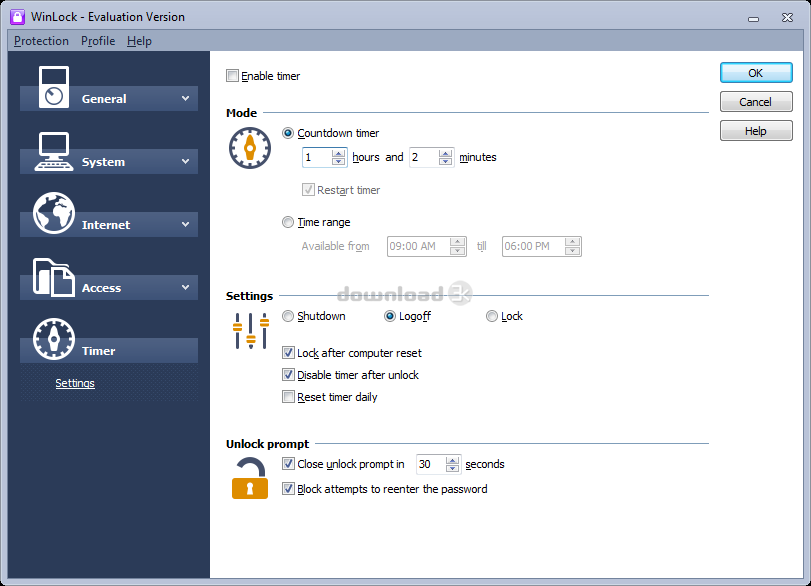
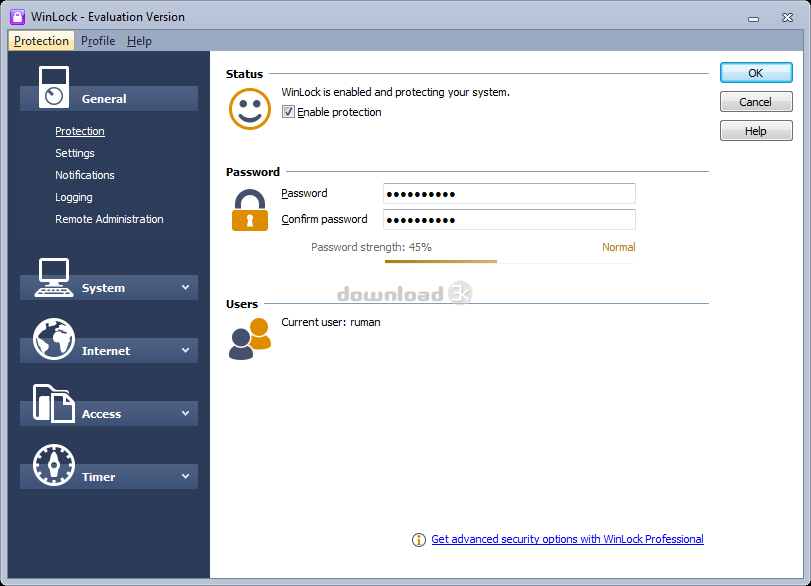
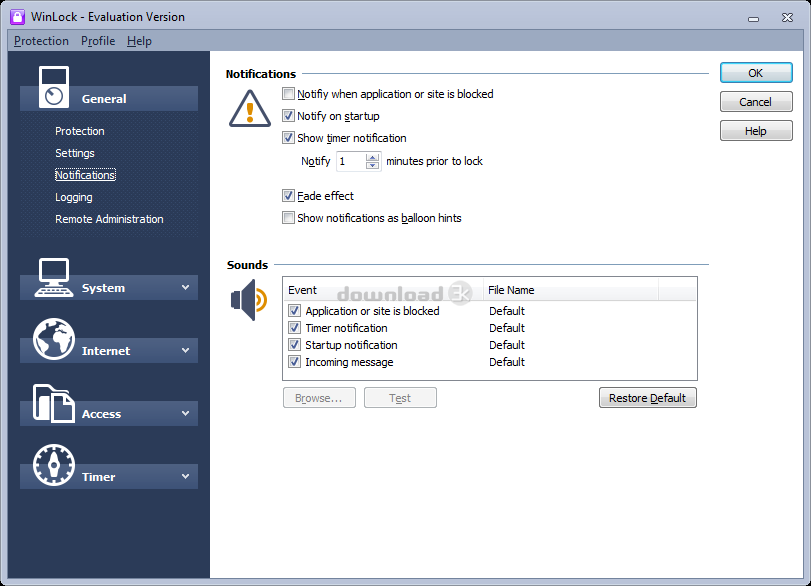
Graphical interface of WinLock is quite decent, modern, and user-friendly. All the menu options are aligned nicely in the left panel and the main screen for each one of them is shown in the right panel. On expanding tab for any menu option, further options related to it are listed, for example, on expanding ‘System’ tab, you can make settings for Security, Explorer and Windows, Desktop, Drives, and so on. The Help file is well documented and is very helpful to understand all its functions.
Pros
- Restrict unauthorized users from accessing important data on your shared personal or public systems which is kept in places like control panel, desktop, and Windows Explorer
- It is hard to make children understand that getting addicted to computer usage is not good; in such circumstances Parental control feature of this program can save your day. With this, you can define the time period for using the computer after which it will shutdown
- It lets you adjust general security options such as to disable Registry Editor, disable shortcuts, disable Task Manager, disable control panel, and disable command prompt
- Explorer and Windows settings can be configured to perform operations such as Hide file menu, hide search button, disable right-click menu, and disable menu
- Enhancing the Desktop settings is also possible which include Read-only desktop icons, disable HTML wallpapers or changing wallpapers, disable Sidebar, and Hide Recycle bin
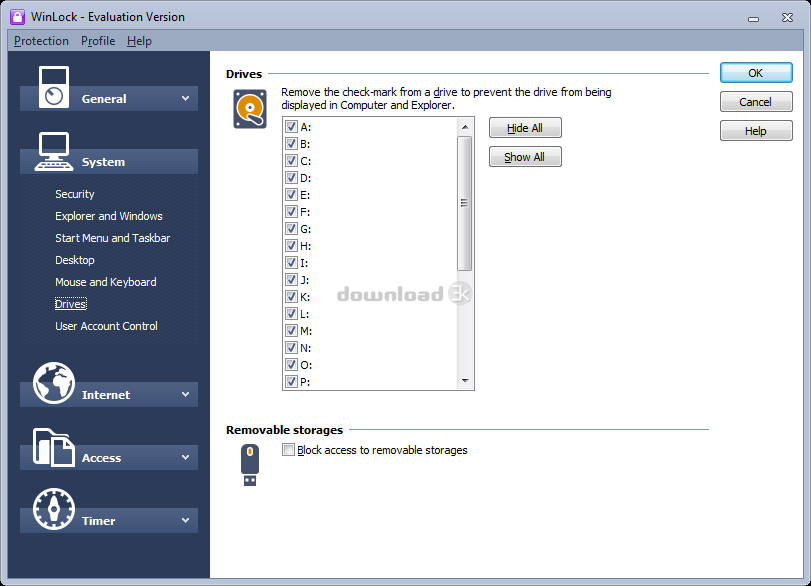
- You can deny unauthorized users from accessing specific Hard drives on your computer and even other removable drives like USB flash drives
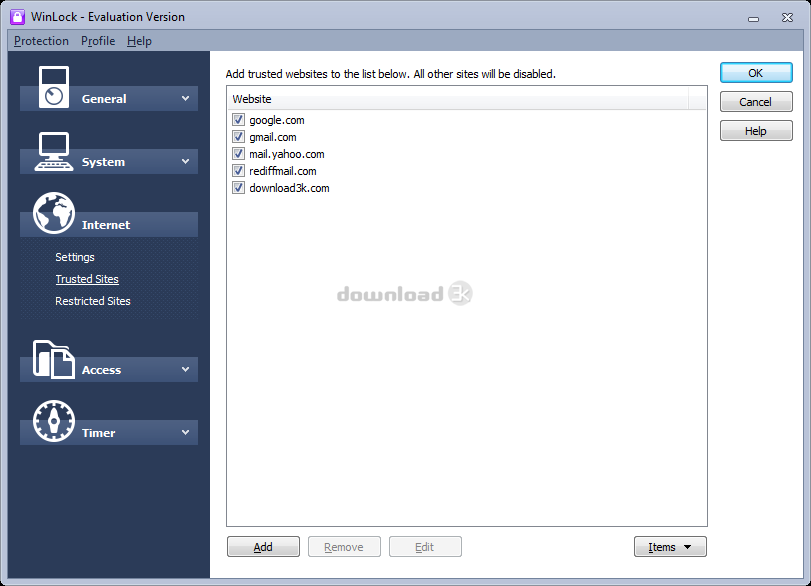
- With this program you can list down the sites you trust and the ones you want to restrict under ‘Internet’ menu option, so that if any user opens a restricted site by mistake then the necessary action could be taken
- The settings of this application cannot be altered by any user who does not know its password
- It displays notification messages for various purposes such as when an application or site is blocked, 'Time remaining’ messages of system startup, and message before shutting down the system
- By enabling WinLock Remote Administrator property, you can control WinLock remotely and perform operations such as send pop-ups messages, lock remote workstations, take remote desktop screenshots, and much more
- You can even block specific Hot Keys and Mouse buttons, for instance, Windows key, application key, and other Hot keys can be disabled; moreover, Left, right, and middle button of mouse can be blocked
Cons
- It works with IE and Mozilla Firefox browsers but not with Google Chrome
- Its working is not efficient with both the browsers- IE and Mozilla Firefox; if the restricted or even trusted sites are added under ‘Internet’ settings, then WinLock closes the browser on its own even before entering the restricted site’s URL
Alternatives
Some programs that can be used as alternatives to WinLock are – Secure Folders Free and SentryPC. Secure Folders is a free software that is capable to hide, lock or set read-only access to folders and files, plus it can also block execution of any program in a given folder. SentryPC is another powerful tool that lets you restrict access of your computer according to your wish. With this, you can define the total usage time for operations like running programs, websites, and other basic computer functions.
Conclusion
WinLock is an amazing tool that gives you the ability to control the access rights for any part of your computer which you do not want to be shared or viewed. Nevertheless, out of the many features offered by this tool, some of them do not work as per expectations. For instance, during our testing the Internet settings did not work at all; although most of the settings under system, access, general, and timer categories worked properly. There is no harm in using it during its 30-day trial period after which you can decide to purchase it.

Requirements: n/a
What's new in this version: New modernized user interface. New firewall engine that handles most browsers. Support for Windows 11. Disable Lock Computer also locks Win+L key. Disable sign-in options. Active days of week under timer settings. Redirect now works with most known browsers. Disable right-click app menu. Disable Ctrl+D.
Antivirus information
-
Avast:
Clean -
Avira:
Clean -
Kaspersky:
Clean -
McAfee:
Clean -
NOD32:
Clean

Popular downloads in Security
-
 Freegate Professional 7.90
Anti-censorship software. -
 MessenPass 1.42
Recovers instant messenger passwords -
 Hotspot Shield 12.9.7
Secure your wi-fi connection from hackers -
 Asterisk Key 10.0 Build 3538
Uncover passwords hidden behind asterisks. -
 CmosPwd 5.0
A cmos/bios password recovery application -
 Windows Installer CleanUp Utility 2.5.0.1
Remove Windows Installer settings. -
 Protected Storage PassView 1.63
recovers the Protected Storage passwords. -
 Cain & Abel 4.9.56
Password recovery tool. - Hide Window Plus 4
Hide programs from taskbar and tray -
 Asterisk Logger 1.04
Reveals the passwords behind asterisks.


-
OS
Win2000,WinXP,Win7 x32,Win7 x64,Windows 8,Windows 10,Windows 11,WinServer,WinOther,Windows2000,Windo -
License
Shareware -
Price
$24.95 Buy -
Updated
5/15/2025 -
Downloads
4302 (14 last week) -
Size
11.22 MB -
MD5
57631ee345d856a05c839d23beacab45 -
SHA1
a8d03b1820304f1f54fa3bd50589495954f394ef -
Developer
Crystal Office Systems