liteCam 5.0
Developed by innoheim
-
Windows
-
setup file lcam-hd-en-500_setup.exe (36.41 MB)
-
Freeware
Select a download mirror:
- Developer Link 1 (non https)
- Download3k US (lcam-hd-en-500_setup.exe)
- Download3k EU (lcam-hd-en-500_setup.exe)
MD5: 84592c81270d4ae172a4fd27e87c846b
All files are original. Download3K does not repack or modify downloads in any way. Check MD5 for confirmation.
Developer Description
"liteCam HD: The best screen recorder software"
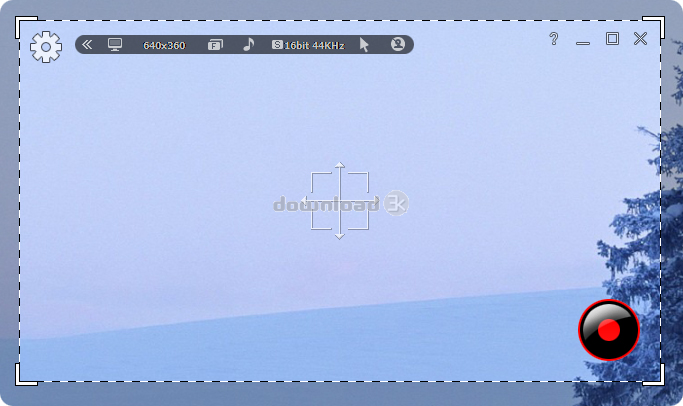
liteCam HD is the most easy-to-use computer screen recorder for Windows users that helps create professional-looking HD videos in no time! Simply record anything on your PC screen with audio to teach, demonstrate, present, video tutorials and much more. Its easy and powerful interface to makes quick recording and reduces complex settings. For example, most frequently used features are displayed in the Tool bar as a shortcut in the program windows so that a non-techie can start to record without studying how to use the program. In addition, Its user friendly interface makes it easy to navigates on how to use a number of comprehensive options quickly for tech savvy.You can record streaming videos that cannot be downloaded as files. And create video tutorials to explain how to do something on a computer. Record important Skype video chats and calls. Save online web conferences video with audio, capturing all presentation contents and annotations.
liteCam HD has unique audio and voice recording function to record any sounds on a computer and convert the recordings to WAV, MP3, or WMA format. In addition, it can extract sound/audio or background music from your recorded video. Record webcam conversation, draw on screen while recording, record mouse pointer with effects, add title and ending credits, and logo, schedule time to record, and take screenshots from your video. In one click, you can convert all your video and audio files into iPhone, iPad, or any Android device format. liteCam HD is compatible with Windows Vista, 7, and 8 and it works well windows 64 bit machine.
With liteCam HD you can easily capture any onscreen activities to fulfill all your recording needs. Download liteCam HD for free today.
Requirements: 1 GB of RAM, 128MB video memory, Any sound card supporting Full Duplexing,
What's new in this version: Easy and powerful interface, Capture of screenshots and mouse pointer movements, Compatible with 64 bit Windows game to record
Antivirus information
Download3K has downloaded and tested liteCam on 8 Aug 2014 with some of Today's best antivirus engines and you can find below, for your convenience, the scan results:
-
Avast:
Clean -
Avira:
Clean -
Kaspersky:
Clean -
NOD32:
Clean

Popular downloads in Photo & Graphic
-
 Bandicam Screen Recorder 8.3.0.2533
Best Game, Video, Screen Recording Software -
 PhotoScape 3.7
A fun and easy photo editing software. -
 Magic Photo Editor 7.5
Easilly blend photo onto another picture. -
 SketchUp Make 16.1.1450 32-bit / 17.2.2555 64-bit
An easy-to-learn 3D modeling program. -
 jAlbum 39.5
Highly customizable web galleries for any site. -
 Shipping Container House Plans 1.1
Shipping Container House Plans Software -
 VEGAS Pro 22.0.0 Build 248
Provide the ultimate all-in-one environment -
 Corel PaintShop Pro 2023 25.2.0.58 Update 2
All you need to create fantastic photos! -
 Just Color Picker 6.2
Free colour picker and colour-editing tool. - JR Split File 1.2
Split a large file into smaller files
User rating
2.5/5 (2 votes)
Medium
Your rating

-
OS
Win7 x32,Win7 x64,WinVista,WinVista x64 -
License
Freeware -
Price
$38 -
Updated
8/8/2014 -
Downloads
661 (1 last week) -
Size
36.41 MB -
MD5
84592c81270d4ae172a4fd27e87c846b -
SHA1
e84e2c18caf07d9b16b9716d9af41a6f280adb37 -
Developer
innoheim