Jet Screenshot 3.1
- Developer Link 1 (non https jetScreenshot-setup.exe)
- Developer Link 2 (non https jetScreenshot-setup.zip)
- Download3k US (jetScreenshot-setup.exe)
- Download3k EU (jetScreenshot-setup.exe)
MD5: 3e6cba0f69f5c1fcb648ac15bd498ed3
All files are original. Download3K does not repack or modify downloads in any way. Check MD5 for confirmation.
Review & Alternatives
"Share screenshots via the internet in seconds"
Overview
Have you ever had moments when you chat with your friends and wanted to describe something you saw but you simply could not find the right words? Then it is time to learn more about an amazing little application that can put all this behind you, the Jet Screenshot software utility. This small, yet efficient application is especially designed to make your life easier, as it allows you to share screenshots with friends and family by sending them with just a few mouse clicks.
Installation
In order to install the Jet Screenshot you will need to have at least Windows 98, a minimum of 16 MB of RAM and a Pentium processor with at least 16 Mhz. Moreover, it occupies a rather limited amount of your hard drive of only 3.3 MB. Other than that, the installation is straightforward and fast, taking less than five seconds to complete. It does not contain additional software and after launching the program you can easily find it in the icon tray.
Interface
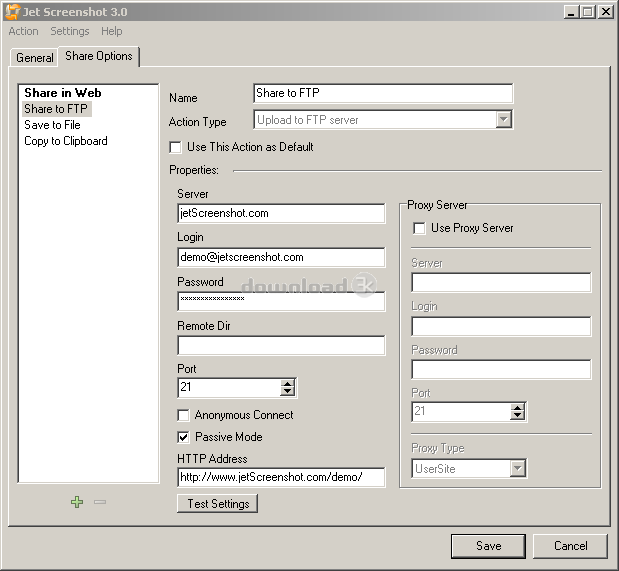
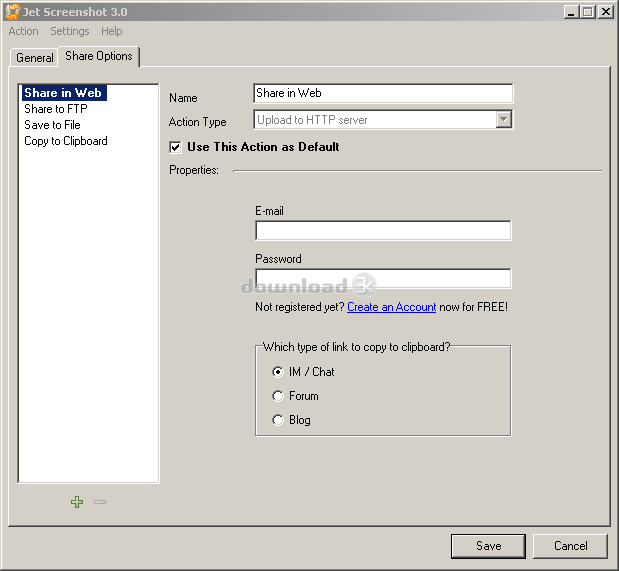
The only interface of the Jet Screenshot application is the one that enables you to change the settings. However, you can access its various screenshot options by clicking or right clicking on it. In order to use it, you will need to select an area from your desktop, or the full desktop, and take a screenshot with Printscreen in combination with Alt or Control buttons, depending on the region. After you take the screenshot, you will be prompted to upload it via a FTP server or directly to the web. In addition, you can also save to file or copy it to clipboard. Once the selected action is finished you will receive a notification.
In case you want to edit your screenshot before uploading it or saving it onto your computer, you will be glad to know that you have a small toolbar to help you make the necessary adjustments. In addition, once you are finished with the editing, you can share the new screenshot directly from the toolbar.
Pros
Due to its simple mechanism of taking screenshots, the application is ideal for offices. In fact, developers, accountants and other professionals can easily share screenshots with team members and colleagues without the need to walk across the room to see the screen. At the same time, transferring pictures from one office to another is significantly faster, as you no longer need to log into your email account to send the screenshot. At the same time, the application can be quite useful in conferences, as managers or people holding the presentation can draw the attention of the audience by uploading screenshots of the focal points of interest. Therefore, you can save time and money by investing in the Jet Screenshot, since its price is less than thirty dollars per year.
Another thing that is highly appreciated about the Jet Screenshot application is the fact that it allows you to send pictures and their associated notes via your own FTP server. Therefore, you will no longer be forced to share personal and private data with other types of services. Basically, the application permits you to restrict the access of the data to the number of people you know and trust.
Cons
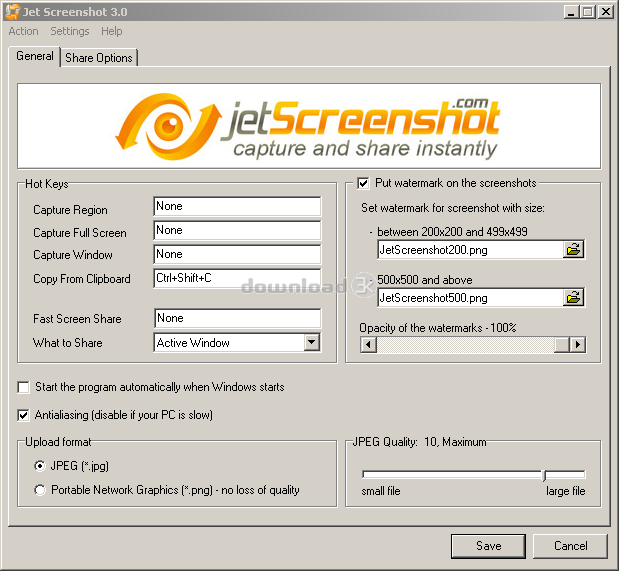
The free version of the Jet Screenshot application only allows you to save the files in .Jpeg format. Therefore, if you want to save them as .PNG you will need to acquire the full version. The same is true of other features. Since they cannot see its full capabilities and functions, some users feel confused about whether they should purchase Jet Screenshot or not.
Alternatives
There are several alternative programs similar to Jet Screenshot, such as Greenshot, Jing, Skitch, CollabShot, Gyazo and Ybex Clipboard. Amongst them Jing, Gyazo and CollabShot are also available for Macs, Gyazo and Collabshot are available for Linux users as well, whereas Skitch can be installed on mobile devices running Apple's iOS or Google's Android OS.
Conclusion
In conclusion, the Jet Screenshot application allows you to upload and send a link via numerous methods. Regardless of whether you want to send a photo via an instant message application, chat on window, forums, mail or phone, the Jet Screenshot application provides the simplest and fastest way to contact the recipient.

Requirements: Win XP or higher, Pentium 60 Mhz or higher, 16 Mb RAM
What's new in this version: + Windows 8 is supported. Jet Screenshot has been tested and demonstrated full compatibility with Windows 8 (x32 or x64). + More tools has been added. + Other
Antivirus information
-
Avast:
Clean -
Avira:
Clean -
Kaspersky:
Clean -
NOD32:
Clean

Popular downloads in Photo & Graphic
-
 Bandicam Screen Recorder 7.1.1.2158
Best Game, Video, Screen Recording Software -
 PhotoScape 3.7
A fun and easy photo editing software. -
 Magic Photo Editor 7.5
Easilly blend photo onto another picture. -
 SketchUp Make 16.1.1450 32-bit / 17.2.2555 64-bit
An easy-to-learn 3D modeling program. -
 jAlbum 34.3
Highly customizable web galleries for any site. -
 Shipping Container House Plans 1.1
Shipping Container House Plans Software -
 VEGAS Pro 21.0.0 Build 108
Provide the ultimate all-in-one environment -
 Corel PaintShop Pro 2023 25.2.0.58 Update 2
All you need to create fantastic photos! -
 Just Color Picker 5.9
Free colour picker and colour-editing tool. - JR Split File 1.2
Split a large file into smaller files


-
OS
WinXP,WinVista x64,Windows2000,Windows2003,Windows Vista Ultimate,Windows Vista Ultimate x64,Windows -
License
Freeware -
Price
$0.00 -
Updated
10/22/2014 -
Downloads
491 (3 last week) -
Size
2.90 MB -
MD5
3e6cba0f69f5c1fcb648ac15bd498ed3 -
SHA1
fd440edd1a1a9c6e68c8170d663afbbacf8f1029 -
Developer
ArcticLine Software