HyperSnap-DX 9.5.3
- Developer Link 1 (HS9Setup32.exe)
- Developer Link 2 (HS9Setup.exe)
- Developer Link 3 (non https HS8Setup32.exe)
- Developer Link 4 (non https HS8Setup.exe)
- Download3k US (HS9Setup32.exe)
- Download3k EU (HS9Setup32.exe)
MD5: 92a59b30dd1f0a2e758c1af0c7b88a72
All files are original. Download3K does not repack or modify downloads in any way. Check MD5 for confirmation.
Review & Alternatives
"Easiest way to take screen captures"
Overview
Every now and then you must have come across a situation where you’d want to take a screen shot of whatever is on your screen for one purpose or the other. The built in print/screen button for Windows does the job, however, it’s extremely limited and does not provide any option other than just pasting the entire screen. This is where HyperSnap comes in. It’s a software that takes screenshots to a whole new level.
Installation
The installation package is 8MB in size and takes a minute or two to download. Installation process is pretty straight forward and there is no adware bundled. HyperSnap is compatible with all versions of Windows however it works best with Windows 7.
Interface
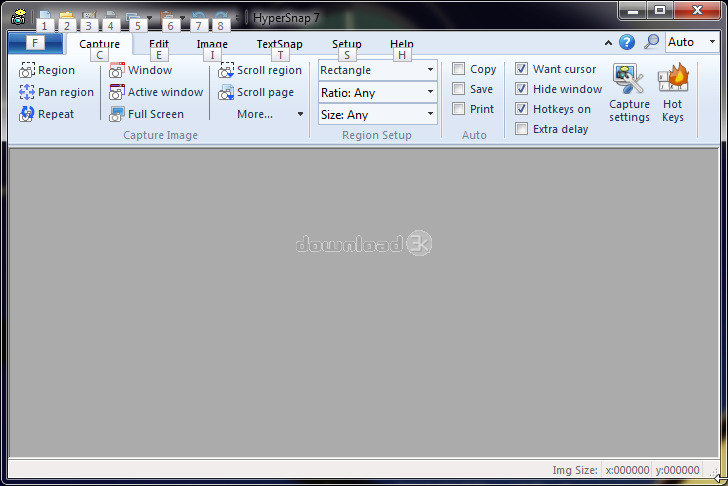
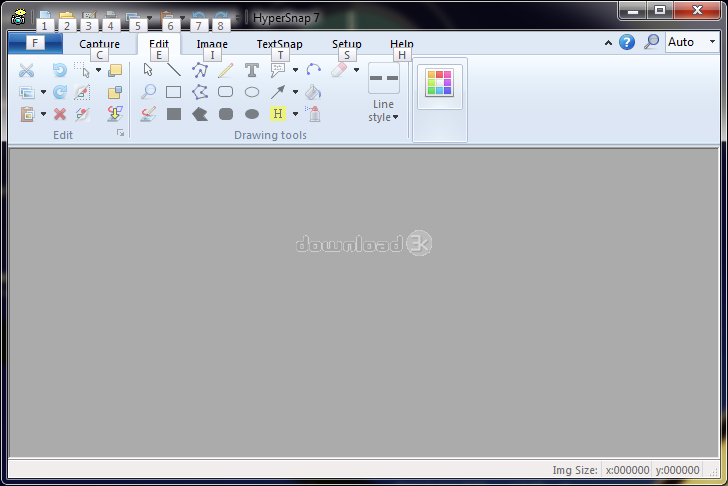
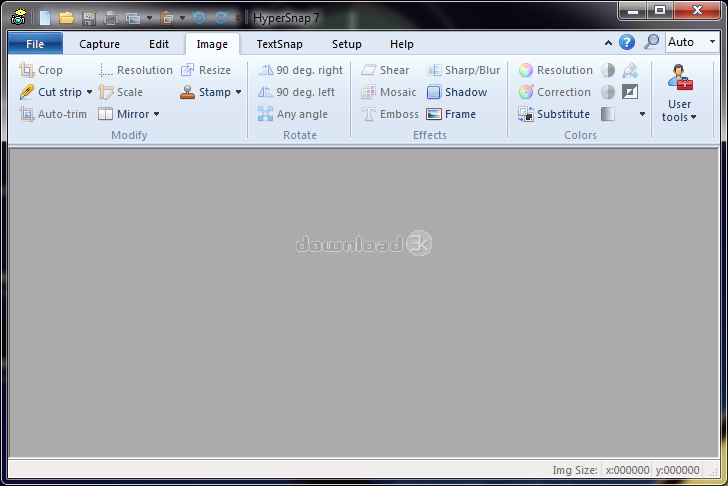
Hyper UI is very pleasing. Because the program is designed from the ground up for Windows 7, it almost looks like a native application from Microsoft. It borrows heavily from Microsoft Office’s ribbon interface and makes great use of it. Every category has its own place on the ribbon and because HyperSnap has a boatload of options, the ribbon UI makes it look a lot less cluttered. You can also customize the user interface in whichever way you like by rearranging menus and toolbars as you see fit. This makes it relatively easy even for the amateurs to get around. Experienced users will feel right at home with HyperSnap.
Pros
HyperSnap is not your usual screen capture software. It also offers image editing capabilities so that you can alter your images right after you capture them. This saves the hassle of downloading a software separately for image editing. Editing options include trimming, cropping, altering brightness/contrast, emboss, shadows, adding frames, inverting colors etc. One of the biggest features of HyperSnap is its ability to capture text from anywhere on the screen. You can choose a specified area on screen by dragging a rectangle or simply let the software choose whatever is beneath the cursor. Using this you can have text that is editable. Other options include taking screenshots of only active windows, selected windows or custom selected areas on the screen. You can set the aspect ratio and resolution of the images before you take them. Another handy feature of HyperSnap is its ability to take screenshots in Direct X programs. This means you can take screenshots in games where most other software fail.
Cons
HyperSnap offers a lot of features but it comes at a price. You can enjoy the trial version for a limited period but in the end you will have to pay $39.95 for the full version, or $19.50 if you're upgrading from version 6. The text select feature needs more optimization as on many occasions it simply failed to detect any text.
Alternatives
Greenshot is a good alternative to HyperSnap. It’s free of cost and provides the basic functions of screen capturing. It’s far more advance than the built in screen capture of Windows, however, it falls short of HyperSnap as far as the sheer number of features is concerned. For more alternatives, see our reviews section for Screen Capture tools.
Conclusion
If you’re looking for a professional grade screen capture program then HyperSnap is the one to get.

Antivirus information
-
Avast:
Clean -
Avira:
Clean -
Kaspersky:
Clean -
McAfee:
Clean -
NOD32:
Clean

Popular downloads in Photo & Graphic
-
 Bandicam Screen Recorder 8.3.0.2533
Best Game, Video, Screen Recording Software -
 PhotoScape 3.7
A fun and easy photo editing software. -
 Magic Photo Editor 7.5
Easilly blend photo onto another picture. -
 SketchUp Make 16.1.1450 32-bit / 17.2.2555 64-bit
An easy-to-learn 3D modeling program. -
 jAlbum 39.6
Highly customizable web galleries for any site. -
 Shipping Container House Plans 1.1
Shipping Container House Plans Software -
 VEGAS Pro 22.0.0 Build 248
Provide the ultimate all-in-one environment -
 Corel PaintShop Pro 2023 25.2.0.58 Update 2
All you need to create fantastic photos! -
 Just Color Picker 6.2
Free colour picker and colour-editing tool. - JR Split File 1.2
Split a large file into smaller files



-
OS
Windows All -
License
Shareware -
Price
$39.95 -
Updated
3/14/2025 -
Downloads
2214 (19 last week) -
Size
13.52 MB -
MD5
92a59b30dd1f0a2e758c1af0c7b88a72 -
SHA1
ec70526daa96346abfb51342b366b0e894164990 -
Developer
Hyperionics