Visual Drawing Maker 1.14
- Buy $38.00
- Developer Link 1 (non https vdmaker.share.exe)
- Download3k US (vdmaker.share.exe)
- Download3k EU (vdmaker.share.exe)
MD5: 806b35240b0357601d71b61c50d165c0
All files are original. Download3K does not repack or modify downloads in any way. Check MD5 for confirmation.
Developer Description
"CAD drawings can be self viewing now!"
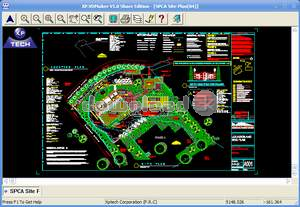
The Visual Drawing Maker is a tool to convert CAD files into self viewing executable (*.exe) files. This makes the drawing independent of the operation system and CAD platform. With Visual Drawing Maker you can eliminate such obstacles as: 1.Drawing formats tht are incompatible due to the difference between CAD software types, versions and their setup 2.Correlative software installation is needed to explore, print and postil a drawing. 3.Difficulties to protect company intelligent property rights and technique secrest when providing customers with source design drawings, etc. Developed on the CAD midware technique basis, under lots of operation systems, it can be used on various CAD platforms. Presently it can support AutoCAD R14 to R2006 , IntelliCAD 3 to 5, OpenDesign, TiOpenCAD, TiMDS, and will support other CAD platforms in the near future. The Visual Drawing has the following characters: 1.Platform Independence. It is disengaged completely from its original producing environment: CAD platform, operation system and the original drawing file. 2.What you see is what you get. Screen display is consistent with the source drawing. 3.Free zoomed in or out, it can maintain to be a high precision vector graphics. 4.It can effectively protect the enterprise intelligent property by supporting different types of authorization, such as encryption, view, print and postil. 5.File format of high compression ratio makes it quite easy to be transferred on networks. 6.Built-in powerful drawing engine makes it easy to deal with even hundreds of thousands drawing entities. 7.No specially training is needed for users due to the file's simple operation. 8.Support Customer interface and logo, advertise companys' and designers' brand and appearance.Requirements: Pentium II 400 MHz CPU, 64 Mb RAM, AutoCAD R14~R2006 or IntelliCAD V3.0~5.0
What's new in this version: 1. Revise the mistake in processing elliptical arc object. 2. Adjust the online activation authorization method of the register edition. (You need to input member account, software . serial number and software activation code.). 3. Visual drawings support hardware key, software key and remote key, more credible and more convenient drawing . protection project. 4. Support the OpenDesign, TiOpenCAD and TiMDS platform series of Tsinghua InfoTech (testing). 5. Release CD install edition (image file), all products can be found in a CD. 6. Commercial products can be divided into 4 editions, personal edition, professional edition, enterprise edition and . network edition. 7. V1 version goes on the market in each Lianbang software exclusive all round, welcome nearby purchase.
Antivirus information
-
Avast:
Clean -
Avira:
Clean -
Kaspersky:
Clean -
McAfee:
Clean -
NOD32:
Clean

Popular downloads in Photo & Graphic
-
 Bandicam Screen Recorder 8.3.0.2533
Best Game, Video, Screen Recording Software -
 PhotoScape 3.7
A fun and easy photo editing software. -
 Magic Photo Editor 7.5
Easilly blend photo onto another picture. -
 SketchUp Make 16.1.1450 32-bit / 17.2.2555 64-bit
An easy-to-learn 3D modeling program. -
 jAlbum 39.6
Highly customizable web galleries for any site. -
 Shipping Container House Plans 1.1
Shipping Container House Plans Software -
 Corel PaintShop Pro 2023 25.2.0.58 Update 2
All you need to create fantastic photos! -
 Just Color Picker 6.2
Free colour picker and colour-editing tool. - JR Split File 1.2
Split a large file into smaller files -
 progeCAD Smart! free DWG CAD 9.0.28.8
progeCAD Smart! free personal CAD software

-
OS
Win98,WinME,WinNT 3.x,WinNT 4.x,Windows2000,WinXP,Windows2003 -
License
Shareware -
Price
$38.00 Buy -
Updated
12/17/2017 -
Downloads
489 (1 last week) -
Size
3.08 MB -
MD5
806b35240b0357601d71b61c50d165c0 -
SHA1
94796fb38eedac5c79c9a01c0a4677c35a931dc5 -
Developer
Changchun Experience Technology Co., Ltd