MagiName 2.2
Developed by Keronsoft
-
Windows
-
setup file maginame.exe (2.60 MB)
-
Shareware
Select a download mirror:
- Developer Link 1 (non https maginame.exe)
- Download3k US (maginame.exe)
- Download3k EU (maginame.exe)
MD5: 1cd4887db5bcfdeb49907d3070148ed3
All files are original. Download3K does not repack or modify downloads in any way. Check MD5 for confirmation.
Developer Description
"Batch rename, rename file name, rename photo"
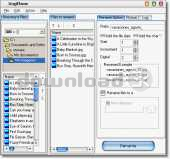
MagiName is a digital file rename software to quickly rename many digital photo files and picture files. File names of digital photo files generated by digital cameras, such as "DSCF0010", "DSCF0011" are annoying. These file names make no sense. We need a file name that can remind us what the photo or picture is. MagiName can help you rename these annoying digital photo file names quickly. MagiName is a must-have handy file rename software for digital camera users.With MagiName, you will be able to:
batch rename photo names of digital photo files generated by digital cameras, such as DSCF0015", make no sense. With this file rename software, rename all these digital photo files with custom name prefix, creation date and counter.
.
Key Features
* Batch-rename names of digital photo and picture files
Rename many photo files with one click. You can select rename different photo files in different folders.
* Preview photo files and renamed file names
Preview photo files before adding to rename file list. An example will show how the file names will be, when changing some options.
* Automatically insert file creation date into file names
Insert the file creation date into each renamed file names, eg Jordan20001031-003.
* Custom counter
The starting counter number, increment of counter and the number of counter digits can be set.
* Copy photo files and rename them in a different folder
You can rename original files in their original folder. Also you can choose to copy files to a different folder and rename files in the new folder.
Requirements: Typical Win95 machine
Antivirus information
Download3K has downloaded and tested MagiName on 17 May 2026 with some of Today's best antivirus engines and you can find below, for your convenience, the scan results:
-
Avast:
Clean -
Avira:
Clean -
Kaspersky:
Clean -
McAfee:
Clean -
NOD32:
Clean

Popular downloads in Photo & Graphic
-
 Bandicam Screen Recorder 8.3.1.2537
Best Game, Video, Screen Recording Software -
 PhotoScape 3.7
A fun and easy photo editing software. -
 Magic Photo Editor 7.5
Easilly blend photo onto another picture. -
 SketchUp Make 16.1.1450 32-bit / 17.2.2555 64-bit
An easy-to-learn 3D modeling program. -
 jAlbum 39.6
Highly customizable web galleries for any site. -
 Shipping Container House Plans 1.1
Shipping Container House Plans Software -
 Corel PaintShop Pro 2023 25.2.0.58 Update 2
All you need to create fantastic photos! -
 Just Color Picker 6.2
Free colour picker and colour-editing tool. - JR Split File 1.2
Split a large file into smaller files -
 progeCAD Smart! free DWG CAD 9.0.28.8
progeCAD Smart! free personal CAD software
User rating
0/5 (0 votes)
Your rating

-
OS
Win98,WinXP -
License
Shareware -
Price
$19.95 -
Updated
4/23/2026 -
Downloads
696 (2 last week) -
Size
2.60 MB -
MD5
1cd4887db5bcfdeb49907d3070148ed3 -
SHA1
3faa8118869024ca13c71f137896c7e197d59b1c -
Developer
Keronsoft