Photo Toolkit 1.7
Developed by VicMan Software
-
Windows
-
setup file phtkinst.exe (7.78 MB)
-
Freeware
Select a download mirror:
- Developer Link 1 (non https phtkinst.exe)
- Download3k US (phtkinst.exe)
- Download3k EU (phtkinst.exe)
MD5: 2d529eea87f5e8fa1c5c10d5d56f1f54
All files are original. Download3K does not repack or modify downloads in any way. Check MD5 for confirmation.
Developer Description
"Free handy and complete photo editing toolkit"
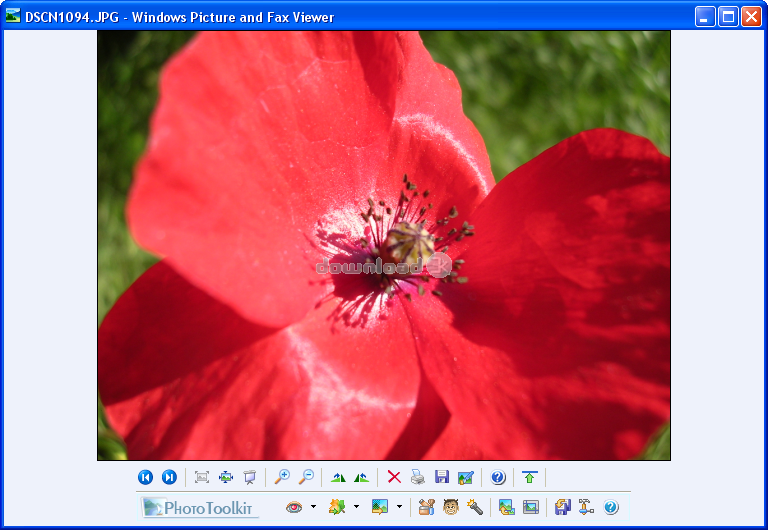
Now completely free! Photo Toolkit is a powerful and easy-to-use program to edit your digital images. With only a few clicks, you can automatically remove red eye and correct colors of multiple photos (batch mode), retouch portraits, whiten teeth, add lighting effects, straighten and resize photos and more - and directly from the standard Windows picture viewer. Correct your shots while viewing them.Photo Toolkit includes several unique tools to improve your photos. Red Eye Remover is the fully automatic solution for red eye correction. You do not need to draw accurately over the red zone or use a brush to correct your photos. In most cases Photo Toolkit detects all instances of red eye on your photos and corrects them instantly.
The program allows even a novice photographer to improve portrait photos in just a minute by performing simple and fast skin correction. Several brush tools, each addressing a specific skin defect, approximate neighboring areas to overlap the defect, making the skin look natural and smooth.
To make a perfect portrait even better, you can whiten teeth. The unique tool enables you to make teeth whiter without precise brush stokes. Just touch the area with a brush - and get the Hollywood smile. With the color correction function you can improve contrast, saturation and gamma with only one click. You can choose one of nine images resulted from the automatic correction or perform manual editing.
Photo Toolkit also offers a set of options for advanced color correction. The Straighten plug-in offers the easiest way to straighten tilted photos simply by drawing a line that you want to be horizontal or vertical. With Photo Toolkit, you can also resize photos increasing or decreasing resolution for printing or sharing via web or email, crop and fine-tune the image, add artistic and lighting effects and more. The program also contains a plugin for creating thumbnails of your photos for web galleries.
Requirements: Pentium PC
Antivirus information
Download3K has downloaded and tested Photo Toolkit on 13 Mar 2012 with some of Today's best antivirus engines and you can find below, for your convenience, the scan results:
-
Avira:
Clean -
Kaspersky:
Clean -
NOD32:
Clean

Popular downloads in Photo & Graphic
-
 Bandicam Screen Recorder 8.3.1.2537
Best Game, Video, Screen Recording Software -
 PhotoScape 3.7
A fun and easy photo editing software. -
 Magic Photo Editor 7.5
Easilly blend photo onto another picture. -
 SketchUp Make 16.1.1450 32-bit / 17.2.2555 64-bit
An easy-to-learn 3D modeling program. -
 jAlbum 39.8
Highly customizable web galleries for any site. -
 Shipping Container House Plans 1.1
Shipping Container House Plans Software -
 Corel PaintShop Pro 2023 25.2.0.58 Update 2
All you need to create fantastic photos! -
 Just Color Picker 6.2
Free colour picker and colour-editing tool. - JR Split File 1.2
Split a large file into smaller files -
 progeCAD Smart! free DWG CAD 9.0.28.8
progeCAD Smart! free personal CAD software
User rating
4/5 (8 votes)
Very good
Your rating

-
OS
Win98,WinME,WinXP,Windows2000,Windows2003 -
License
Freeware -
Price
$0.00 -
Updated
8/26/2010 -
Downloads
2259 (3 last week) -
Size
7.78 MB -
MD5
2d529eea87f5e8fa1c5c10d5d56f1f54 -
SHA1
4d9bcce6ebd8649a0f9d0f2a6f8cf8c19c1f5ace -
Developer
VicMan Software