RoboSizer 1.0.9.3
- Developer Link 1 (non https RoboSizerSetup.zip)
- Developer Link 2 (non https RoboSizerSetup.zip)
- Download3k US (ver 1.0.9.3, RoboSizerSetup.zip)
- Download3k EU (ver 1.0.9.3, RoboSizerSetup.zip)
MD5: 3ba7a9aaea55880d0208add8d4680402
All files are original. Download3K does not repack or modify downloads in any way. Check MD5 for confirmation.
Review & Alternatives
"Fully automatic, on-the-fly photo resizing"
Overview
Remember the times when you want to share pictures of your recent trip or your special day with your friends and family via email or a social networking site, but then manually resizing them leaves you frustrated and wishing for a miracle to happen. If not a miracle then RoboSizer could easily be called a savior that saves your time and effort in resizing the pictures. This tool automatically shrinks and optimizes the images on-the-go as you upload them to a social networking site or attach them to a mail without needing your involvement. Robosizer works in real-time and no configurations or additional steps are required from the user’s side.
Installation
Very basic steps need to be followed for installation of Robosizer like selecting the destination path for the setup, option to create Start Menu folder and/or Desktop icon, and to launch the program right away. The final step asks to choose the version you would like to use including 30-day trial version, licensed version (for which registration key is required) or you can even purchase it. It is supported by these operating systems: Windows XP / Vista / 7 (32-bit and 64-bit).
The registration key to be entered is:
User: freeuser
Registration code: 000014-H44DJ8-VQC39X-678RVJ-XBP7DZ-E4VTX7-BJNHN5-T7YRQ0-MMT194-3MYFJV
Interface
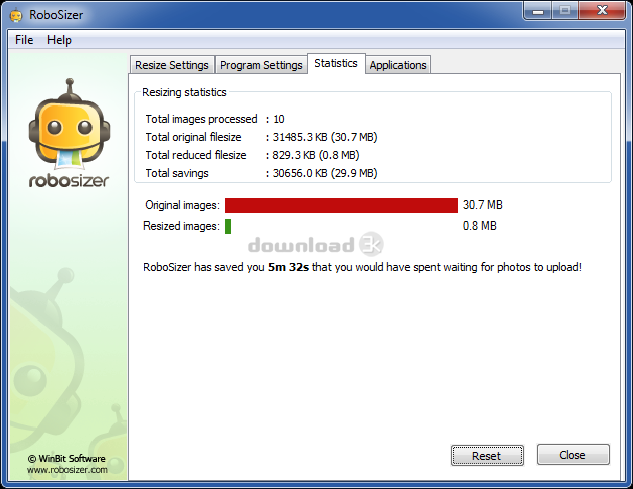
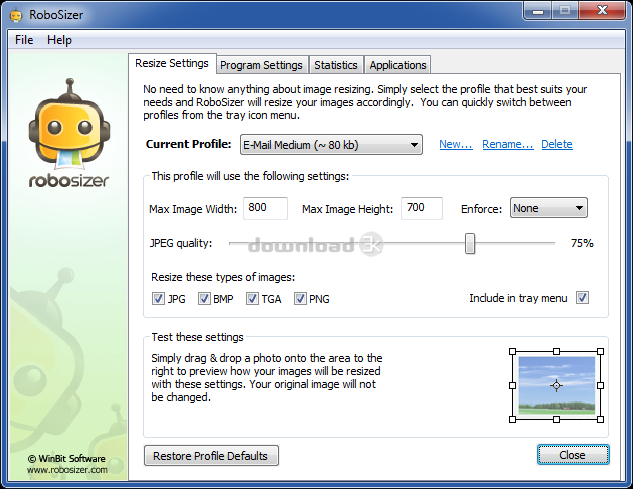
After installation is completed, Robosizer starts working immediately and places itself in the system tray. On clicking this icon, the control panel of robosizer is displayed with different categories such as Resize settings (to define image resizing requirements), program settings (program’s own settings), Statistics (statistics for processed images), and Applications (applications supported by Robosizer). Its interface is intuitive and straightforward, making it quite easy for even a layman to adapt to it quickly.
Pros
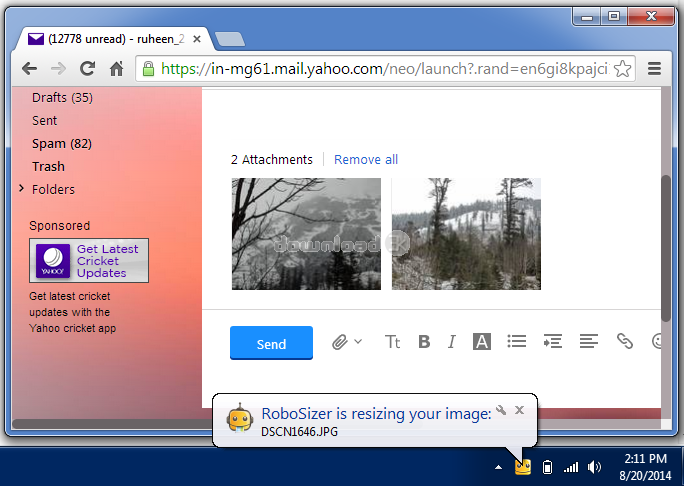
Robosizer starts working immediately after installation and does not require user intervention to resize the image. Nowdays, more advanced cameras like Digital SLRs are used for taking pictures, though the pictures are of high definition but these are also quite large in size. This makes it difficult to share and send these images as they take time while uploading or require too much manual effort to resize them. With Robosizer there no such hassle, as all you need to do is simply upload the pictures like you always did to your emails and leave the rest of the work to the program. It will resize the picture without tempering its quality in lesser time and you will be notified by showing a popup window at the bottom right side. During the test of this program we attached an image of 2.92 MB size to a mail which was resized to just .67 MB by RoboSizer; and the best part about it was that the sent and received images were exactly of the same quality.
By default, the program has settings for resizing images to around 80 KB and also has pre-defined max image height and width but these can be altered according to your need. It lets you choose from various resize profiles including; E-mail (large/small), Facebook, Flicker (large/small), iPhone or iPod touch, and more. In case, you want to send the full-sized image then ‘Original Size’ profile can be selected which simply compresses the image. The settings can be previewed by dragging and dropping any image to the area given in Robosizer’s window.
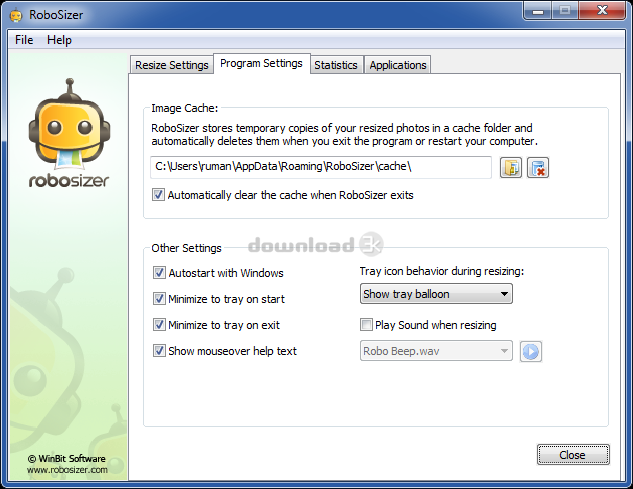
Robosizer saves the copies of resized images in a cache folder which are only removed if you exit the program or restart the computer.
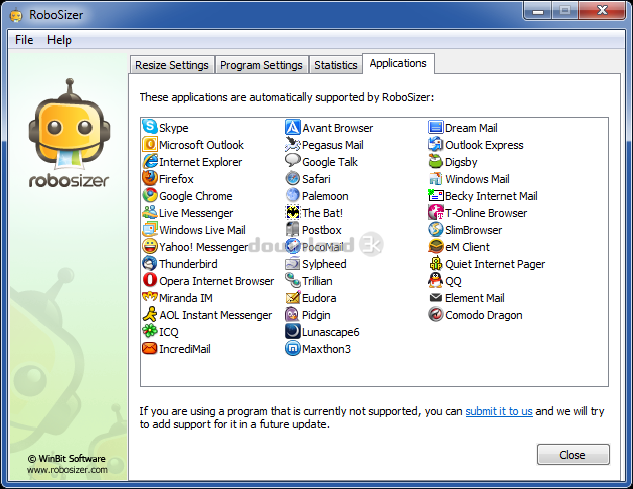
It works with a vast range of applications like email programs (Microsoft Outlook, Windows Live Mail, IncrediMail, Pocomail); web browsers (Internet Explorer, Google Chrome, Mozilla Firefox, Opera); and instant messengers (Live Messenger, Yahoo! Messenger, AOL Instant Messenger) ,and so on.
Cons
No cons found.
Alternatives
Other programs that can be used as alternates to Robosizer are FastStone Photo Resizer, Image Resizer, and Fotosizer. FastStone Photo Resizer not only resizes and renames images, but it also rotates, crops, adjusts, edits images and even applies text and watermarks to them. Image Resizer assembles images by changing their resolution or moving them within system’s hard drive but is incapable of showing preview for the altered image. Fotosizer is a more favourable program for those who want to resize multiple images with few mouse clicks, as users can select an entire folder, customize the output image size and then convert all the images with a single click.
Conclusion
Robosizer might have a limited audience since there are a few people that need to upload large images in short intervals, but it is still helpful for them as it saves time and bandwidth. It even lets you check how much resizing has been done and the time saved to do so. The program works on low to medium system resources, so it does not slows down system’s performance. Definitely, its a thumbs up for Robosizer!

Antivirus information
-
Avast:
Clean -
Avira:
Clean -
Kaspersky:
Clean -
NOD32:
Clean

Popular downloads in Photo & Graphic
-
 Bandicam Screen Recorder 8.3.0.2533
Best Game, Video, Screen Recording Software -
 PhotoScape 3.7
A fun and easy photo editing software. -
 Magic Photo Editor 7.5
Easilly blend photo onto another picture. -
 SketchUp Make 16.1.1450 32-bit / 17.2.2555 64-bit
An easy-to-learn 3D modeling program. -
 jAlbum 39.6
Highly customizable web galleries for any site. -
 Shipping Container House Plans 1.1
Shipping Container House Plans Software -
 Corel PaintShop Pro 2023 25.2.0.58 Update 2
All you need to create fantastic photos! -
 Just Color Picker 6.2
Free colour picker and colour-editing tool. - JR Split File 1.2
Split a large file into smaller files -
 progeCAD Smart! free DWG CAD 9.0.28.8
progeCAD Smart! free personal CAD software


-
OS
Win7 x32,Win7 x64,WinVista,WinVista x64,WinXP -
License
Freeware -
Price
$0.00 -
Updated
7/8/2015 -
Downloads
511 (1 last week) -
Size
3.10 MB -
MD5
3ba7a9aaea55880d0208add8d4680402 -
SHA1
99e2f307c1c94a0ea768dfa5f28f92efb158d287 -
Developer
WinBit Software