ISO Workshop 12.8
- Buy $29.95
- Developer Link 1 (isoworkshop_12.8.exe)
- Download3k US (isoworkshop_12.8.exe)
- Download3k EU (isoworkshop_12.8.exe)
MD5: 6a6dfca8eb717e979508aed44b2913ad
All files are original. Download3K does not repack or modify downloads in any way. Check MD5 for confirmation.
Review & Alternatives
"Easy to use and speedy image burning tool!"
Overview
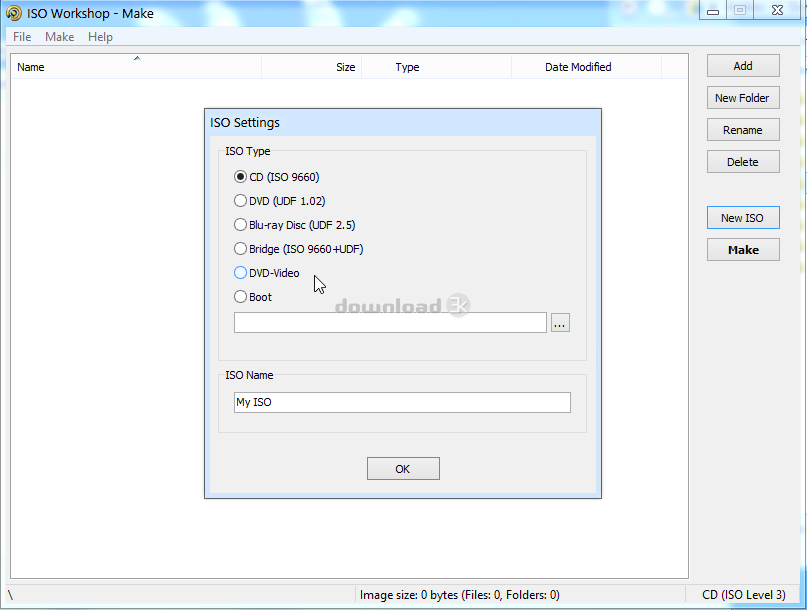
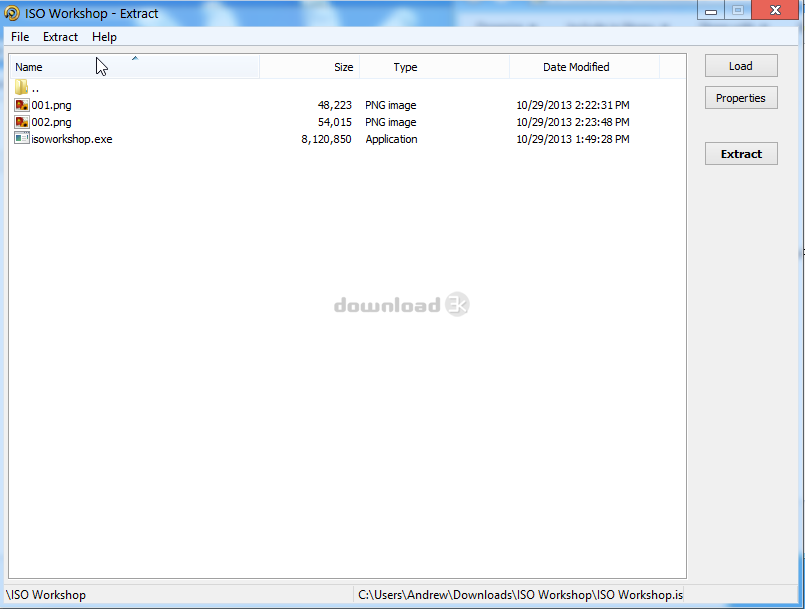
ISO Workshop is a light application which allows you to create, extract, backup, and convert image files. Don’t let the title of the application let you think this is strictly limited to the .iso format. It also supports .bin and .img files as well as others. Even though ISO Workshop is a very light-weight application, it still holsters a good amount of features within it. Being able to convert nearly any image file into an .iso or .bin file works with incredible ease. The same goes for each of the features in ISO Workshop as every task I completed in the program was done in just a few short clicks.
You also have the ability to burn image files to discs as well, though burning options are very limited, if not non-existing. It’s still a nice feature to have in an application where you’ll be working with image files. ISO Workshop also supports ever growing Blu-Ray discs and also adds a menu within the right click function for windows explorer menus to be able to open a iso’s contents directly into ISO Workshop making it quick and easy to discover the contents of a image file. It would have been nice to see a right click function to covert folders into image files directly from Windows explorer, as well as some more burning features.
ISO Workshop supports ISO, CUE, BIN, NGR, MDF, CDI, IMG, DMG, B5I, and more. It also supports creating bootable image files which saves you from having to switch between multiple applications to make your own bootable disc. It currently supports Windows NT/2000/XP/Vista/7/8 both x86 and x64 systems.
Installation
Installation includes AVG toolbar by default. Be sure to uncheck the box during installation if you do not want the tool bar to be included with the install.
Interface
ISO Workshops main menu is clean with five different options to choose from Make, Burn, Extract, Backup, and Convert. It also supports dragging and dropping from a Windows Explorer window, which makes adding and removing files from an image a lot easier and faster.
Pros
- Able to extract and modify contents of image files
- Can create an image file from folders and files.
- Supports a large range of formats
Cons
- No additional options when burning a image
Alternatives
There are many applications out there now days that allow you to edit and create ISO files. Daemon Tools is an application that offers a lot more features than the standard ISO application these days. It also supports virtual drives allowing you to mount image files as if it was on a disc in your CD-ROM.
Conclusion
ISO Workshop is a small tool that does exactly what it claims to do. There are defiantly more applications out there that sport a larger range of features regarding image files such as .iso and .bin, but if you’re just looking for a small application to make changes to the file structure of your image files ISO Workshop will get the job done and without taking up much of your systems resources.

Requirements: Windows OS
What's new in this version: Improved error control. Improvements to buffer handling. Resolved issue with memory leaks after burning.
Antivirus information
-
Avast:
Clean -
Avira:
Clean -
Kaspersky:
Clean -
McAfee:
Clean -
NOD32:
Clean

Popular downloads in MP3 Audio Video
-
 Realtek High Definition Audio Driver for 2000/XP/2003 32/64-bit R2.74
High definition audio driver from Realtek. -
 3GP Player 2013 1.4
Free 3GP Player for Pc -
 iTunes 12.13.1.3
Manage and play your music collection. -
 Windows Media Player 11
One of the best media player -
 Total Video Converter 3.71
Total Video Converter -
 TVexe TV HD 6.0
Watch free live TV on your PC now+ Radio -
 K-Lite Codec Pack Full 18.3.0
A collection of codecs and related tools. -
 Windows Media Player 9 Codecs Pack
The latest Windows Media codecs -
 VLC media player 3.0.20
A portable app of VLC media player. -
 KMPlayer 4.2.3.11 x86 / 2024.4.25.13 x64
A movie and audio player.


-
OS
Win2000,WinXP,Win7 x32,Win7 x64,Windows 8,Windows 10,WinServer,WinOther,Windows2000,Windows2003,Wind -
License
Shareware -
Price
$29.95 Buy -
Updated
4/23/2024 -
Downloads
2099 (5 last week) -
Size
5.79 MB -
MD5
6a6dfca8eb717e979508aed44b2913ad -
SHA1
de5329df4b04c6442b3f6375efdde8aeebe5bc69 -
Developer
Glorylogic