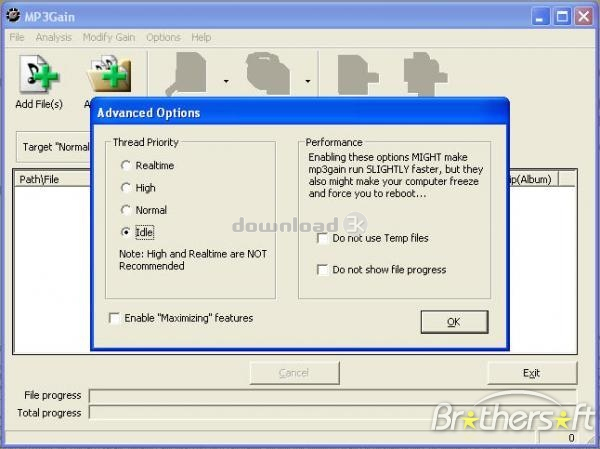
MP3Gain 1.3.4
- Developer Link 1 (non https)
All files are original. Download3K does not repack or modify downloads in any way. Check MD5 for confirmation.
Quick Review
"Analyzes and adjusts mp3 files."
Every so often you may come across an MP3 file that just isn't very loud for whatever reason, with MP3Gain, you can change this. Simply open up the completely free to use program after installing, and then open up the MP3 file you'd like to increase the volume on within the program. From there, you press the Track Analysis button and the program will then tell you the volume level. Now, you can input your preferred volume level and output it to a new file, then listen to the new file and listen to the change in volume. Not satisfied? Simply re-run the file and choose a higher volume level until it's reached the volume you desire. Use Album Analysis to increase the volume on entire albums all at once.
Key Features of MP3Gain:
- Increase the volume of MP3 Files
- Increase the volume of entire albums
- Completely free to download and use
- Easy to use interface and quick output times
Antivirus information
Popular downloads in MP3 Audio Video
-
 Realtek High Definition Audio Driver for 2000/XP/2003 32/64-bit R2.74
High definition audio driver from Realtek. -
 3GP Player 2013 1.4
Free 3GP Player for Pc -
 iTunes 12.13.7.1
Manage and play your music collection. -
 Windows Media Player 11
One of the best media player -
 Total Video Converter 3.72
Total Video Converter -
 TVexe TV HD 6.0
Watch free live TV on your PC now+ Radio -
 K-Lite Codec Pack Full 18.9.0
A collection of codecs and related tools. -
 Windows Media Player 9 Codecs Pack
The latest Windows Media codecs -
 VLC media player 3.0.21
A portable app of VLC media player. -
 KMPlayer 4.2.3.21 x86 / 2025.1.21.12 x64
A movie and audio player.
-
OS
Windows All -
License
Freeware -
Updated
1/12/2012 -
Downloads
8974 (2 last week) -
Size
1.00 MB -
Developer
Glen Sawyer