SharePoint Cross-Site Lookup 4.3.625.0
Developed by SharePointBoost Co., Ltd
-
Windows
-
setup file LookupPro_Full.zip (3.99 MB)
-
Shareware
Buy or select mirror:
- Buy $449
- Developer Link 1 (non https LookupPro_Full.zip)
- Download3k US (LookupPro_Full.zip)
- Download3k EU (LookupPro_Full.zip)
MD5: 44dfe4b4ff4043f88019b3efe8028766
All files are original. Download3K does not repack or modify downloads in any way. Check MD5 for confirmation.
Developer Description
"Filter column value by selecting list views."
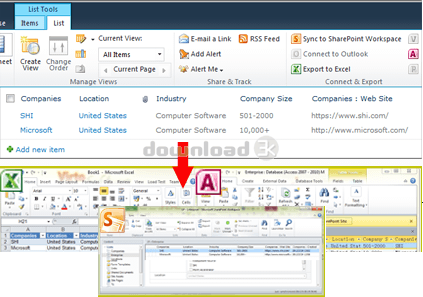
Look Up Information from Different Sites in One Site CollectionCross-Site Lookup allows you to look up and pull information from any site in a site collection, adds find-as-you-type functionality to your lookup field, and filters items displayed in the lookup field according to a view defined in the source list (the list the information is being looked up from).
Cross-Site Lookup creates relationships among lists between different sites, looking up information from SharePoint lists in other sites.
Broaden your out-of-the-box SharePoint Lookup
Get information from another site in current site collection.
Quick search by find-as-you-type
Live search or auto complete function helps users find what they are looking for. Users also can filter lookup items by list view.
Add new lookup item
Users can add a new item in the source lookup list by clicking the"Create new item" link.
Display additional column
Show additional fields from the source list, and the column order can be customized.
Lookup information from SharePoint lists in other sites
Filter column value by selecting list views
Find-as-you-type function
Conversion among SharePoint Lookup column, Cross-Site Lookup column, and Cascaded Lookup column
Look up items by folder mode
Remove the duplicated lookup items
Support look up information from "Date and Time" and "Number"columns.
Support displaying additional columns from lookup list
Support adding new items in the source lookup list by the "Create new item…" link
Support Cross-site lookup as site column
Improved lookup performance
Requirements: SharePoint
What's new in this version: New Features - Support Japanese, German and Chinese
Antivirus information
Download3K has downloaded and tested SharePoint Cross-Site Lookup on 31 Mar 2021 with some of Today's best antivirus engines and you can find below, for your convenience, the scan results:
-
Avast:
Clean -
Avira:
Clean -
Kaspersky:
Clean -
McAfee:
Clean -
NOD32:
Clean

Popular downloads in Business & Finance
-
 Website Builder 9.0
This web site builder gives you everything y -
 PDF to Word | Solid Converter 10.1
Convert PDF to Word -
 Real Estate Price Calculator 3.0.1.5
Lands area length converter price calculator - Face Recognition System 2.0
Matlab source code for Face Recognition. -
 WPS Office Free 12.2.0.20326
Perfect free for creating & editing documents -
 XLS (Excel) to DBF Converter 3.16
Allows you to convert XLS files to DBF format -
 vCard Wizard 4.25
Transfer any Contacts. vCard vcf converter - Bill Maker 1.0
Bill, Invice, Inventory management -
 OEE 2
OEE 2
OEE calculator for MS Excel -
 Foxit Reader 10.0.0.35798
Protects Against Security.The Best PDF Reader
User rating
0/5 (0 votes)
Your rating

-
OS
WinVista,Win7 x32,Win7 x64,WinServer -
License
Shareware -
Price
$449 Buy -
Updated
3/31/2021 -
Downloads
295 (3 last week) -
Size
3.99 MB -
MD5
44dfe4b4ff4043f88019b3efe8028766 -
SHA1
a61c7878407e5072f60ffc40bc7fa34c97414606 -
Developer
SharePointBoost Co., Ltd