Pivot4U 2.0
Developed by Pivot4U Solutions
-
Windows
-
setup file P4U2_0.exe (2.19 MB)
-
Shareware
Buy or select mirror:
- Buy $39.95
- Developer Link 1 (non https P4U2_0.exe)
- Developer Link 2 (non https P4U2_0Setup.exe)
- Download3k US (P4U2_0.exe)
- Download3k EU (P4U2_0.exe)
MD5: ff80f40808f7e94330dda9bdc9959e0f
All files are original. Download3K does not repack or modify downloads in any way. Check MD5 for confirmation.
Developer Description
"Edit data in Excel pivot tables directly"
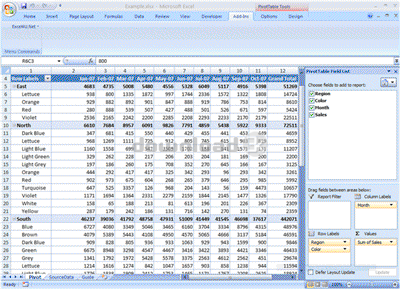
Pivot4U Add-in enhances Microsoft Excel with a new useful feature - editable pivot tables. A pivot table is a data summarization tool that, among other functions, can automatically sort, count, and total the flat data stored in one table or spreadsheet and create a second table displaying the summarized data. For all its advantages, Excel has some limitations. One of them is the missing ability to change the data directly in the data area of a pivot table. The pivot table is linked to the source data, and what you see in the cells of the table are read-only values. But with Pivot4U in place, you can go beyond this limitation and make your pivot table editable.Let's say, for example, you have a spreadsheet with the plan of sales for some products. The spreadsheet is named "SourceData" and it has the following fields: Region, Color, Month, Sales. You want to change some values in the pivot table generated from the data in this sheet. With Pivot4U, this operation is a breeze to do. Create a pivot table from the data in the "SourceData" sheet, go to the "Add-Ins" tab of Microsoft Excel, select "Pivot4U On" and set the cursor on any cell in the pivot table. Now you can change the value in the cells directly from, say "650" to "830". When the value is changed, all totals are recalculated automatically.
With Pivot4U Add-in in place, all the power of calculations and planning "FROM ABOVE-DOWNWARD" becomes accessible without complex and costly software.
Antivirus information
Download3K has downloaded and tested Pivot4U on 24 May 2012 with some of Today's best antivirus engines and you can find below, for your convenience, the scan results:
-
Avira:
Clean -
Kaspersky:
Clean -
NOD32:
Clean

Popular downloads in Business & Finance
-
 Website Builder 9.0
This web site builder gives you everything y -
 PDF to Word | Solid Converter 10.1
Convert PDF to Word -
 Real Estate Price Calculator 3.0.1.5
Lands area length converter price calculator - Face Recognition System 2.0
Matlab source code for Face Recognition. -
 WPS Office Free 12.2.0.20326
Perfect free for creating & editing documents -
 XLS (Excel) to DBF Converter 3.16
Allows you to convert XLS files to DBF format -
 vCard Wizard 4.25
Transfer any Contacts. vCard vcf converter - Bill Maker 1.0
Bill, Invice, Inventory management -
 OEE 2
OEE 2
OEE calculator for MS Excel -
 Foxit Reader 10.0.0.35798
Protects Against Security.The Best PDF Reader
User rating
0/5 (0 votes)
Your rating

-
OS
WinXP,Windows2000,Windows2003,Windows Vista Home Basic,Windows Vista Home Premium,Windows Vista Busi -
License
Shareware -
Price
$39.95 Buy -
Updated
10/17/2009 -
Downloads
116 (1 last week) -
Size
2.19 MB -
MD5
ff80f40808f7e94330dda9bdc9959e0f -
SHA1
d38f13441458dbc7b15419fecffa667485b88101 -
Developer
Pivot4U Solutions