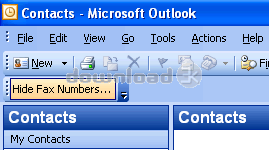
Hide Fax Numbers in Outlook 4.2
Developed by ACCM Software
-
Windows
-
setup file outlook-hide-fax-numbers-trial.zip (3.30 MB)
-
Shareware
Buy or select mirror:
- Buy $14.95
- Developer Link 1 (non https outlook-hide-fax-numbers-trial.zip)
- Download3k US (outlook-hide-fax-numbers-trial.zip)
- Download3k EU (outlook-hide-fax-numbers-trial.zip)
MD5: 94bd7dc5c9700d46cea158a3bc39da72
All files are original. Download3K does not repack or modify downloads in any way. Check MD5 for confirmation.
Developer Description
"Hide Fax Numbers On Select Names Window"
Hide Fax Numbers is a powerful and easy-to-use Microsoft Outlook Add-In for hiding or showing the fax number items of contacts on the Select Names window in Microsoft Outlook. The add-in supports general contacts and Business Contact Manager.When you click "To", "CC" or "BCC" on the new message window, the email addresses and fax numbers of the contacts will be appeared on the "Select Names" window. It's difficult to find out the correct contact's email address if you have hundreds contacts. Using this add-in, you can get rid of the fax number entries on Select Names window. And please don't worry about these fax numbers, the add-in allows you to still see the fax number entries in the contact. And if you would like to Undo hiding, the add-in can show all fax numbers on the Select Names window.
Features
Microsoft Office Outlook 2016, 2013, 2010, 2007, 2003, 32 bit and 64 bit supported.
More than one Million contact items supported.
Allows you to still see the fax number entries in the contact.
Easy to change the option: Work for all users on this computer, or only work for the current user.
Easy to enable or disable this addin.
Requirements: Microsoft Outlook 2016, 2013, 2010, 2007, 2003
What's new in this version: More than one Million contact items supported. Allows you to still see the fax number entries in the contact. Easy to change the option: Work for all users on this computer, or only work for the current user. Easy to enable or disable this addin.
Antivirus information
Download3K has downloaded and tested Hide Fax Numbers in Outlook on 19 Jan 2016 with some of Today's best antivirus engines and you can find below, for your convenience, the scan results:
-
Avast:
Clean -
Avira:
Clean -
Kaspersky:
Clean -
NOD32:
Clean

Popular downloads in Business & Finance
-
 Website Builder 9.0
This web site builder gives you everything y -
 PDF to Word | Solid Converter 10.1
Convert PDF to Word -
 Real Estate Price Calculator 3.0.1.5
Lands area length converter price calculator - Face Recognition System 2.0
Matlab source code for Face Recognition. -
 WPS Office Free 12.2.0.20326
Perfect free for creating & editing documents -
 XLS (Excel) to DBF Converter 3.16
Allows you to convert XLS files to DBF format -
 vCard Wizard 4.25
Transfer any Contacts. vCard vcf converter - Bill Maker 1.0
Bill, Invice, Inventory management -
 OEE 2
OEE 2
OEE calculator for MS Excel -
 Foxit Reader 10.0.0.35798
Protects Against Security.The Best PDF Reader
User rating
0/5 (0 votes)
Your rating

-
OS
WinXP,WinVista,WinVista x64,Win7 x32,Win7 x64,Win2000,Windows2000,Windows2003,WinServer,Windows Vist -
License
Shareware -
Price
$14.95 Buy -
Updated
1/19/2016 -
Downloads
210 (1 last week) -
Size
3.30 MB -
MD5
94bd7dc5c9700d46cea158a3bc39da72 -
SHA1
a68a0438e0cfdb1c7835b0e5f9a564c1689dd478 -
Developer
ACCM Software