Duplicate Killer for Microsoft Outlook 3.51
Developed by 4Team Corporation
-
Windows
-
setup file duplicatekiller_setup.exe (12.43 MB)
-
Shareware
Buy or select mirror:
- Buy $29.95
- Developer Link 1 (duplicatekiller_setup.exe)
- Developer Link 2 (non https duplicatekiller_setup.exe)
- Download3k US (duplicatekiller_setup.exe)
- Download3k EU (duplicatekiller_setup.exe)
MD5: 9f76cd749d0dc303b418bc049142066f
All files are original. Download3K does not repack or modify downloads in any way. Check MD5 for confirmation.
Developer Description
"Search, merge and remove Outlook duplicates"
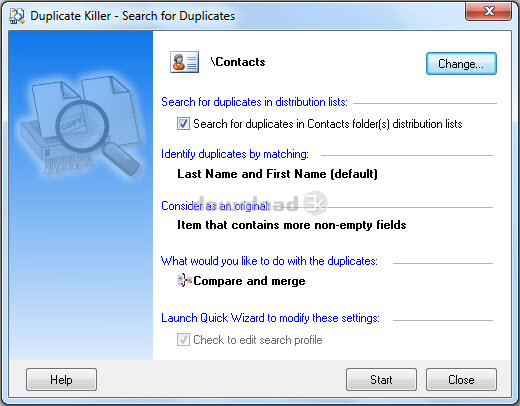
Powerful duplicate management software. Outlook duplicate remover add-in for Microsoft Outlook. Find and remove duplicate contacts, junk contacts, emails, calendar items (all day events, appointments, meetings), journal items, tasks and notes automatically. Remove Outlook duplicates. Compare, edit and merge selected Outlook contacts and other items manually without copy-paste. Contacts that contain too little information can now be found and removed using the Junk Contacts Wizard. Remove duplicates in distribution and mailing lists. Compare, assign category, flag and move duplicates to selected folders. Manage duplicates in any Microsoft Outlook folder, including Microsoft Exchange and Public folders. Preview duplicate search results prior to processing. Search for Outlook duplicates between or across folders, as well as in any selected folder. Use one-click wizard to remove duplicates automatically. Advanced wizard options will allow you to select item properties to compare, differentiate duplicates from identical items, select properties to define original item, apply selected actions to the items modified within specified time range, merge duplicates automatically or manually, move duplicates into a folder containing original item, etc. You can save all advanced options as a profile which can be sent by email. Use predefined or customized profiles to remove, merge or manage outlook duplicates in just one click. Duplicate Killer is compatible with both old and latest versions of Windows and Microsoft Outlook. Duplicate Killer is a must-have solution for all sales and marketing professionals using Microsoft Outlook on a daily basis, as well as for anyone using Outlook import-export software, sharing and synchronization. The lastest Duplicate Killer version has greatly improved user interface. Now account name and folder path are displayed for multiple folders.Requirements: Microsoft Outlook 2019, 2016, 2013, 2010, 2007, 2003, 2002.
What's new in this version: With this major update we address some issues with the Duplicate Killer. Duplicate Killer 3.51 comes with innovative functionality and improvements. Duplicate Killer will run stable and without issues on latest environment.
Antivirus information
Download3K has downloaded and tested Duplicate Killer for Microsoft Outlook on 31 Jul 2020 with some of Today's best antivirus engines and you can find below, for your convenience, the scan results:
-
Avast:
Clean -
Avira:
Clean -
Kaspersky:
Clean -
McAfee:
Clean -
NOD32:
Clean

Popular downloads in Business & Finance
-
 Website Builder 9.0
This web site builder gives you everything y -
 PDF to Word | Solid Converter 10.1
Convert PDF to Word -
 Real Estate Price Calculator 3.0.1.5
Lands area length converter price calculator - Face Recognition System 2.0
Matlab source code for Face Recognition. -
 WPS Office Free 12.2.0.20326
Perfect free for creating & editing documents -
 XLS (Excel) to DBF Converter 3.16
Allows you to convert XLS files to DBF format -
 vCard Wizard 4.25
Transfer any Contacts. vCard vcf converter - Bill Maker 1.0
Bill, Invice, Inventory management -
 OEE 2
OEE 2
OEE calculator for MS Excel -
 Foxit Reader 10.0.0.35798
Protects Against Security.The Best PDF Reader
User rating
3.5/5 (3 votes)
Good
Your rating

-
OS
Win2000,WinXP,Win7 x32,Win7 x64,Windows 8,Windows 10,WinServer,WinOther,Windows2000,Windows2003,Wind -
License
Shareware -
Price
$29.95 Buy -
Updated
7/31/2020 -
Downloads
266 (1 last week) -
Size
12.43 MB -
MD5
9f76cd749d0dc303b418bc049142066f -
SHA1
2a634659ed699b9ebd15b4557d4a8a4ed440e8ef -
Developer
4Team Corporation