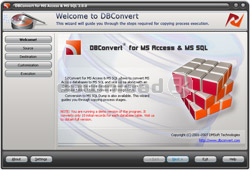
DBConvert for Access & MSSQL 2.0.0
Developed by DMSoft Technologies
-
Windows
-
setup file dbconvert_access_mssql.zip (17.42 MB)
-
Shareware
Buy or select mirror:
- Buy $69.00
- Developer Link 1 (non https dbconvert_access_mssql.zip)
- Download3k US (dbconvert_access_mssql.zip)
- Download3k EU (dbconvert_access_mssql.zip)
MD5: 334d0cb461c4a69e20d59ee4041a7295
All files are original. Download3K does not repack or modify downloads in any way. Check MD5 for confirmation.
Developer Description
"Access to MS SQL Server Database Converter"
DBConvert for Access & MSSQL is a database migration tool for data conversion from MS Access database (MDB file) to MS SQL Server and from MSSQL to Microsoft Access.You can convert databases simply by configuring several options through Wizard interface or in command line mode. Ability to organize application work using command line parameters is supplemented with a scheduler so you can run the program without user input after scheduling.
If a direct access to your MSSQL server is denied (insufficient privileges) you can save your data into a MSSQL Dump file to overcome such restrictions. The primary function of the MSSQL privilege system is to authenticate a user connecting from a given host, and to associate that user with privileges to select, insert, update, and delete a database. The SELECT, INSERT, UPDATE, and DELETE privileges allow you to perform operations on rows in existing tables in a database. The privilege system ensures that all users may perform only the operations allowed to them. Thus in case you have any privileges to create or modify a database on the target MSSQL database there is an opportunity to save your data into a dump file. DBConvert for Access & MSSQL fixes the contents of the source database into a local dump file the MSSQL server directly. The destination file will consist of MSSQL statements to create all the tables and to fill them with the data. Using this dump file MSSQL server administrator will add data to your SQL database.
One of the key things of database managing is the ability to filter data during conversion. Integrated data filters allow users to retrieve only specific data for converted tables according to defined filtering criterias (conditions). Filters give you more control on data migration process.
Requirements: No special requirements
What's new in this version: Advanced command line processing added. Data filters support added. fresh design.
Antivirus information
Download3K has downloaded and tested DBConvert for Access & MSSQL on 27 Apr 2014 with some of Today's best antivirus engines and you can find below, for your convenience, the scan results:
-
Avast:
Clean -
Avira:
Clean -
Kaspersky:
Clean -
NOD32:
Clean

Popular downloads in Business & Finance
-
 Website Builder 9.0
This web site builder gives you everything y -
 PDF to Word | Solid Converter 10.1
Convert PDF to Word -
 Real Estate Price Calculator 3.0.1.5
Lands area length converter price calculator - Face Recognition System 2.0
Matlab source code for Face Recognition. -
 WPS Office Free 12.2.0.20326
Perfect free for creating & editing documents -
 XLS (Excel) to DBF Converter 3.16
Allows you to convert XLS files to DBF format -
 vCard Wizard 4.25
Transfer any Contacts. vCard vcf converter - Bill Maker 1.0
Bill, Invice, Inventory management -
 OEE 2
OEE 2
OEE calculator for MS Excel -
 Foxit Reader 10.0.0.35798
Protects Against Security.The Best PDF Reader
User rating
0/5 (0 votes)
Your rating

-
OS
WinNT 4.x,WinXP,Windows2000,Windows2003,Windows Vista Starter,Windows Vista Home Basic,Windows Vista -
License
Shareware -
Price
$69.00 Buy -
Updated
4/18/2014 -
Downloads
220 (1 last week) -
Size
17.42 MB -
MD5
334d0cb461c4a69e20d59ee4041a7295 -
SHA1
e3114e90b10001cc6733470912d733e39028a50e -
Developer
DMSoft Technologies