Add 'em Up 1.01
- Buy $14.95
- Developer Link 1 (non https addemup10.exe)
- Download3k US (addemup10.exe)
- Download3k EU (addemup10.exe)
MD5: 32190546833bdc81a71c93e8560ee852
All files are original. Download3K does not repack or modify downloads in any way. Check MD5 for confirmation.
Quick Review
"Performs math on rows/columns of numbers"
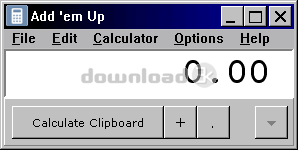
Add 'em Up is a Windows software that offers much more than just a standard calculator. What makes Add 'em Up stand out is its ability to perform math calculations on data that resides on the Windows Clipboard. This means that you can easily perform calculations on selected data in your spreadsheet without having to manually input the numbers into a calculator.
To use Add 'em Up, simply select the cells you want to perform math operations on in your spreadsheet and use the "Edit > Copy" function. The data is then copied to the Windows Clipboard and can be pasted into the Add 'em Up number list by clicking the "Calculator Clipboard" button. The software automatically populates the number list with the data from the Clipboard.
Add 'em Up offers several features to make performing math operations on the data in the number list easy and efficient. You can easily switch between performing math operations on rows and columns, and Add 'em Up can perform addition, subtraction, multiplication, and division calculations. When performing an operation, the row or column that is being calculated is highlighted in white, and the result is displayed in a large and easy-to-read display at the top of the window.
One of the benefits of using Add 'em Up is its versatility. It can be used for simple calculations as a standard Desktop calculator by pressing the F9 key. But for more complex calculations that involve data from spreadsheets or other sources, Add 'em Up can be a real time-saver.
The interface is intuitive and easy to use, with all the necessary functions and features clearly visible and accessible. The number list can be easily edited, and the results of calculations can be copied to the Clipboard or printed.
Overall, Add 'em Up is a useful and efficient tool for anyone who frequently performs math calculations on data from spreadsheets or other sources. Its ability to perform calculations on data from the Windows Clipboard makes it a unique and valuable addition to any Windows user's toolkit.
Antivirus information
-
Avast:
Clean -
Avira:
Clean -
Kaspersky:
Clean -
McAfee:
Clean -
NOD32:
Clean

Popular downloads in Business & Finance
-
 Website Builder 9.0
This web site builder gives you everything y -
 PDF to Word | Solid Converter 10.1
Convert PDF to Word -
 Real Estate Price Calculator 3.0.1.5
Lands area length converter price calculator - Face Recognition System 2.0
Matlab source code for Face Recognition. -
 WPS Office Free 12.2.0.20326
Perfect free for creating & editing documents -
 XLS (Excel) to DBF Converter 3.16
Allows you to convert XLS files to DBF format -
 vCard Wizard 4.25
Transfer any Contacts. vCard vcf converter - Bill Maker 1.0
Bill, Invice, Inventory management -
 OEE 2
OEE 2
OEE calculator for MS Excel -
 Foxit Reader 10.0.0.35798
Protects Against Security.The Best PDF Reader

-
OS
Win2000,Win7 x32,Win7 x64,Win98,WinOther,WinServer,WinVista,WinVista x64,WinXP,Other -
License
Shareware -
Price
$14.95 Buy -
Updated
2/20/2023 -
Downloads
315 (1 last week) -
Size
0.71 MB -
MD5
32190546833bdc81a71c93e8560ee852 -
SHA1
b537ecb08675567afcf7755978d2f7cf686874b8 -
Developer
PC Shareware, Inc.