Autoruns 14.11
- Developer Link 1 (Autoruns.zip)
- Download3k US (Autoruns.zip)
- Download3k EU (Autoruns.zip)
MD5: 09aa3a18f9dbf8588b0a3489f5c752f4
All files are original. Download3K does not repack or modify downloads in any way. Check MD5 for confirmation.
Review & Alternatives
"See what programs are configured to startup."
Overview
Autoruns is comprehensive startup management utility that is designed to monitor processes that run automatically when Windows boots up. The software is especially useful for stopping pesky, unwanted startup programs from initiating, after all all other methods (i.e – removing it from the startup folder) have failed. Keeping many programs from launching upon startup can help you conserve computer resources and therefore expedite the startup process. If you've noticed that a lot of programs start up when you log into Windows, and are tired of having to close each one manually, Autoruns is worth consideration.
Installation
Autoruns requires no installation and can be ran immediately after being extracted from the ZIP file. The software is compatible with almost all versions of Windows, including XP, 2003, Vista, Server 2008, and Windows 7. With a file size of a little more than 500 kB, Autoruns downloads quickly on any computer with a basic Internet connection.
Interface
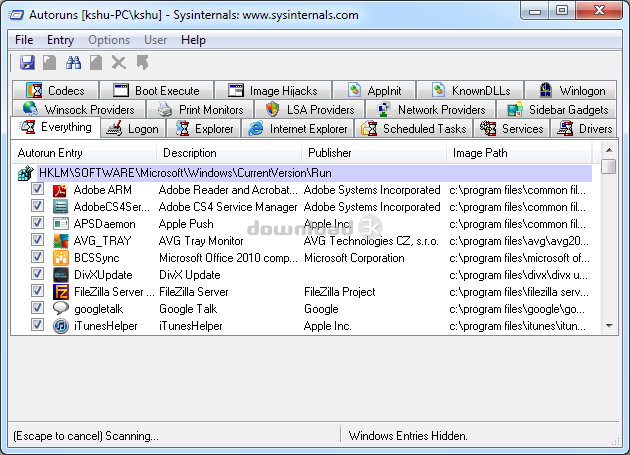
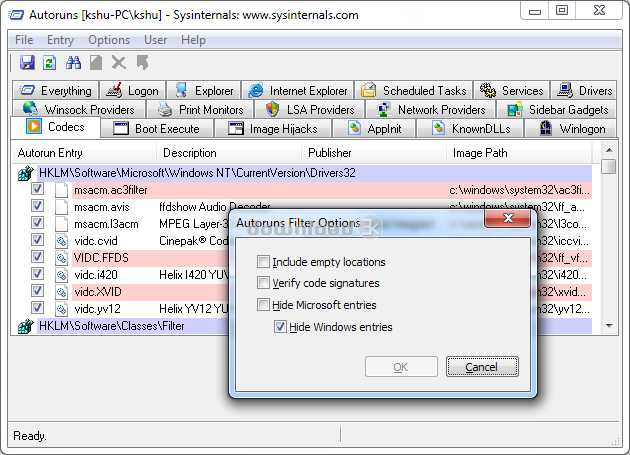
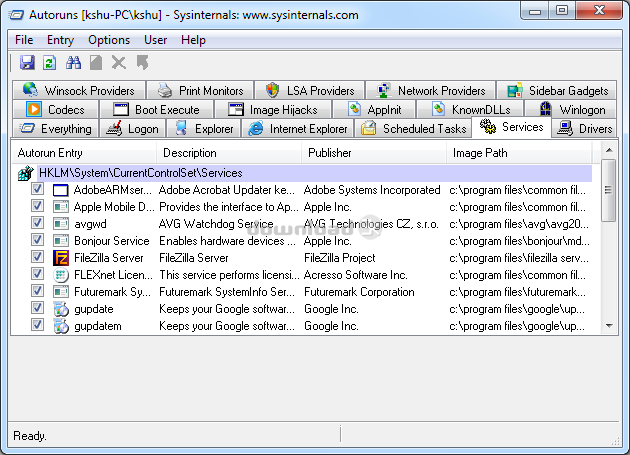
Autoruns main interface is a bit crowded, with more than 15 tabs that categorize the various types of startup programs. However, if you find that the clutter is too much to handle, there is also a central tab that shows all of the startup programs. Each program has a checkbox next to it, which can be checked to change whether you'd like it to initiate upon startup or not. Fortunately, there is an option that lets you hide Windows functions from this list, to keep you from accidentally blocking important system startup processes. At the top left of the user interface there are several options, including a refresh button and a search function that lets you search for specific startup entries.
Pros
-
Autostart programs are neatly categorized into tabs for simplified classification
-
Successfully stops applications from initiating upon startup, even after every other method has failed.
-
Properties menu provides details about each AutoRun application
-
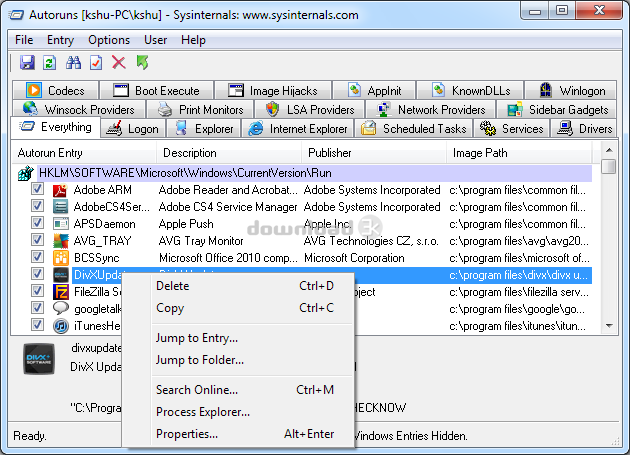
Navigate directly to the file system/registry location of any autostart item by using the toolbar button or jump menu
-
Hide Signed Entries - helps you distinguish between crucial system processes and stubborn third-party programs that continually load upon startup despite being removed from the Windows startup folder
-
Robust commandline interface available that lets you use simple keyboard commands to control every feature of the software
-
Comprehensive help documentation and user friendly interface make it an ideal option for even the most novice computer user.
Cons
-
Some users find other more inclusive software like CCleaner to be preferable over Autoruns because it is a basic application that only covers startup processes. On the other hand, some users prefer it for this reason, as its functionality specializes in stopping startup programs.
Alternatives
Autoruns is one of many startup management utilities available, and notable alternatives include Glary Utilities, Startup Delayer, and CCleaner. However, Autoruns is perhaps the most compact, easy-to-use free startup managers you'll find.
Conclusion
If you've tried everything to remove startup programs and expedite the Windows login process, Autoruns provides a definite solution. Being compact, efficient, and easy to use, the software is at the top of the list when it comes to startup management utilities.

Antivirus information
-
Avast:
Clean -
Avira:
Clean -
Kaspersky:
Clean -
McAfee:
Clean -
NOD32:
Clean

Popular downloads in System Utilities
-
 Realtek AC'97 Drivers A4.06
Realtek AC 97 sound driver. -
 Windows 7 Service Pack 1 (SP1) 32-bit & 64-bit (KB976932)
The first service pack for Windows 7. -
 Realtek High Definition Audio Driver for Vista, Win7, Win8, Win8.1, Win10 32-bit R2.82
High definition audio driver from Realtek. -
 .NET Framework 2.0
The programming model of the .NET -
 Driver Cleaner Professional 1.5
Improved version of Driver Cleaner -
 RockXP 4.0
Allows you to change your XP product key -
 Realtek AC'97 Drivers for Vista/Win7 6305
Multi-channel audio CODEC designed for PC. -
 DAEMON Tools Lite 12.0.0.2126
The FREE Virtual CD/DVD-ROM-EMULATOR. -
 SIW 14.1.0417
SIW - System Information for Windows -
 AutoCorect 4.1.5
Diacritice la comanda, punctuatie automata.



-
OS
Windows All -
License
Freeware -
Updated
2/7/2024 -
Downloads
8903 (2 last week) -
Size
2.80 MB -
MD5
09aa3a18f9dbf8588b0a3489f5c752f4 -
SHA1
130a744a421ca914f2809685af8262c468f4177a -
Developer
Sysinternals