PerfectDisk Professional Build 61
| Details |
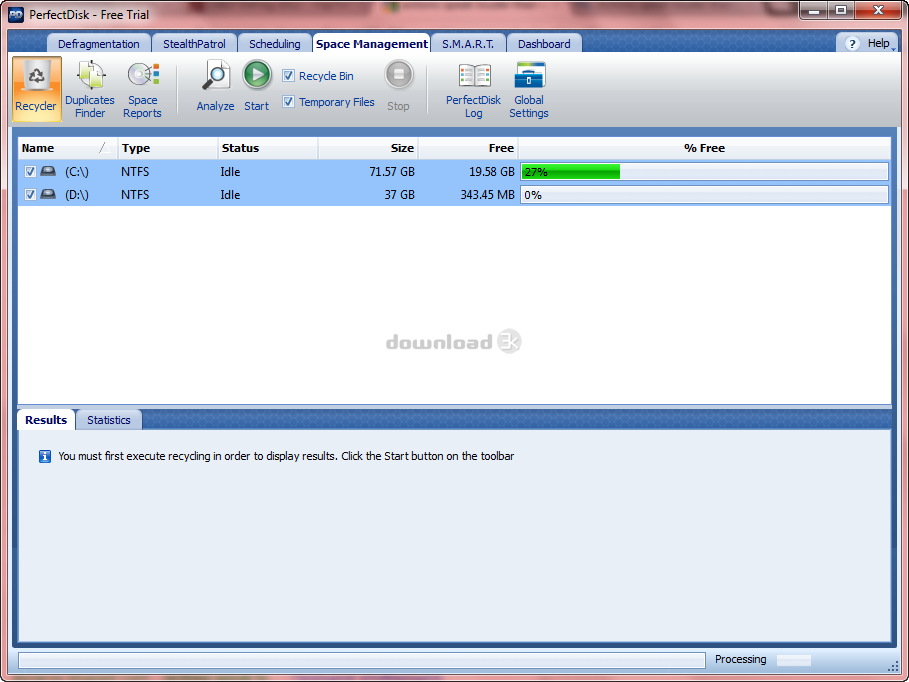
View: screenshot
Size: 33.00 MB
License: Shareware
OS: Windows All
Price: $44
Publisher: Raxco Software
|
Date added: 1/7/2007
Date updated: 7/30/2008
Total Downloads: 715
Downloads - Last Week: 15
|
|
PerfectDisk Professional Build 61 Publisher's description
PerfectDisk, the world's most popular and thorough disk defragmentation solution, combines speed, thoroughness flexibility, control and ease-of-use to help improve PC and server perforance. Global enterprises benefit from faster computers through regular, automated, unattended defragmentation with PerfectDisk.
Certified by Microsoft for Windows, PerfectDisk is designed for today's largest disk drives. With the PerfectDisks Command Center management console, complete management and control is at the administrator's fingertips. If you are serious about disk defragmentation, optimization, and free space consolidation, you'll find PerfectDisk meets your high demands and requirements.
Designed to quickly and efficiently defragment heavily fragmented, multi-terabyte drives
PerfectDisk will defragment your largest drives faster and more efficiently than any other product, resulting in faster-performing PCs, laptops and servers and a more productive user experience. And you don't need to be concerned about the size of the drive or how badly fragmented it is - PerfectDisk can handle it. PerfectDisk will make your drive completely defragmented and optimized..Plus, you won't pay a premium to defragment large drives. And that saves you money.
SMARTPlacement -- patented file placement strategy
PerfectDisk's SMARTPlacement™ optimization strategy results in faster subsequent defragmentation runs because many of the files on the drive do not need to be moved at all, since they are placed according to users unique usage patterns. Typical defragmenters waste resources by constantly moving all files around on the drive.
Space Restoration Technology
Space Restoration Technology provides the most complete and efficeient free space consolidation available today. Raxco Software pioneereed free space consolidation years ago, and the leadership continues with PerfectDisk 8. Added to PerfectDisk's unique single-pass free space consolidation is another exclusive -- Consolidate Free Space Defrag. Consolidate Free Space Defrag creates the largest piece of contiguous free space available. This is useful prior to creating large files or in performing partition resizing operations. It is also useful in compressing a virtual hard drive on a virtual machine, as a large amount of contiguous space will be recaptured.
AutoPilot Scheduling
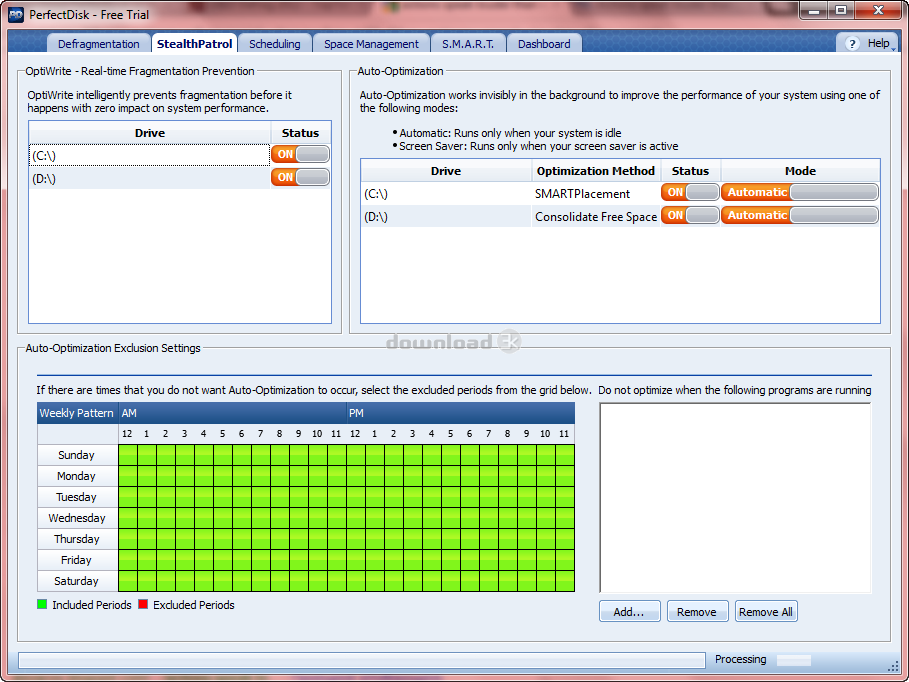
PerfectDisk's exclusive AutoPilot Scheduling automates all aspects of defragmentation. Administrators and users have complete flexibility in defining schedules to completely automate the enterprise's defragmentation. If users are working, PerfectDisk will run in the background. Once PerfectDisk's schedules are set, everything runs on autopilot.
Resource Saver -- patent-pending technology
PerfectDisk's Resource Saver technology speeds up the process of file analysis, resulting in faster defragmentation runs. And it does it all using fewer resources than typical defragmenters.
Single pass file and free space defragmentation
PerfectDisk does its job - thorough and complete file defragmentation and free space consolidation - in a single pass, no matter how large the drive or how badly fragmented the drive. No slowly chipping away at the problem like typical defragmenters. Once and done - and using fewer resources as well.
Intelligent Screen Saver mode (Professional version only)
PerfectDisk's Screen Saver mode will defragment when a system is idle, but only when the drive has not been defragmented in a user-defined number of days. While taking advantage of a PC or laptop being idle, it does not unnecessarily perform a defrag if one has recently been completed, thereby saving resources. Typical defragmenters do not have this intelligence built into their screen saver functionality.
Defragments drives with as little as 5% free space
PerfectDisk only requires the drive to have at least 5% free space. Other defragmenters require as much as 20% free space, thereby wasting space because much of the drive can't be used. Because PerfectDisk requires only 5% of the drive to be free space, you make much better use of your storage investments.
Perfect-Time user-defined thresholds for defragmentation
Allows you to limit the amount of times PerfectDisk needs to run to only when a chosen level of fragmentation is reached, thereby reducing unnecessary runs.
Faster subsequent defragmentation runs
Fewer resources are consumed in subsequent defragmentation runs because of PerfectDisk's patented SMARTPlacement optimization strategy. This means you can do more, and do it faster.
Defragments Master File Table (MFT) and all NTFS metadata
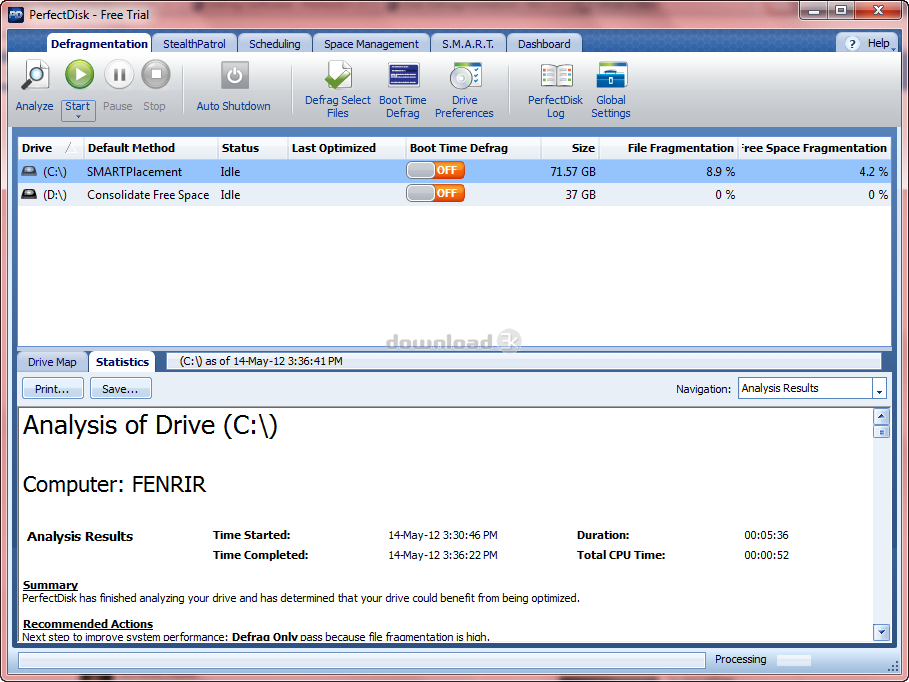
Because only PerfectDisk exclusively defragments all metadata, you end up with a drive that is completely defragmented. Other defragmenters do not defragment all of the NTFS metadata and even more alarming, do not report on the files they leave fragmented.
Detailed fragmentation statistics for ALL files
You get the complete picture of the state of your drive. With other defragmenters, since you don't have statistics on all files, you're only seeing part of the picture.
Places Master File Table (MFT) according to Microsoft recommendations for improved performance
You will see a 5%-10% performance improvement over other defragmenters because of where PerfectDisk places the MFT. Microsoft has specific guidelines for placement of the MFT for this improved performance, and only PerfectDisk follows these guidelines.
Single File Defrag
PerfectDisk allows users to defragment a single file rather than an entire drive if desired. This can be useful for users working with large files, such as videos.
Defragments directories, the pagefile and the hibernate file
No file or directory is left fragmented, so you'll have better performance.
Utilizes the Microsoft move file Application Program Interface (API)
Ensures complete safety of your system
CPU and I/O throttling
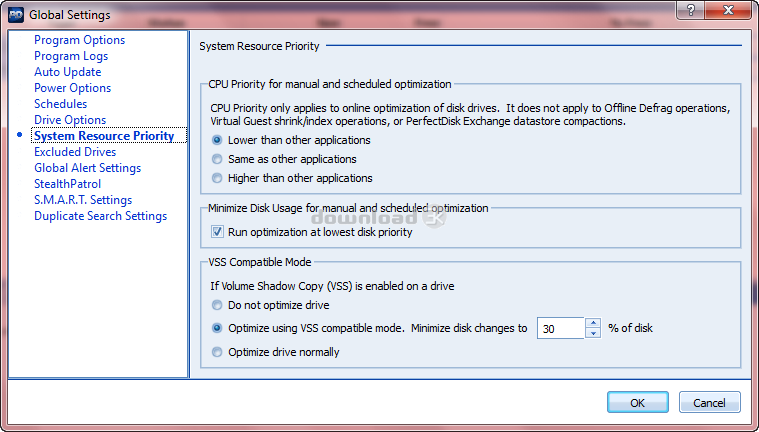
PerfectDisk provides the ability to control CPU and I/O resources. While PerfectDisk uses very little CPU resources, administrators still have the ability to throttle CPU depending on certain circumstances. Similarly, I/O activity can also be throttled. This can be useful if, for example, another application is performing large amounts of I/O.
Power Management
Users can choose to control whether PerfectDisk should perform a scheduled defrag when the computer is running on a battery or connected to a UPS. This is particularly useful for laptops users, preventing the battery from being used.
Full integration with Active Directory Group Policy Administrative Templates for enterprise deployment, scheduling, and management
Saves time with enterprise deployment and requires no training for administrators familiar with Microsoft's Active Directory
Installation without User Interface for administrative control
Allows administrators complete control if they wish to deny end users access to the PerfectDisk interface
No limitation of number of systems being scheduled
Easy to schedule across the network, no matter how big. Some defragmenters place restrictions on how many systems can be scheduled.
AutoUpdate Ability
Automatically keeps up with PerfectDisk updates to ensure you are always running the current release.
Full-featured command line support for both local and remote operations
Not limited to certain commands, as you are with other defragmenters. This ability to utilize all PerfectDisk commands gives you even more ability to control PerfectDisk and tailor according to your specific requirements.
Low system resource (CPU, memory) usage
Saves computer resources, freeing them for other needs and applications.
Automatic shutdown after defrag (Professional version only)
PerfectDisk can be set to shut down at the conclusion of a defrag.
Automates compaction/defragmentation of Microsoft Exchange data stores
Improves Exchange performance and helps you regain disk space (requires PerfectDisk for Exchange)
Requirements:
- 32-bit, x64 and Itanium platforms
- 64 MB RAM (128MB recommended)
- 20 MB Disk Space
- FAT16, FAT32 and NTFS
- All levels of RAID and SAN are supported
|
| Antivirus information |
|
Download3K did not scan PerfectDisk Professional for viruses, adware, spyware or other badware. For your own safety, we recommend that you always have an antivirus, with virus definitions up to date, installed on your computer when downloading and installing programs from the web.
|
| Related press releases |
PC Activity Monitor Professional (PC Acme Professional) V 7.5 is released! [2006-04-10 00:00:00]
PC Activity Monitor Professional (PC Acme Professional) is designed for monitoring user's PC activity. PC Acme Professional works under Windows 2000/XP operating systems. All the data collected while ...
|
|
RADvolution Designer 2005 Professional Edition released! [2004-12-17 00:00:00]
DevelopGuidance released the RADvolution Designer 2005 PE.
Rapidly build applications without coding and with a high level of maintainability.
Includes a unique Layout Engine (just drag and drop cont...
|
|
Birbals Launching its New Websites for Web Designing Services [2004-09-04 00:00:00]
Do you want a website design that is both appealing and functional? Are you looking for a professional, yet affordable web design? Are you looking for a reputable web design company for your website d...
|
|
RADvolution Designer 2005v2 PE released: a correct layout at once! [2005-06-03 00:00:00]
DevelopGuidance released version 2005v2 of the RADvolution Designer PE, a collection of powerful RAD components with a unique layout solution which always ensures a consistent and professional layout ...
|
|
VirtualLNK releases new XP Business Icons Collection [2005-09-05 00:00:00]
VirtualLNK, a leader in professional icon design, has announced the release of version 2.0 of their best-selling professional icons collection: The Business Icons Collection. With more than 400 new ic...
|
|
VirtualLNK releases fourth set of Professional Software Icons [2005-07-07 00:00:00]
Orlando, Florida USA July 6th, 2005 - VirtualLNK, a leader in Professional Icon Design has announced the release of their first industry-specific icon collection: The Accounting Collection.
The Acc...
|
|
Professional Software Toolbar Icons [2008-04-06 18:14:42]
Professional Vista Software Collection v1.0 is a pristine looking Stock Icon collection. With a total icon count of 4699 icons, and icons ranging from Document Icons, Folder Icons, Media Icons, Web Di...
|
|
DiskAnalyzer Professional 1.8 Released [2006-06-29 06:53:02]
Date : 29th June 2006.
Company : Crave Worldwide, India.
Location : India.
We have released DiskAnalyzer Professional 1.8 today.
DiskAnalyzer Professional is a disk space analysis and cleaning...
|
|
RADvolution Designer 2006v1 PE released! [2006-02-02 00:00:00]
DevelopGuidance released version 2006v1 of the RADvolution Designer PE, a collection of powerful RAD components with a unique layout solution which always ensures a consistent and professional layout ...
|
|
RADvolution Designer 2006v2 PE released! [2006-04-03 00:00:00]
DevelopGuidance released version 2006v2 of the RADvolution Designer PE, a collection of powerful RAD components with a unique layout solution which always ensures a consistent and professional layout ...
|
|
|
|
| WhatDisk |
WhatDisk is an easy-to-use program with an Explorer-like user interface that helps you categorize your disks (CD's, DVD's, ZIP disks, external hard drives, USB sticks etc.) into a single, searchable database. |
|
| AutoMe |
AutoMe is a reliable and user-friendly windows automation software and macro recorder with task scheduler, color checker. AutoMe is very easy to use, you can record robot, and run it as many time as needed. No programing needed. |
|
| GRBackPro - Professional Backup |
Backup Win 2K8 Vista 2K3 XP 2K NT Me 9x. Fully customizable, include,exclude files, skip directories. Integrated restore and scheduler. Full, Incremental and Differential Backup modes. Can run as a Service. Support network, all removable, CDRW, DVD. |
|
| Process Priority Optimizer |
Process priority class optimizer for NT/XP.
- Simple and easy to use
- Automatically shutdown unwanted applications/processes
- Automatically adjust applications execution priorities based on user preference
- Transparently boost performance |
|
| Digital Diary |
Digital Diary is a tool to write your diaries every day without needing to write your stuff in text files. |
|
| PowerZip |
PowerZip makes zipping / unzipping quick & simple while providing advanced compression & security features:
- Easy to use Wizards
- Strong encryption (256-bit AES)
- Supports 12 types of archives
- Create PowerZip Macro files to automate backup |
|
| MyPendrive |
MyPendrive enables extended autorun functions for USB drives, like starting portable apps directly at drive connection. Version 2.0 offers enhanced backup functions and allows you to easily customize the drive label, icon and autostart menus. |
|
|