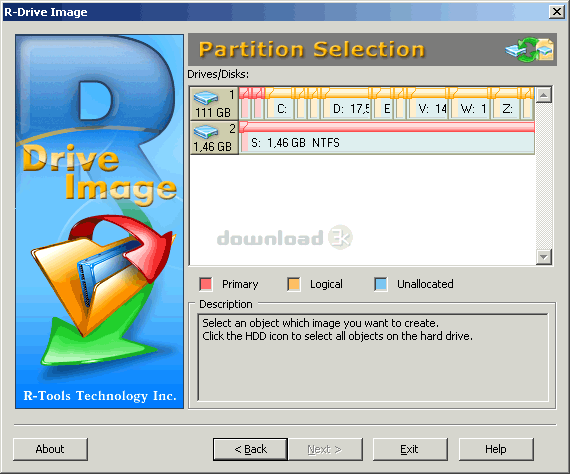
R-Drive Image 5.3 build 5304
Developed by R-Tools Technology Inc.
-
Windows
-
setup file RDriveImage5.exe (76.52 MB)
-
Shareware
Buy or select mirror:
- Buy $44.95
- Developer Link 1 (non https RDriveImage5.exe)
- Developer Link 2 (non https rddemo5.exe)
- Download3k US (RDriveImage5.exe)
- Download3k EU (RDriveImage5.exe)
MD5: 3d78ba54155b208946f15ff685e2ae08
All files are original. Download3K does not repack or modify downloads in any way. Check MD5 for confirmation.
Developer Description
"Drive Image and Disk Backup software."
Try fully functional version of the software for 30 days absolutely free and verify all R-Drive Image capabilities. R-Drive Image is a potent utility providing disk image files creation for backup or duplication purposes. A disk image file contains the exact, byte-by-byte copy of a hard drive, partition or logical disk and can be created with various compression levels on the fly without stopping Windows OS and therefore without interrupting your business. These drive image files can then be stored in a variety of places, including various removable media such as CD-R(W)/DVD, Iomega Zip or Jazz disks, etc. Using R-Drive Image, you can completely and rapidly restore your system after heavy data loss caused by an operating system crash, virus attack or hardware failure. You can also use R-Drive Image for mass system deployment when you need to setup many identical computers. In other words, you can manually setup one system only, create an image of the system, and then deploy it on all other computers, saving your time and costs. If you need to restore only certain files from a disk image, you can connect that image as a virtual disk and copy those files directly from the disk image using Windows Explorer or any other file utility. Full support for the GPT partitioning layout. R-Drive Image can create GPT disks, resize them, and change their partition layout during copy/restore operations. R-Drive Image is one of the best backup and disaster recovery solutions to prevent losing your data after a fatal system failure. Now R-Drive Image trial bootable version launched from startup disks (either USB flash or CD/DVD or floppy disks set) is fully functional within 30 days as well as the Windows version. Our Technical Support Team is available 24 hours a day, seven days a week. You may contact our technicians over email anytime or call them 1-888-9-RTTCOM (1-888-978-8266) ext. 2 during our business hours 9 AM till 6 PM ET Monday to Friday.Requirements: At least 256 MB of RAM and administrative rights to install the program
What's new in this version: Support for S.M.A.R.T. warnings, Increase in read speed for compressed images.
Antivirus information
Download3K has downloaded and tested R-Drive Image on 29 Dec 2015 with some of Today's best antivirus engines and you can find below, for your convenience, the scan results:
-
Avast:
Clean -
Avira:
Clean -
Kaspersky:
Clean -
NOD32:
Clean

Popular downloads in System Utilities
-
 Realtek AC'97 Drivers A4.06
Realtek AC 97 sound driver. -
 Windows 7 Service Pack 1 (SP1) 32-bit & 64-bit (KB976932)
The first service pack for Windows 7. -
 Realtek High Definition Audio Driver for Vista, Win7, Win8, Win8.1, Win10 32-bit R2.82
High definition audio driver from Realtek. -
 .NET Framework 2.0
The programming model of the .NET -
 Driver Cleaner Professional 1.5
Improved version of Driver Cleaner -
 RockXP 4.0
Allows you to change your XP product key -
 Realtek AC'97 Drivers for Vista/Win7 6305
Multi-channel audio CODEC designed for PC. -
 DAEMON Tools Lite 12.3.0.2297
The FREE Virtual CD/DVD-ROM-EMULATOR. -
 AutoCorect 4.1.5
Diacritice la comanda, punctuatie automata. -
 SIW 16.08.0603
SIW - System Information for Windows
User rating
1/5 (1 votes)
Poor
Your rating

-
OS
Win2000,Win7 x32,Win7 x64,Win8 x32,Win8 x64,Win2012,WinServer,WinVista,WinVista x64,WinXP -
License
Shareware -
Price
$44.95 Buy -
Updated
12/29/2015 -
Downloads
855 (1 last week) -
Size
76.52 MB -
MD5
3d78ba54155b208946f15ff685e2ae08 -
SHA1
bf099d0b67db80b95fdd6d46431e4bf9fc3d7a88 -
Developer
R-Tools Technology Inc.