AutoVer 3.0.1
- Developer Link 1 (AutoVer-setup.exe)
- Download3k US (AutoVer-setup.exe)
- Download3k EU (AutoVer-setup.exe)
MD5: 6c824a3df82769dd868838cd6150c33d
All files are original. Download3K does not repack or modify downloads in any way. Check MD5 for confirmation.
Review & Alternatives
"Automatic backup and personal version control"
Overview
One of the most important things you should do in order to protect your files is backup your files regularly, so that even if a virus strikes, a system failure occurs or just an accidental file deletion happens, you can easily recover the lost data like the disaster never happened. AutoVer is a program that will help you create backups and keep them updated automatically. It includes a lot of features and options that change how it works, and is very lightweight taking up few system resources when running.
Installation
Installation doesn’t have any difficult steps. Follow the simple set of steps to carry out the process and start using the program. If you are upgrading the program or reinstalling it, make sure that it’s not running on the background (and its service is stopped) otherwise a reboot will be required to complete the process. AutoVer is clean from malware and additional software (see report).
The operating systems it supports are all versions from Windows 2000 to 7 (32 and 64-bit editions supported) and do note that it can run on portable media as well.
Interface
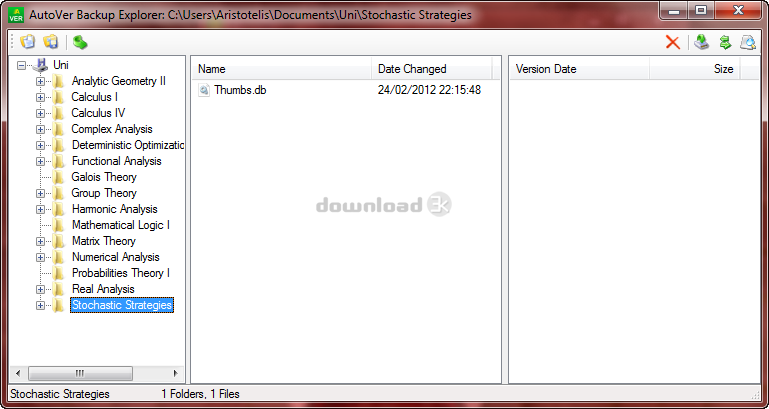
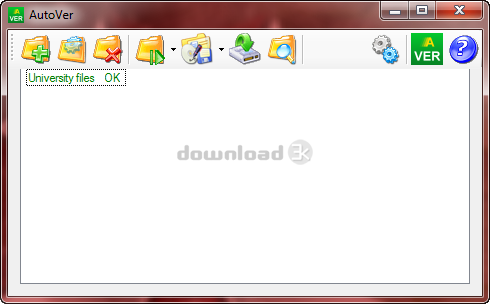
The interface of the program is extremely simple. It has a few buttons at the top that perform different actions and the main screen lists all the currently active watchers (watchers are basically the configured backup tasks). Next to the watcher name you can see its status; if it’s OK, the whole row is colored green, and if it’s Paused/Disabled, the whole row is colored orange. Watchers with Errors are colored red. Selecting a watcher and clicking the last button in the toolbar (the one with the magnifying glass) will open the Backup Explorer, which will show you the watcher’s files and versions in an explorer-style window.
Pros
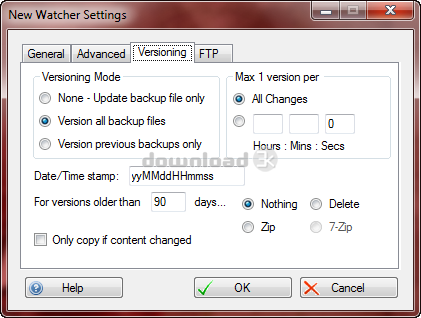
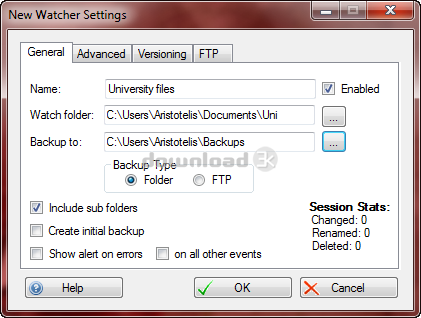
Every time you add a new watcher you are actually picking a folder that you want the program to monitor and create a backup of, saving automatically any changes made to the folder’s files and sub-folders. The initial backup gets updated (meaning that an incremental backup is performed) to save time and disk space, although a new backup can be created too. Older backup versions can be automatically deleted or archived after a set period of time.
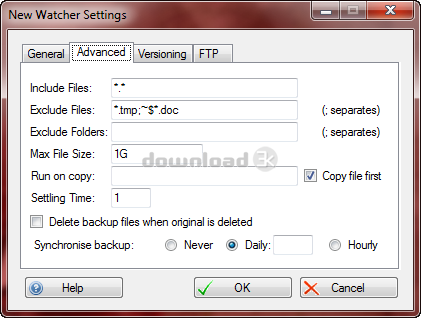
From the available settings you can configure the program to include/exclude certain types of files or particular sub-folders, as well as set a max file size on the included files. The backup created can be kept in a folder or uploaded to an FTP server.
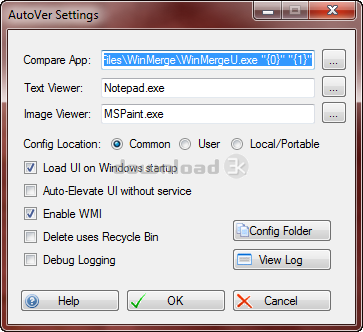
The backups can be explored using the built-in Backup Explorer tool. If you have an external file comparison application installed (like WinMerge) you can use it to compare versions of the files within the backups.
It can backup anything from a folder, an entire drive (including removable sticks), a FTP, or a network drive.
Cons
AutoVer could use some improvement on its GUI.
Alternatives
Cobian Backup (free) is a fine alternative for creating backups of directories reliably and easy. It shares many of AutoVer’s features and has no downsides. Other alternatives are Areca Backup (free), Uranium Backup (paid) and Comodo Backup (free).
Conclusion
Useful software for safeguarding your files and folders from unwated disasters by creating backups. It has several different options and features and can prove to be very helpful under many occasions.

Requirements: .NET 4.8 Framework
What's new in this version: Fixes and minor enhancements
Antivirus information
-
Avast:
Clean -
Avira:
Clean -
Kaspersky:
Clean -
McAfee:
Clean -
NOD32:
Clean

Popular downloads in System Utilities
-
 Realtek AC'97 Drivers A4.06
Realtek AC 97 sound driver. -
 Windows 7 Service Pack 1 (SP1) 32-bit & 64-bit (KB976932)
The first service pack for Windows 7. -
 Realtek High Definition Audio Driver for Vista, Win7, Win8, Win8.1, Win10 32-bit R2.82
High definition audio driver from Realtek. -
 .NET Framework 2.0
The programming model of the .NET -
 Driver Cleaner Professional 1.5
Improved version of Driver Cleaner -
 RockXP 4.0
Allows you to change your XP product key -
 Realtek AC'97 Drivers for Vista/Win7 6305
Multi-channel audio CODEC designed for PC. -
 DAEMON Tools Lite 12.3.0.2297
The FREE Virtual CD/DVD-ROM-EMULATOR. -
 AutoCorect 4.1.5
Diacritice la comanda, punctuatie automata. -
 SIW 16.08.0603
SIW - System Information for Windows


-
OS
Win7 x32,Win7 x64,WinVista,WinVista x64,WinXP,Win10,Win11 -
License
Freeware -
Price
$0 -
Updated
2/9/2025 -
Downloads
632 (2 last week) -
Size
2.74 MB -
MD5
6c824a3df82769dd868838cd6150c33d -
SHA1
9df18df3cfd45ad4a40e3bc81275b7cac40567e5 -
Developer
Bean