Areca Backup 7.4.6
- Developer Link 1 (non https areca-7.4.6-windows-jre32-setup.exe)
- Developer Link 2 (non https areca-7.4.6-windows-jre64-setup.exe)
- Download3k US (areca-7.4.6-windows-jre32-setup.exe)
- Download3k EU (areca-7.4.6-windows-jre32-setup.exe)
MD5: 757cd125e380b80be1756d5ab2dc28f7
All files are original. Download3K does not repack or modify downloads in any way. Check MD5 for confirmation.
Review & Alternatives
"A file backup tool."
Overview
Areca Backup is a handy solution that gives you the ability to backup every file and folder you want, easily and with plenty of options to do so. You decide how you want to backup your files: create only a copy of them in a specified location, or create a ZIP (or ZIP64) archive choosing the compression level as well as optionally encrypt them. The backups can be saved locally in a hard disk or a connected storage device but they can also be saved in an FTP server remotely.
Installation
There is a portable version and an installer available. The installation procedure is very easy to follow and has no special configurations for the user to make. It doesn’t have any extra software like add-ons or malware/spyware (scan report) and when the main installation finishes very quickly.
Areca has been tested and can run without problems under Windows 2000, XP, Vista, 7.
Interface
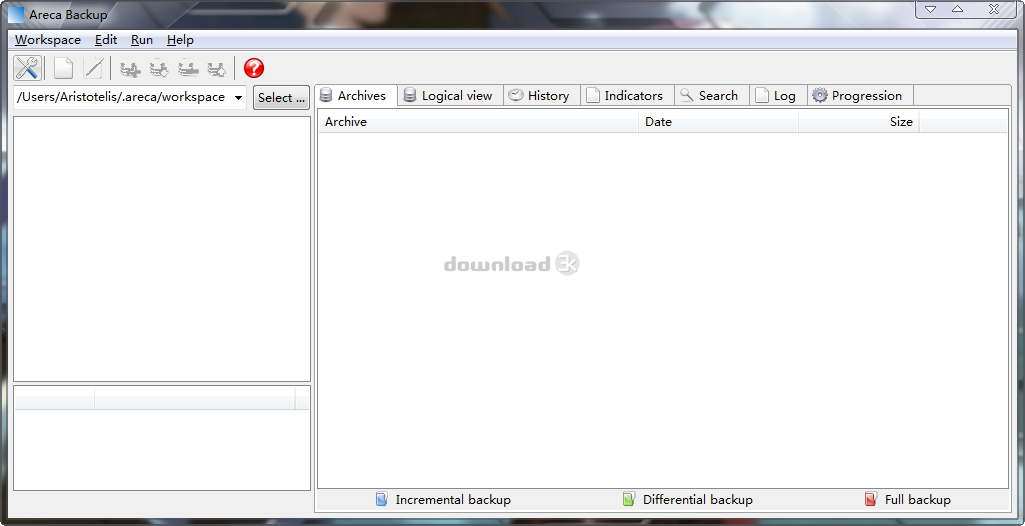
The interface is very simple. Below the menu bar are a few buttons, and a drop down menu to choose your workspace. In the upper box on the left side you can choose your group and in the lower box you can view information about it (backup source, type etc.). On the big window next to those boxes there are a lot of tabs: Archives, Logical View, History, Indicators, Search, Log and Progression. In each tab you have different options and features.
Pros
When you create a backup you have the option to compress the data or just make a copy of the files. You can also encrypt them if you wish, using AES128 & AES256 encryption methods. The backup can be stored in a hard disk or any storage device in general, but it can be uploaded in an FTP server as well.
There are 3 storage modes: Standard, Delta and Image. Standard mode is the recommended one, since it creates a new archive for all new and modified files since the last backup. Delta mode will create a new archive for each backup and store only modified parts of files since the last backup. This is useful when backing up large files. In Image mode a unique archive will be created and updated at each backup.
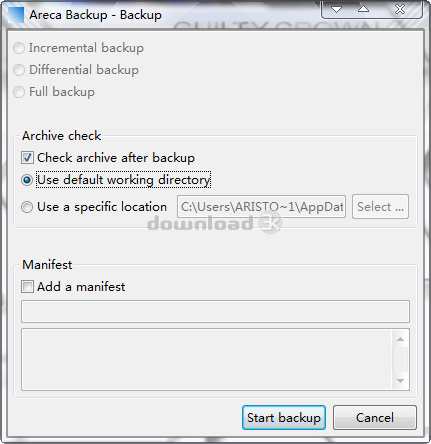
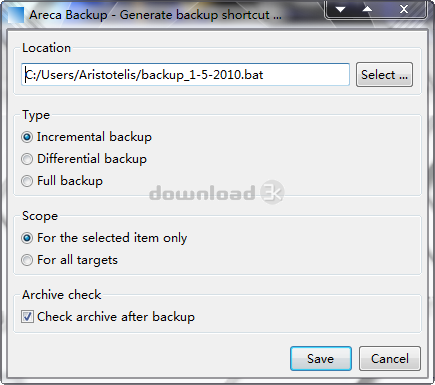
Apart from the storage modes, there are 3 backup types too: Full, Incremental and Differential. Full means that all files will be stored in the archive. In incremental backup only the files which have been modified since the last backup are stored in the archive and in differential, only the files modified since the last Full backup will be stored in the archive.
Cons
You cannot store backups over a network, and neither can you burn them on a CD/DVD. These would great additions to the program’s feature list.
Alternatives
Cobian Backup, Duplicati, Uranium Backup, Comodo Backup, Karen's Replicator and Bacula are just some of the hundreds backup software that exist, and are on the same level of usability with Areca Backup.
Conclusion
Areca Backup is a good application to keep your files safe from unwanted deletions, and a few unique features it has push it a little higer than the average backup software. It is a good solution for creating and storing backups, but that’s as far as it goes.

Antivirus information
-
Avast:
Clean -
Avira:
Clean -
Kaspersky:
Clean -
NOD32:
Clean

Popular downloads in System Utilities
-
 Realtek AC'97 Drivers A4.06
Realtek AC 97 sound driver. -
 Windows 7 Service Pack 1 (SP1) 32-bit & 64-bit (KB976932)
The first service pack for Windows 7. -
 Realtek High Definition Audio Driver for Vista, Win7, Win8, Win8.1, Win10 32-bit R2.82
High definition audio driver from Realtek. -
 .NET Framework 2.0
The programming model of the .NET -
 Driver Cleaner Professional 1.5
Improved version of Driver Cleaner -
 RockXP 4.0
Allows you to change your XP product key -
 Realtek AC'97 Drivers for Vista/Win7 6305
Multi-channel audio CODEC designed for PC. -
 DAEMON Tools Lite 12.0.0.2126
The FREE Virtual CD/DVD-ROM-EMULATOR. -
 SIW 14.1.0417
SIW - System Information for Windows -
 AutoCorect 4.1.5
Diacritice la comanda, punctuatie automata.


-
OS
Windows NT / 2K / XP / 2003 / Vista -
License
Freeware -
Updated
5/20/2014 -
Downloads
661 (1 last week) -
Size
4.91 MB -
MD5
757cd125e380b80be1756d5ab2dc28f7 -
SHA1
3bbaf963316cc0006314a6e1284363c8db145226 -
Developer
Oliver Petrucci