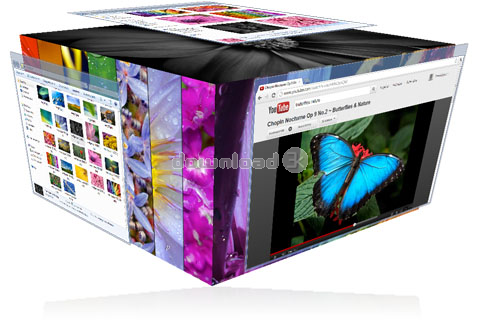
CubeDesktop NXT 2.0
- Buy $24.95
- Developer Link 1 (non https setup_cubedesktop.exe)
- Download3k US (ver 2.0, setup_cubedesktop.exe)
- Download3k EU (ver 2.0, setup_cubedesktop.exe)
MD5: bb49fc98aace666c2184141d1a82504c
All files are original. Download3K does not repack or modify downloads in any way. Check MD5 for confirmation.
Review & Alternatives
"3D Virtual desktop and task switcher"
Overview
Who hasn’t heard of multiple desktops? The advantages are huge! Increased productivity, more work space and it looks cool! Cube Desktop is a tool that allows you to create up to six virtual desktops. The switching process between them is done fairly easy and it is a tool that everybody should own. Let’s take a closer look at CubeDesktop in this review and find out if it is worth it.
Installation
CubeDesktop is a software product that is relatively easy to install. At around 3 MB in size, the small setup kit certainly helps the quick installation. It doesn’t come with anything bundled and in terms of requirements; you might want to know that CubeDesktop works on the following Windows operating systems: XP, Windows 2003 and Vista.
Interface
At first, one might ask, “Where is the interface?” Well, it does have an interface that is represented by the Options panel. Here, you get access to a bunch of settings that allow the customization of your virtual desktops. Basically, how they look and how they ‘behave’ can be configured though this panel. Simplicity is its buzzword and there aren’t really any major problems that you might encounter. It is actually very similar to the Windows Control Panel.
Pros
CubeDesktop is a resource-economical application, taking up just 20 MB on Windows XP and around 70 MB on Vista. One of the many features of CubeDesktop is that it supports customization of each virtual desktop. You can change the individual wallpapers and the icons. The system tray is the common element of all the virtual desktops and here you will find all the tray-minimized tools. Any fans of visual effects will love this next feature of CubeDesktop. It’s called Hot Corners and it works by undertaking a certain action when one of the corners of the screen is hit by your mouse cursor. This action can be anything that goes with your fancy such as enable Windows Expose, activate the 3D cube view of the desktops or access to just one of the desktops. It is a highly configurable tool and many keyboard shortcuts can be made. If you want a richer visual experience, you can also make your desktops transparent!
Cons
In terms of cons, it must be said that CubeDesktop still needs further polishing because there are minor glitches present. Windows Expose doesn’t always work properly as well as the customization of certain icons tends to disappoint. The fixes should arrive soon in future releases though.
Alternatives
For alternatives, there are many tools out there that provide access to virtual desktops. Check out VirtuaWin, Aston or Virtual Desktop Toolbox. However, these pale in comparison with CubeDesktop due to the small number of options and features.
Conclusion
All in all, a multi-desktop environment is offered by CubeDesktop. It is easy to configure and handle, I’m sure IT engineers will surely appreciate it. The free trial only lasts one hour (Yes, we know, it’s frustratingly short!) so all the minuses and pluses of this tool may not be fully observed in such a short amount of time. With future polishing, CubeDesktop has the potential to become one of the best virtual desktop tool around.

Antivirus information
-
Avast:
Clean -
Avira:
Clean -
Kaspersky:
Clean -
NOD32:
Clean

Popular downloads in Desktop Enhancements
-
 Vista Transformation Pack 9.0.1
Transform Windows XP to Vista alike for free! -
 Universal Vista Inspirat Brico Pack Ultimate 2 1.0
An update for Vista Inspirat Brico Pack. -
 Vista Visual Styles Pack 6.0
Change your old Windows XP theme. -
 VistaMizer 4.3.1.0
Give your Windows XP the Vista look! -
 Licking Dog Screen Cleaner Screen Saver 2.0
Licking Dog Screen Cleaner Screen Saver -
 Acez Jump Start Screensaver 1.2
Activate your screen saver from your desktop! -
 UberIcon 1.0.4
Adds effects to your Desktop and Explorer. -
 Classic Shell 4.3.1
Enhance the usability of Windows! -
 RocketDock 1.3.5
Application launcher simliar to the OSX Dock. -
 free Image 2 Icon Converter 3.2
Convert from all images to transparent icons


-
OS
Win7 x32,Win7 x64,WinVista,WinVista x64,Other -
License
Shareware -
Price
$24.95 Buy -
Updated
3/2/2020 -
Downloads
1170 (1 last week) -
Size
4.10 MB -
MD5
bb49fc98aace666c2184141d1a82504c -
SHA1
5da1ec06bf471ae0fc877774066884d1e27f8b55 -
Developer
Thinking Minds, Building Bytes